
Top Kolorize Alternatives in 2026
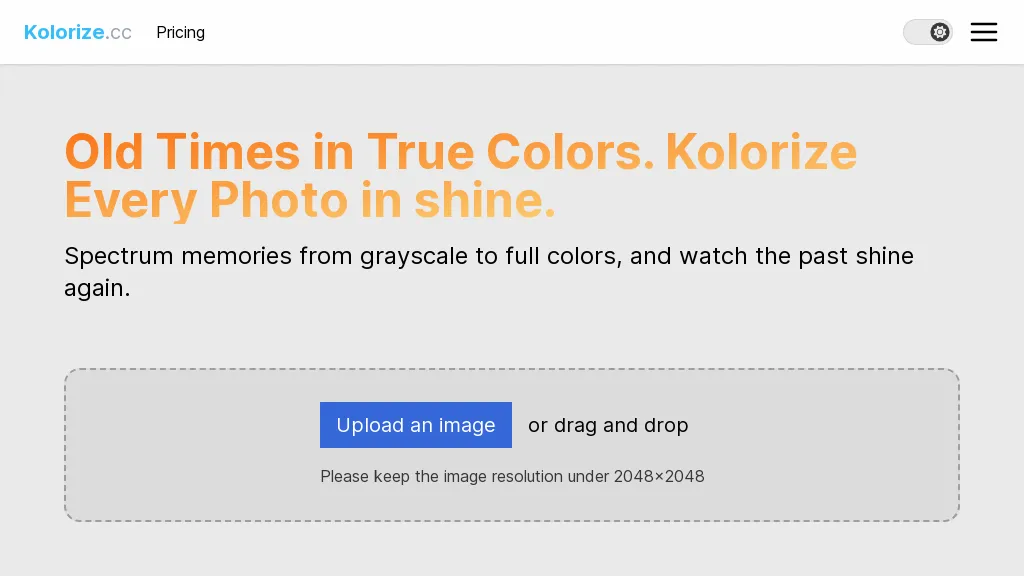
57.1% · recommended - 7 user reviews FreemiumKolorize automatically colorizes grayscale, black‑and‑white, or sepia images in 3–8 seconds. It accepts JPEG, PNG, WebP, GIF, or AVIF up to 4096×4096 pixels, resamples larger files, outputs colorized JPGs, and deletes uploads after processing.
Best 5 Kolorize Alternatives:
29 Kolorize Alternatives & Competitors
Tool
Pricing
Rating
Popularity
Compare

AI-powered colorization of black-and-white photos, batch processing included
Free trial
No reviews yet
54 popularity


#3
ColorifyAI
AI‑powered instant coloring page generator from prompts or photos
Paid
82.6%
23 reviews
54 popularity
▼ -1.9% MoM

AI-powered restoration of old photos: repair, colorize, upscale, and sharpen
Free
No reviews yet
47 popularity
▲ +38.7% MoM

AI automatically removes backgrounds from photos and preserves resolution
Freemium
from $9
82.1%
28 reviews
69 popularity

#6
Colorcinch
AI-powered photo editing: cartoonize, remove backgrounds, enhance images.
Paid
81.3%
16 reviews
62 popularity
App

Instant AI photo stylization with cartoon, sketch, painting filters.
Free
from $8.99
100%
1 review
54 popularity
App

AI-powered image upscaling and enhancement, preserving detail and clarity.
Freemium
76.2%
21 reviews
56 popularity
▼ -15.3% MoM

#9
iColoring AI
Generate customizable coloring pages from text and images
Free trial
100%
9 reviews
54 popularity
▲ +3.2% MoM

#10
ColorMe AI
Generate printable coloring pages from photos and text.
Freemium
40%
5 reviews
41 popularity
▲ +42.8% MoM


#12
PhotoEditor.ai
AI-powered quick image editing and generation online
Paid
100%
1 review
50 popularity
▼ -4.1% MoM

#13
Logo Rank
AI-driven tool auto-colorizes grayscale graphics with customizable palettes
Free
78.9%
19 reviews
64 popularity

#14
HitPaw Photo AI
AI-powered image upscaling, denoising, and restoration
Free trial
70.4%
27 reviews
67 popularity

#15
Img Upscaler
AI super-resolution upscale images up to 400% with detail retention
Free
75%
20 reviews
65 popularity
▼ -8.3% MoM
App

#16
bigmp4
AI-powered upscaling, colorization, and frame interpolation for media
Paid
No reviews yet
43 popularity
▲ +18.3% MoM

#17
AI Color Art
Enhance black and white photos with realistic colors
N/A
No reviews yet
Open source

Intelligent image editing based on text prompts using AI
Free trial
50%
4 reviews
49 popularity
▲ +47.4% MoM

#19
AIEnhancer.ai
Enhance low-quality images to high-resolution using AI
Freemium
75%
4 reviews
58 popularity

#20
AI Image Editor-
AI-powered online photo editing and enhancement with precision
Free trial
from $7.99
80%
25 reviews
50 popularity
▲ +17.1% MoM

#21
PicTools.AI
AI-powered instant photo editing via prompts and filters
Subscription
from $23.4/mo
75%
4 reviews
50 popularity
▼ -18.8% MoM

#22
ImageCartoon
Transform photos into AI-generated cartoon images
Free
No reviews yet
54 popularity
▲ +66.0% MoM
App

#23
GenColor.ai
Generate custom coloring pages from photos and text prompts using AI technology
Free trial
25%
4 reviews
51 popularity
▼ -6.0% MoM

#24
Crayon AI
Generate, edit, and upscale photos with AI technology
Subscription
from $10/mo
No reviews yet
35 popularity
▲ +128.2% MoM

#25
ColoringStore
AI-generated printable high-resolution coloring pages from text or images
Free
No reviews yet
34 popularity
▲ +32.0% MoM

#26
iPage.AI
Generate professional-quality coloring pages using AI
Freemium
80%
5 reviews
51 popularity
▼ -1.4% MoM

#27
Caricaturer.io
AI caricature generator creating unlimited, high‑resolution, personalized images locally.
Free
No reviews yet
43 popularity
▼ -2.4% MoM

#28
iFoto
AI-driven photo editing for e-commerce product photography
Free
85.2%
27 reviews
55 popularity
▼ -5.0% MoM
App

#29
My Coloring AI
AI converts photos/text into printable kid-friendly coloring pages
Freemium
from $9.99/mo
75%
4 reviews
41 popularity
▲ +202.7% MoM
Also listed in:
Colorization
Art Generation
Image improvement
Background Removal
Image editing
Image Enhancement
Frequently Asked Questions
Based on user reviews, the highest-rated Kolorize alternatives are
iColoring AI (100%),
iFoto (85.2%),
ColorifyAI (82.6%),
Background Remover (82.1%),
Colorcinch (81.3%).
Yes, 21 of the 29 alternatives listed here offer a free plan, including Palette, Photo Restore, Background Remover.
Yes, AI Color Art is an open-source Kolorize alternative.
My Coloring AI is the fastest-growing Kolorize alternative here, with traffic up 203% month over month.