
Top 29 Handwriting OCR Alternatives in 2026
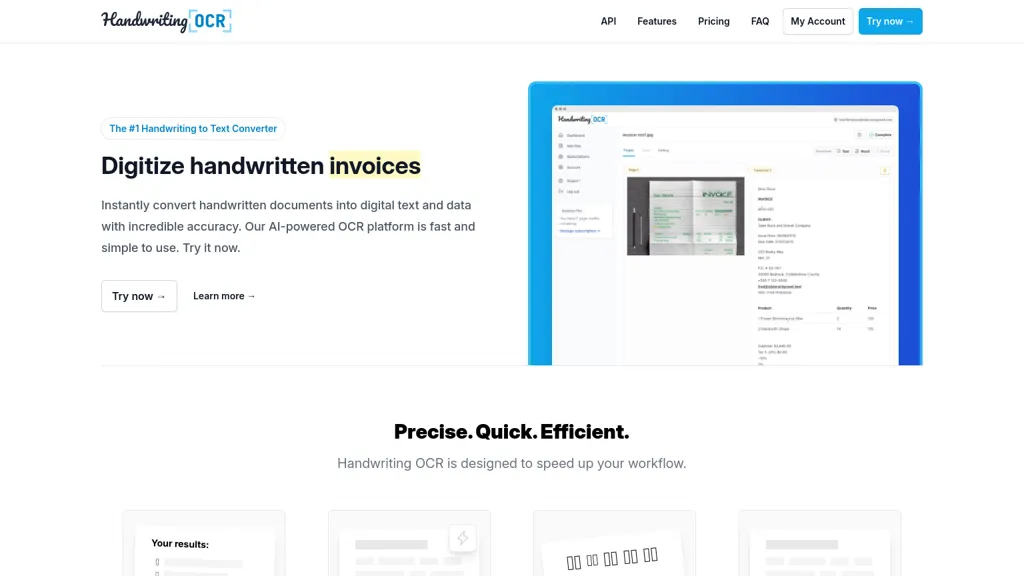
No user reviews yet Free trialHandwriting OCR is an advanced tool that converts handwritten documents into digital text with high accuracy, supporting over 300 languages. It integrates with existing systems, facilitates efficient workflows, and offers document exports in various formats.
We've ranked 29 Handwriting OCR alternatives, including 25 with a free plan. Rankings are based on feature coverage and user feedbacks.
Top-rated alternatives include Inkscribe AI, Pen2txt, and HandtextAI.
29 Handwriting OCR Alternatives & Competitors, Ranked by User Reviews
Click Compare on any tool to compare it side-by-side with Handwriting OCR.
 #1
Inkscribe AI
#1
Inkscribe AI
Inkscribe AI is an advanced document management tool utilizing OCR to digitize and edit handwritten and complex text documents with high accuracy. It features automatic classification, secure file sharing, and an analytics dashboard for enhanced productivity insights.
 #2
Pen2txt
#2
Pen2txt
Pen2txt is a cutting-edge AI tool that accurately converts handwritten notes into digital text, recognizing multiple languages and imperfect handwriting. It seamlessly transforms images of handwritten documents into editable text while correcting spelling and grammar errors.
 #3
HandtextAI
#3
HandtextAI
HandtextAI is an AI handwriting generator that transforms digital text into realistic handwritten documents, offering over 80 fonts, customizable settings, and export options. Users can create authentic notes and letters with personalized styles and visual effects.
 #4
imagetotext.me
#4
imagetotext.me
Image to Text Converter extracts text from images, PDFs, and handwritten notes in 30+ languages. It accepts JPEG, PNG, WebP, GIF, PDF, handles blurry files, and can recognize equations. Users can crop regions, and outputs editable TXT, PDF, or DOCX.
 #5
ScantextAI
#5
ScantextAI
ScantextAI turns images—JPG, PNG, BMP, GIF, TIFF, WEBP—into editable PDF text. Supports 50+ languages, inline editing, and local storage for privacy. Useful for students, finance, healthcare, and content creators across various industries.
 #6
Notebook Digitizer
#6
Notebook Digitizer
Notebook Digitizer converts handwritten notes to digital formats using optical character recognition (OCR). It enables easy upload, organization, and searchability of notes, along with cloud integration for access across devices, enhancing productivity for users.
- Catch deals before they expire
- Unlock tools matched to you
- Show off your AI stacks
Already a member? Sign in
 #7
Handwriting Remover
#7
Handwriting Remover
Remove Handwriting AI Tool efficiently eliminates handwritten content from images and PDFs with ease. Corrects distortions like curling and shadows, making documents pristine. Ideal for education, business, and document management needs.
 #8
AIImagetoText
#8
AIImagetoText
AIImagetoText is a free tool that extracts both printed and handwritten text from images, scans, and notes. It supports batch processing and multiple languages while ensuring your uploaded images are never stored or shared.
 #9
Image2Text
#9
Image2Text
Image2Text converts handwritten notes, printed text, and images into editable digital text. It features advanced AI for accurate text recognition, organized PDF exports, and maintains the original layout, streamlining note-taking for students and professionals.
 #10
GetSearchablePDF
#10
GetSearchablePDF
GetSearchablePDF performs fast OCR on scanned PDFs and images, supporting 100+ languages and both printed and handwritten text. It allows batch uploads up to 400 MB, offers a force OCR option, and deletes uploads after processing, producing fully searchable PDFs.
 #11
qomplement
#11
qomplement
qomplement converts PDFs, images, spreadsheets, emails and scans into structured, ERP-ready data using OCR, computer vision, and LLMs; it extracts and validates fields, auto-discovers schemas, supports batch processing, handwritten text, and direct Excel/ERP exports.
 #12
AlgoDocs
#12
AlgoDocs
Algodocs automates classification, data extraction, and workflow management for documents like invoices, passports, and customs forms. It offers table and handwriting extraction with 97 % accuracy, exporting to CSV, Excel, JSON, or XML. Integration via API, email, or cloud supports workflows.
 #13
Picture To Text
#13
Picture To Text
Image to Text Converter uses AI OCR to extract editable text from JPG, PNG, GIF, WEBP, BMP, HEIC, TIFF, and PDF images. It supports over twenty languages, allows drag‑and‑drop and batch processing, and automatically deletes uploads for privacy.
 #14
Copywrite+
#14
Copywrite+
Copywrite is an AI tool that converts handwritten notes into editable digital documents with 99% accuracy using OCR and ICR technologies. It supports cloud syncing, multi-language functionality, and team collaboration for improved productivity.
 #15
DocuClipper
#15
DocuClipper
DocuClipper is an AI tool that automates the conversion of financial documents into structured formats using advanced OCR. It features bank statement reconciliation, transaction categorization, and integrates with accounting software for streamlined bookkeeping and financial analysis.
 #16
InvoiceOCR
#16
InvoiceOCR
InvoiceOCR is a directory of AI solutions for automating invoice processing, featuring advanced document processing, customizable templates, real-time data validation, and multi-language support, while enabling seamless integration with existing accounting systems for efficient financial management.
 #17
Extracta.ai
#17
Extracta.ai
Extracta.ai is an advanced data extraction solution for unstructured documents, achieving up to 99% accuracy without prior training using a three-step process: OCR technology, Large Language Model, and Data Validation. Primarily designed for developers, it offers API integration and a user-friendly interface.
 #18
Calligrapher
#18
Calligrapher
Convert text to handwriting using an in-browser recurrent neural network with various print and cursive styles. Customize outputs and download as SVG.
 #19
PDFgear
#19
PDFgear
PDFgear is a cross‑platform PDF editor that allows editing of text, images, shapes, and form fields; supports annotations, batch conversion to Word/Excel/PowerPoint, OCR in 30+ languages, AI chat summaries, and merge/split/compress/sign functions.
 #20
TurboDoc
#20
TurboDoc
TurboDoc is an AI tool that efficiently extracts data from invoices, ensuring accuracy and saving time. Its user-friendly interface and secure data encryption make accounting tasks more organized. Seamless integration with Gmail optimizes workflow for automated invoice processing.
 #21
ToolLab.AI
#21
ToolLab.AI
Extract Text Image from ToolLab.ai converts images and PDFs into editable text formats, supporting various file types. It features high-accuracy text extraction and watermark removal, ensuring document quality while maintaining user file security.
 #22
OLOCR
#22
OLOCR
OLOCR extracts text from images and PDFs in over 100 languages, including CJK. It runs fully in the browser, keeping documents local, and outputs plain text, Word, or searchable PDFs, with optional AI correction and batch processing.
 #23
deepseekocr.io
#23
deepseekocr.io
DeepSeek OCR is an advanced document intelligence tool that extracts high-resolution text and layout with 97% accuracy. It supports over 100 languages, processes up to 200k pages daily, and preserves complex structures like tables and diagrams.
 #24
DeepPDF
#24
DeepPDF
DeepPDF is an AI-powered tool for interacting with PDFs, enabling conversational queries, summaries, translations, and analysis of text, images, and formulas. It also supports OCR, annotations, and multi-format conversions for seamless document handling.
 #25
XNote
#25
XNote
Xnote combines traditional writing on paper with AI technology to capture and convert notes into searchable digital content, enhancing organization and retrieval. This tool supports a seamless workflow for students, professionals, and creatives.
 #26
OmniAI
#26
OmniAI
Omniai is a document workflow automation tool that uses AI-driven OCR for efficient data extraction and classification. It supports batch processing, expense categorization, and sentiment analysis, enhancing operational efficiency while ensuring data security and privacy.
 #27
RapidScan.AI
#27
RapidScan.AI
RapidScan AI automates data extraction from various documents using advanced OCR technology, reducing manual entry errors. It offers real-time processing, structured data organization, mobile accessibility, multi-user collaboration, and seamless integration with accounting and ERP systems.
 #28
Everbility
#28
Everbility
Everbility extracts and transcribes data from PDFs, images, notes, and audio, then uses AI templates for rapid, customizable documentation. It verifies content against peer‑reviewed sources, outputs Word or text files, and supports secure collaboration under HIPAA, GDPR, SOC 2.
 #29
GradeLab
#29
GradeLab
GradeLab automates the grading of handwritten exams using OCR technology, providing accurate digital assessments. It offers real-time student progress tracking, personalized feedback, and customizable rubrics, enhancing efficiency and instructional focus for educators across various subjects.
Frequently Asked Questions
Why look for Handwriting OCR alternatives?
Common reasons users switch from Handwriting OCR:
- Cost: Handwriting OCR is a Free trial tool — users often look for more affordable or free options.
- Feature gaps: teams needing specific capabilities like Extract text may find a more focused alternative better suited to their workflow.
- Flexibility: exploring alternatives helps find tools that better match your team size, integrations, and budget.
What is the best alternative to Handwriting OCR?
Inkscribe AI ranks as the top Handwriting OCR alternative. Inkscribe AI is an advanced document management tool utilizing OCR to digitize and edit handwritten and complex text documents with high accuracy. It It is available on a Free trial plan.
How do the top Handwriting OCR alternatives compare?
| Tool | Pricing | Starting Price | User Rating |
|---|---|---|---|
| Handwriting OCR this tool | Free trial | — | — |
| Inkscribe AI | Free trial | — | — |
| Pen2txt | Free trial | — | — |
| HandtextAI | Free | — | 81.3% (16) |
| imagetotext.me | Free | — | 100% (2) |
| ScantextAI | Free | — | 100% (1) |
Are there free Handwriting OCR alternatives?
Yes, 25 free alternatives found in our list: Inkscribe AI, Pen2txt, HandtextAI. and 22 more — use the pricing filter above to see them all.
What should I look for in a Handwriting OCR alternative?
- Core capabilities: confirm the tool supports Extract text, Analyze handwriting, Generate digital documents.
- Pricing transparency: look for clear free plan, trial period, or tiered pricing — avoid tools that hide costs.
- User reviews: check both the satisfaction percentage and the number of reviews; a high score from few users is less reliable.
- Integrations: verify it connects with your existing stack before committing.
- Support and updates: active development and responsive support are strong signals of a maintained product.
Which Handwriting OCR alternative has the highest user rating?
imagetotext.me has the highest satisfaction score among Handwriting OCR alternatives, with 100% positive from 2 user reviews. It is available on a Free plan.
What are Handwriting OCR alternatives used for?
- Extract text
- Analyze handwriting
- Generate digital documents
- Translate handwritten text
- Optimize document formatting