
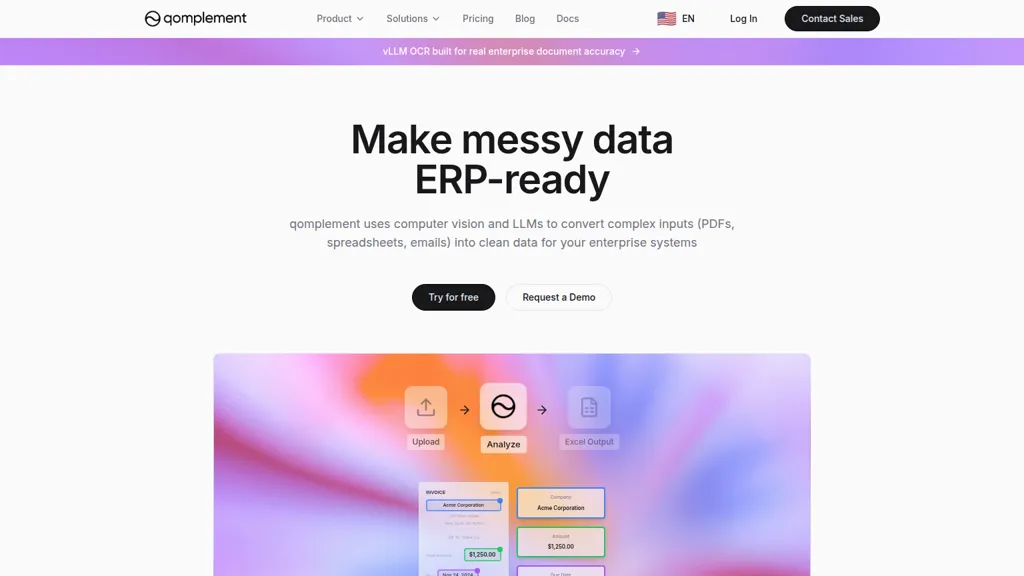
What is qomplement?
qomplement converts PDFs, images, spreadsheets, emails, and scanned documents into structured, ERP-ready data using OCR, computer vision, and large language models. It extracts fields, proposes auto-schema discovery, validates and formats data, and exports directly to Excel or ERP templates.
Features include handwritten text recognition, invoice-to-Excel extraction, batch processing, and editable extracted fields prior to export. Use cases cover finance (invoices, purchase orders, statements), logistics (shipping forms, tracking), retail (receipts, catalogs, inventory), healthcare (patient intake, lab reports), and legal (contracts, filings).
Integrations support direct Excel export and connectors to ERP systems and custom workflows. Searchable indexing and retrieval enable queryable document stores and faster data lookup. Enterprise security controls keep data private, data is not used to train models, and SOC 2 compliance is in progress.
qomplement details
- Company
- Qomplement, Inc.
- Jurisdiction
- California
qomplement pricing
FreeVerify on the official pricing page.
Get started freeqomplement's key features
-
Parse text and structure from any document format (PDFs, images, spreadsheets, emails)
-
LLM- and computer-vision-powered OCR to convert unstructured data into structured fields
-
Indexing and search to retrieve and query document data
-
Edit, validate, and refine extracted data before export
-
Auto-schema discovery and customizable mapping/export to Excel or ERP templates
qomplement use cases
-
Automate invoice-to-ERP workflows by converting batches of PDFs, scanned receipts and emailed attachments into validated, ERP-ready Excel or direct ERP imports with auto-discovered schemas and handwritten text OCR to eliminate manual data entry and speed up month-end close
-
Create a searchable, indexed archive of mixed-format documents (contracts, purchase orders, delivery notes) by extracting structured fields with computer vision and LLM validation, enabling fast lookups, audit trails and seamless export to your ERP or Excel
-
Streamline accounts payable and receivable by auto-parsing spreadsheets, images and handwritten forms into standardized datasets, validating fields, handling batch processing and exporting clean data directly into ERPs to reduce errors and improve cashflow visibility
qomplement user reviews
Would you recommend qomplement?
Who is qomplement for?
-
Data analysts
-
Erp administrators
-
Office managers
-
Accountants
-
Operations managers
qomplement FAQ
Is qomplement free?
Yes. qomplement is free to use and does not require a credit card.
Is qomplement safe to use?
qomplement is operated by Qomplement, Inc., registered in California.
What are the best alternatives to qomplement?
The closest alternatives to qomplement are Extracta.ai, DOConvert, Parsio, Landing.ai and Parseur. You can compare them side by side in the alternatives section further down this page.
What does qomplement do with my data?
qomplement states that customer content is not used to train its models. Its privacy policy states that personal data is not sold or shared for marketing purposes. Data may be shared with third-party service providers that help run the product.
Who made qomplement?
qomplement is built and operated by Qomplement, Inc., a company registered in California.
Compliance, privacy and billing terms are as stated in each product's own published documentation and have not been independently verified by TopAI.tools.


