Top 29 Notebook Digitizer Alternatives in 2026
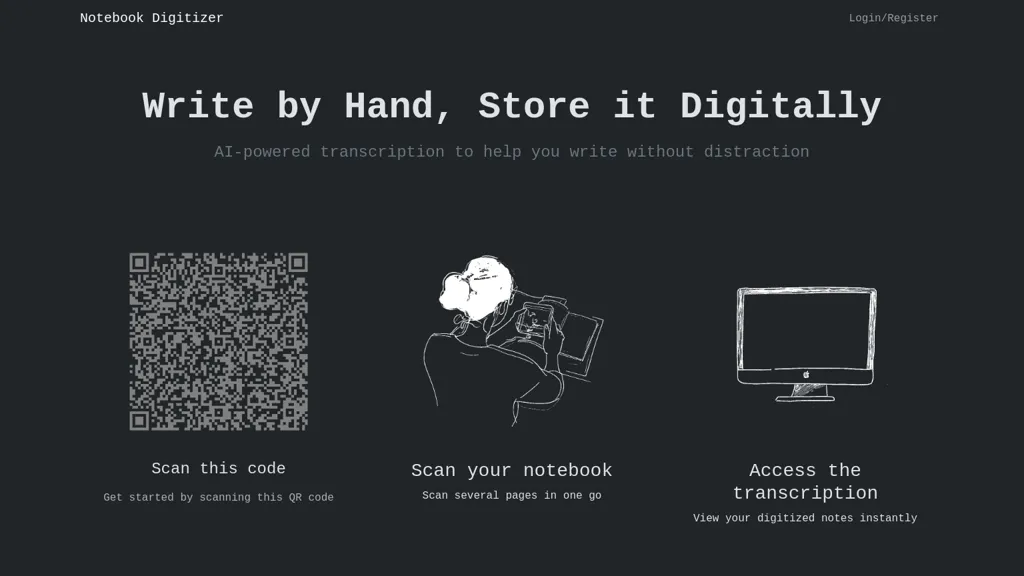
No user reviews yet FreemiumNotebook Digitizer converts handwritten notes to digital formats using optical character recognition (OCR). It enables easy upload, organization, and searchability of notes, along with cloud integration for access across devices, enhancing productivity for users.
We've ranked 29 Notebook Digitizer alternatives, including 21 with a free plan. Rankings are based on feature coverage and user feedbacks.
Top-rated alternatives include Goodnotes, HandOCR, and XNote.
29 Notebook Digitizer Alternatives & Competitors, Ranked by User Reviews
Click Compare on any tool to compare it side-by-side with Notebook Digitizer.
#1
Goodnotes
GoodNotes is a digital notebook that records voice, text, or handwriting and supports collaboration. AI transcribes audio, summarizes meetings, turns notes into searchable flashcards, and syncs audio to slides for students and teachers across iOS, macOS, Windows, Android, and Web.
#2
HandOCR
HandOCR is a browser-based OCR tool that converts images and scanned PDFs into editable, copyable text directly on your device. It supports multilingual handwriting and print recognition, batch processing, and seamless export for digitizing notes, receipts, invoices, and documents.
#3
XNote
Xnote combines traditional writing on paper with AI technology to capture and convert notes into searchable digital content, enhancing organization and retrieval. This tool supports a seamless workflow for students, professionals, and creatives.
#4
notability.com
Notability converts notes, PDFs and recordings into personalized study materials with AI-generated summaries, quizzes and flashcards. It offers PDF annotation, handwriting, real-time transcription, audio recording, sync across iOS/web and exportable organized notes.
#5
Pen2txt
Pen2txt is a cutting-edge AI tool that accurately converts handwritten notes into digital text, recognizing multiple languages and imperfect handwriting. It seamlessly transforms images of handwritten documents into editable text while correcting spelling and grammar errors.
#6
NoteThisDown
NoteThisDown is a digital transcription tool that converts handwritten notes into editable text for Notion. Users can upload photos of notes, ensuring clarity across different handwriting styles, with features for organized storage and easy retrieval.
- Catch deals before they expire
- Unlock tools matched to you
- Show off your AI stacks
Already a member? Sign in
#7
Inkscribe AI
Inkscribe AI is an advanced document management tool utilizing OCR to digitize and edit handwritten and complex text documents with high accuracy. It features automatic classification, secure file sharing, and an analytics dashboard for enhanced productivity insights.
#8
Image2Text
Image2Text converts handwritten notes, printed text, and images into editable digital text. It features advanced AI for accurate text recognition, organized PDF exports, and maintains the original layout, streamlining note-taking for students and professionals.
#9
imagetotext.me
Image to Text Converter extracts text from images, PDFs, and handwritten notes in 30+ languages. It accepts JPEG, PNG, WebP, GIF, PDF, handles blurry files, and can recognize equations. Users can crop regions, and outputs editable TXT, PDF, or DOCX.
#10
AudioNotes
Audionotes AI tool for effortless voice-to-text conversion, organization, summarization, and content generation.
#11
Handwriting Remover
Remove Handwriting AI Tool efficiently eliminates handwritten content from images and PDFs with ease. Corrects distortions like curling and shadows, making documents pristine. Ideal for education, business, and document management needs.
#12
Picture To Text
Image to Text Converter uses AI OCR to extract editable text from JPG, PNG, GIF, WEBP, BMP, HEIC, TIFF, and PDF images. It supports over twenty languages, allows drag‑and‑drop and batch processing, and automatically deletes uploads for privacy.
#13
Turbo AI
Turbo.ai is an AI-powered note-taking and study platform that converts lectures, PDFs, videos, and audio into structured notes, flashcards, quizzes, and summaries. It automatically extracts key concepts, preserves technical formatting, and supports collaboration across devices for students, researchers, and professionals.
#14
Copywrite+
Copywrite is an AI tool that converts handwritten notes into editable digital documents with 99% accuracy using OCR and ICR technologies. It supports cloud syncing, multi-language functionality, and team collaboration for improved productivity.
#15
hynote.ai
HyNote transcribes meetings, audio, video, PDFs, web pages and images into searchable transcripts and concise summaries with speaker identification, OCR, highlight/action-item extraction, knowledge-graph search and integrations for export and collaboration.
#16
ScannerGo
Scanner Go turns your phone into a scanner for documents, books, and photos. It outputs PDF, Word, PPT, Excel, PNG, JPG, or ZIP, provides OCR, and lets you merge, split, compress, lock, and sync files to the cloud.
#17
ScantextAI
ScantextAI turns images—JPG, PNG, BMP, GIF, TIFF, WEBP—into editable PDF text. Supports 50+ languages, inline editing, and local storage for privacy. Useful for students, finance, healthcare, and content creators across various industries.
#18
NeuralBox
NeuralBox captures photos instantly via camera, lock‑screen widget, or share extension, auto‑imports screenshots, and offers a scanning mode. AI image recognition and OCR enable keyword searches; similarity browsing groups images by visual traits. Files sync locally or in the cloud.
#19
EasyNoteAI
EasyNoteAI converts audio, video, PDFs into structured notes, offering real‑time transcription, summaries, quizzes, flashcards, mind‑maps, and interactive questioning. Users upload lectures, YouTube links, or research papers; the platform generates summaries, key‑point lists, and supports multilingual translation for students, professionals, and researchers worldwide.
#20
HandtextAI
HandtextAI is an AI handwriting generator that transforms digital text into realistic handwritten documents, offering over 80 fonts, customizable settings, and export options. Users can create authentic notes and letters with personalized styles and visual effects.
#21
AIImagetoText
AIImagetoText is a free tool that extracts both printed and handwritten text from images, scans, and notes. It supports batch processing and multiple languages while ensuring your uploaded images are never stored or shared.
#22
Voicenotes
Voicenotes lets users record audio on iPhone, Android, desktop, or web, automatically transcribing and summarizing content. It supports 100+ languages, integrates with video calls, and converts notes into blogs, emails, or tasks, keeping recordings encrypted and private.
#23
Everbility
Everbility extracts and transcribes data from PDFs, images, notes, and audio, then uses AI templates for rapid, customizable documentation. It verifies content against peer‑reviewed sources, outputs Word or text files, and supports secure collaboration under HIPAA, GDPR, SOC 2.
#24
GetSearchablePDF
GetSearchablePDF performs fast OCR on scanned PDFs and images, supporting 100+ languages and both printed and handwritten text. It allows batch uploads up to 400 MB, offers a force OCR option, and deletes uploads after processing, producing fully searchable PDFs.
#25
DocuClipper
DocuClipper is an AI tool that automates the conversion of financial documents into structured formats using advanced OCR. It features bank statement reconciliation, transaction categorization, and integrates with accounting software for streamlined bookkeeping and financial analysis.
#26
Reflect AI
Reflect Notes uses GPT‑4 and Whisper to transcribe speech, summarize meetings, outline articles, and stores notes as a graph with backlinks. It syncs cross‑platform, encrypts end‑to‑end, and integrates browsers, Kindle, Readwise, Google Calendar, Outlook, Zapier, and APIs for automation.
#27
Calligrapher
Convert text to handwriting using an in-browser recurrent neural network with various print and cursive styles. Customize outputs and download as SVG.
#28
Handwrytten
Handwrytten automates handwritten note distribution by letting users draft messages, choose from 100+ card designs or create custom stationery, and send authentic pen‑robot reproduced notes with first‑class postage to 190+ countries via Salesforce, HubSpot, Shopify, Zapier, and Make.
#29
notis.ai
Notis is a voice-powered productivity tool that integrates with Notion, allowing users to transcribe, organize, and retrieve information on the go. It helps manage tasks, automate note-taking, track expenses, and streamline customer relationship management.
Frequently Asked Questions
Why look for Notebook Digitizer alternatives?
Common reasons users switch from Notebook Digitizer:
- Feature gaps: teams needing specific capabilities like Transcribe notes may find a more focused alternative better suited to their workflow.
- Flexibility: exploring alternatives helps find tools that better match your team size, integrations, and budget.
What is the best alternative to Notebook Digitizer?
Based on 28 user reviews, Goodnotes (67.9% positive) ranks as the top Notebook Digitizer alternative. GoodNotes is a digital notebook that records voice, text, or handwriting and supports collaboration. AI transcribes audio, summarizes meetings, turns It is available on a Freemium plan starting from $0.58/mo.
How do the top Notebook Digitizer alternatives compare?
| Tool | Pricing | Starting Price | User Rating |
|---|---|---|---|
| Notebook Digitizer this tool | Freemium | — | — |
| Goodnotes | Freemium | $0.58/mo | 67.9% (28) |
| HandOCR | Freemium | — | — |
| XNote | Freemium | — | — |
| notability.com | Free | — | — |
| Pen2txt | Free trial | — | — |
Are there free Notebook Digitizer alternatives?
Yes, 21 free alternatives found in our list: Goodnotes, HandOCR, XNote. and 18 more — use the pricing filter above to see them all.
What should I look for in a Notebook Digitizer alternative?
- Core capabilities: confirm the tool supports Transcribe notes, Organize notes, Analyze handwriting.
- Pricing transparency: look for clear free plan, trial period, or tiered pricing — avoid tools that hide costs.
- User reviews: check both the satisfaction percentage and the number of reviews; a high score from few users is less reliable.
- Integrations: verify it connects with your existing stack before committing.
- Support and updates: active development and responsive support are strong signals of a maintained product.
Which Notebook Digitizer alternative has the highest user rating?
imagetotext.me has the highest satisfaction score among Notebook Digitizer alternatives, with 100% positive from 2 user reviews. It is available on a Free plan.
What are Notebook Digitizer alternatives used for?
- Transcribe notes
- Organize notes
- Analyze handwriting
- Extract text
- Digitize images