Best Everbility Alternatives in 2026
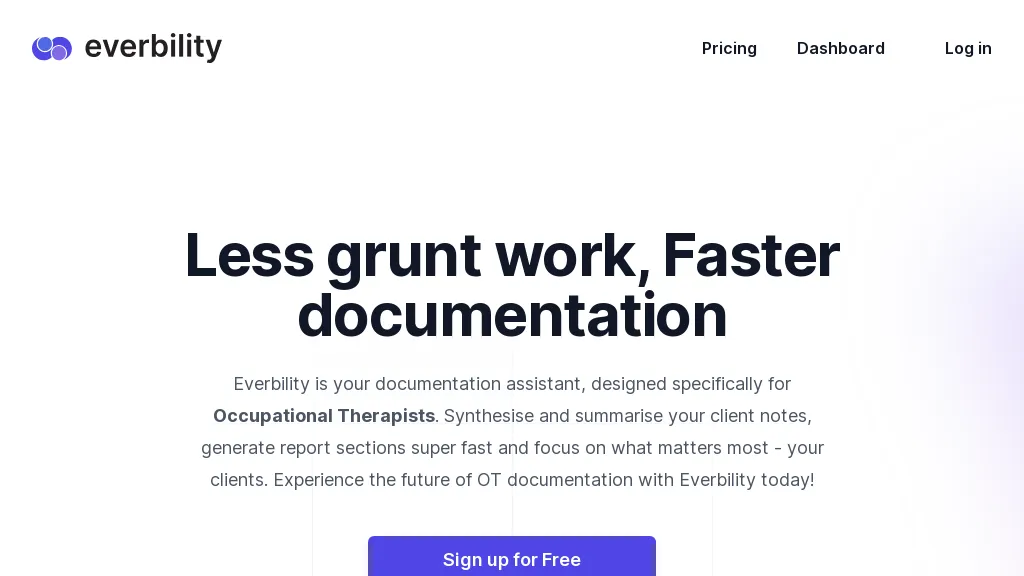
100% positive · 1 user review PaidEverbility extracts and transcribes data from PDFs, images, notes, and audio, then uses AI templates for rapid, customizable documentation. It verifies content against peer‑reviewed sources, outputs Word or text files, and supports secure collaboration under HIPAA, GDPR, SOC 2.
We've ranked 29 Everbility alternatives, including 19 with a free plan. Rankings are based on feature coverage and user feedbacks.
Top-rated alternatives include TranscribetoText.AI, Notegpt, and AudioTranscription.
29 Everbility Alternatives & Competitors, Ranked by User Reviews
Click Compare on any tool to compare it side-by-side with Everbility.
#1
TranscribetoText.AI
TranscribeToText.AI turns audio and video files—up to 10 hours or 5 GB—into accurate text in 100+ languages, supporting MP3, MP4, WAV, OGG, etc. Export as DOCX, PDF, TXT, SRT, VTT or import from URLs, YouTube, Google Drive, Dropbox, or live meetings.
#2
Notegpt
NoteGPT transcribes and summarizes lectures, meetings, and recordings in any language, offering PDF/PPT/book/video overviews, translation, and AI drafting tools. It also supports text‑to‑speech, voice cloning, infographics, slide generation, and multi‑model chat assistance.
#3
AudioTranscription
AudioTranscription.ai: Accurate AI-powered transcription of audio and video files; supports various formats and languages; user-friendly interface; ideal for professionals in transcription and writing.
#4
Innerai.com
All‑in‑one platform integrating GPT‑4o, Claude, Gemini, and others for unified text, image, video, and document AI. Offers summarizing, translation, prompt templates, workflow tools, quiz creation, SCORM export, web search, subtitles, dubbing. SOC II‑compliant with field‑level encryption and data isolation.
#5
Scribewave AI
Scribewave converts audio and video up to 5 GB and 5 hours into accurate transcripts in over 90 languages. The platform offers real‑time editing, export to Word, Docs, SRT/VTT, subtitle burning, AI‑generated summaries, chapter markers, and GDPR‑compliant European data storage.
#6
Transkriptor
Transkriptor converts audio/video files into editable, timestamped transcripts in 100+ languages, auto‑detecting speakers. It extracts summaries, action items, and sentiment, and integrates via Zapier with CRMs and PM tools for automated workflow routing.
- Personalized recommendations
- Custom collections
- Save favorites
Already a member? Sign in
#7
Youlearn
AI tutor that transforms PDFs, videos, slides, and recordings into study notes, quizzes, podcasts, and personalized exams, providing key takeaways, answer breakdowns, progress tracking, and interactive chat support for learners and educators.
#8
PDF.ai
PDF.ai lets users upload PDFs and chat for questions, summaries, and data extraction. It parses documents into structured JSON, detects sections, tables, and figures, and supplies source‑cited answers via a RESTful API for rapid, secure analysis.
#9
TurboScribe
TurboScribe is an AI-powered transcription tool offering ultra-fast conversion of audio and video files to text. It supports over 98 languages, handles uploads up to 10 hours long, and features speaker recognition for meetings, interviews, and podcasts.
#10
AudioNotes
Audionotes AI tool for effortless voice-to-text conversion, organization, summarization, and content generation.
#11
Minutes AI
Minutes AI automatically transcribes audio into structured headings and bullet points, supporting live capture, file uploads, and YouTube links in over 50 languages. Users can edit, query, export as PDF or text, and delete data securely.
#12
Clipto
Clipto.ai is a private media management assistant that enables accurate AI transcription, supports various media sources, integrates with tools like Adobe Premiere, and allows smart searches for efficient content creation workflows, all without needing internet access.
#13
AccurateScribe.ai
AccurateScribe.ai transcribes audio and video files into text with 99.8% accuracy in over 134 languages. Key features include automatic speaker detection, bulk processing for large files, and various export options like DOCX and PDF.
#14
tl;dv
AI‑powered meeting assistant that records, transcribes, and summarizes Zoom, Google Meet, and Teams calls, extracting action items and sentiment. It auto‑logs notes into CRMs, ticketing, and project tools, supports 30+ languages, and offers automated follow‑up workflows.
#15
Honeybear.ai
Honeybear.ai lets users upload PDFs, DOCs, PPTs, videos, audio, and images, instantly extracting key information, summarizing content, and generating clickable citations. It supports OCR, multilingual responses, and secure cross‑document search with GDPR‑compliant encryption.
#16
LightPDF
LightPDF lets users chat with PDFs, Word, Excel, PowerPoint, EPUB, performing OCR on scanned documents and handling multiple files per session. It returns plain text, lists, tables or markdown with citations, supporting over 100 languages in a cross‑platform interface.
#17
Yescribe.AI
Yescribe.ai transforms audio/video (MP4, MP3, WAV, etc.) up to five hours into text with up to 99.9 % accuracy, delivering results within minutes via GPU, supporting 98 languages, offering AI summaries, and allowing export/share while protecting privacy.
#18
Happy Scribe
HappyScribe captures audio from Google Meet, Teams, and Zoom, providing AI transcription, instant meeting notes, summaries, and action items. It supports over 120 languages, offers human‑edited reviews, secure GDPR‑compliant cloud storage, collaboration, integrations, and usage analytics.
#19
Transcri
Transcri is an AI transcription and subtitle generation tool that supports over 50 languages. It allows users to upload various audio formats, offers built-in correction, project collaboration, and multiple export options for easy integration into projects.
#20
Heidi
Heidi is an AI platform that offers clinical documentation help, evidence‑based decision support, and real‑time communication, embedding guideline‑driven answers and peer‑reviewed research into workflow across diverse specialties while upholding GDPR/HIPAA privacy and clinical review standards.
#21
File Transcribe
File Transcribe converts audio and video into accurate, multi‑language text, automatically identifying speakers. It adds sentiment, intent, and topic detection, streamlining workflows from upload to downloadable transcript while safeguarding data privacy.
#22
AI TranslateDocs
AI TranslateDocs translates PDFs, Word, Excel, PowerPoint, CSV, and TXT files, using OCR to preserve layout. It supports over 130 languages, offers secure encryption, and delivers quick, accurate translations for legal, medical, academic, and business documents.
#23
aiPDF
aiPDF lets users upload PDFs, EPUBs, URLs or YouTube links to extract data, summarize content, and ask context‑specific questions. It returns source‑backed answers, supports any file size, auto‑deletes uploads, and offers response exports.
#24
EasyNoteAI
EasyNoteAI converts audio, video, PDFs into structured notes, offering real‑time transcription, summaries, quizzes, flashcards, mind‑maps, and interactive questioning. Users upload lectures, YouTube links, or research papers; the platform generates summaries, key‑point lists, and supports multilingual translation for students, professionals, and researchers worldwide.
#25
Doctly AI
Doctly AI converts PDFs, Word, scans, and images into structured JSON, CSV, Markdown, or XML via REST API or webhooks. It handles complex layouts, tables, and forms without manual training, and offers end‑to‑end encryption, SOC 2, HIPAA, GDPR compliance, and deployment.
#26
NaturalReader
NaturalReader AI converts PDFs, Word, ePub, web pages, and OCR text into natural‑sounding audio in 90+ languages. It supports voice cloning, offline playback, mobile and Chrome extension access, and includes captions and dyslexia‑friendly fonts.
#27
PDFT.AI: AI Document Translator
PDFT.AI: AI Document Translator is an AI-powered tool that translates PDFs, DOCX, and XLSX files while preserving layout and formatting across 100+ languages. It ensures fast, secure translations with support for technical, medical, and legal terminology.
#28
Chatdoc
ChatDOC lets users ask questions about PDFs, DOCs, EPUBs, MD, and TXT while preserving layout, tables, formulas, and images. It returns answers with source citations, supports 25+ languages, and offers API/SDK integration.
#29
Speechify
Speechify converts PDFs, DOCX, EPUB, web pages, and more into natural‑sounding audio on iOS, Android, macOS, Windows, and Chrome. It offers an AI assistant that summarizes documents while you listen, supports voice typing, and allows offline access.
Frequently Asked Questions
Why look for Everbility alternatives?
Common reasons users switch from Everbility:
- Cost: Everbility is a Paid tool starting from $50 — users often look for more affordable or free options.
- Feature gaps: teams needing specific capabilities like Transcribe Audio may find a more focused alternative better suited to their workflow.
- Flexibility: exploring alternatives helps find tools that better match your team size, integrations, and budget.
What is the best alternative to Everbility?
Based on 1 user review, TranscribetoText.AI (100% positive) ranks as the top Everbility alternative. TranscribeToText.AI turns audio and video files—up to 10 hours or 5 GB—into accurate text in 100+ languages, supporting MP3, MP4, WAV, OGG, etc. Expor It is available on a Freemium plan.
How do the top Everbility alternatives compare?
| Tool | Pricing | Starting Price | User Rating |
|---|---|---|---|
| Everbility this tool | Paid | $50 | 100% (1) |
| TranscribetoText.AI | Freemium | — | 100% (1) |
| Notegpt | Free trial | $9/mo | 83.3% (12) |
| AudioTranscription | Freemium | — | 100% (1) |
| Innerai.com | Subscription | $8/mo | 78.6% (28) |
| Scribewave AI | Subscription | — | 100% (2) |
Are there free Everbility alternatives?
Yes, 19 free alternatives found in our list: TranscribetoText.AI, Notegpt, AudioTranscription. and 16 more — use the pricing filter above to see them all.
What should I look for in a Everbility alternative?
- Core capabilities: confirm the tool supports Transcribe Audio, Generate Documents, Edit Templates.
- Pricing transparency: look for clear free plan, trial period, or tiered pricing — avoid tools that hide costs.
- User reviews: check both the satisfaction percentage and the number of reviews; a high score from few users is less reliable.
- Integrations: verify it connects with your existing stack before committing.
- Support and updates: active development and responsive support are strong signals of a maintained product.
Which Everbility alternative has the highest user rating?
TranscribetoText.AI has the highest satisfaction score among Everbility alternatives, with 100% positive from 1 user review. It is available on a Freemium plan.
What are Everbility alternatives used for?
- Transcribe Audio
- Generate Documents
- Edit Templates
- Analyze Researchs
- Export Documents