Best Docsie 2.0 Alternatives in 2026
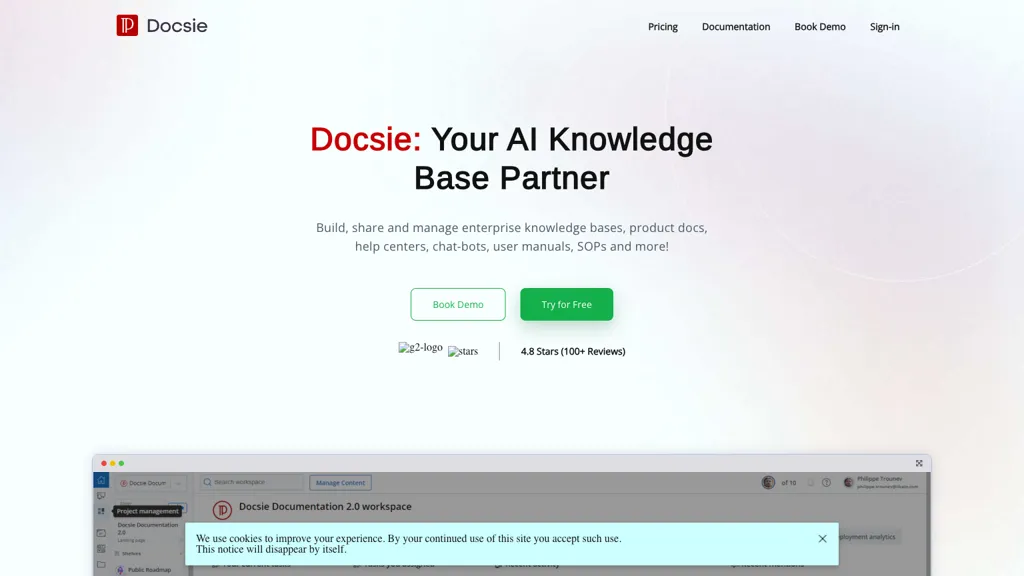
No user reviews yet FreemiumDocsie converts videos, PDFs, and web content into searchable documents instantly, extracting workflows and step‑by‑step guides. It supports versioning, collaboration, translations, granular permissions, audit trails, and integration with ERPs, CRMs, and Microsoft 365.
We've ranked 29 Docsie 2.0 alternatives, including 23 with a free plan. Rankings are based on feature coverage and user feedbacks.
Top-rated alternatives include Chatdoc, AskDocs, and PortableDocs.
29 Docsie 2.0 Alternatives & Competitors, Ranked by User Reviews
Click Compare on any tool to compare it side-by-side with Docsie 2.0.
#1
Chatdoc
ChatDOC lets users ask questions about PDFs, DOCs, EPUBs, MD, and TXT while preserving layout, tables, formulas, and images. It returns answers with source citations, supports 25+ languages, and offers API/SDK integration.
#2
AskDocs
AskDocs allows efficient document processing, enabling rapid research and summarization. It accepts various file types, ensuring data security. Users benefit from accurate answers with cited sources.
#3
PortableDocs
PortableDocs is an AI tool that allows users to engage with PDF documents through conversation, enabling quick extraction of insights and summarization. Its intuitive interface and advanced algorithms enhance productivity, particularly for technical, legal, and academic documents.
#4
Innerai.com
All‑in‑one platform integrating GPT‑4o, Claude, Gemini, and others for unified text, image, video, and document AI. Offers summarizing, translation, prompt templates, workflow tools, quiz creation, SCORM export, web search, subtitles, dubbing. SOC II‑compliant with field‑level encryption and data isolation.
#5
TranscribetoText.AI
TranscribeToText.AI turns audio and video files—up to 10 hours or 5 GB—into accurate text in 100+ languages, supporting MP3, MP4, WAV, OGG, etc. Export as DOCX, PDF, TXT, SRT, VTT or import from URLs, YouTube, Google Drive, Dropbox, or live meetings.
#6
NextDocs
NextDocs streamlines document and presentation creation with customizable templates and AI integration, allowing users to quickly generate professionally formatted materials while focusing on content. It supports branding consistency and enhances documents with AI-generated visuals.
- Personalized recommendations
- Custom collections
- Save favorites
Already a member? Sign in
#7
DocXter
DocXter turns PDFs, scans, and other files into searchable, editable content via OCR, centralizes documents for natural‑language retrieval, offers AI models for summarization and compliance, supports real‑time collaboration, comparison, and integrates with Asana, Monday, Jira.
#8
DocsBot AI
Introducing DocsBot AI, a powerful AI tool that helps you create custom chatbots for documentation. Train and deploy AI-powered chatbots in minutes, saving time and improving support experience. Custom copywriting capabilities, embeddable widgets, and integrations with popular platforms like WordPress and Slack.
#9
iWeaver AI
iWeaver lets users upload documents, videos, audio, and images to extract key concepts, generate summaries, and build mind maps. It supports structured Q&A, data extraction, and visual mapping for research, analysis, and legal review. Modular agents enable API integrations for workflows.
#10
AskMyDocs
AskMyDocs.ai lets teams query documents across Slack, Zendesk, Gitbook, websites, and PDFs from one AI interface. It extracts, indexes, and references sources, reducing support tickets, improving response times, and enhancing team efficiency.
#11
EnhanceDocs
EnhanceDocs offered AI‑powered search across 100+ tools—Notion, Google Drive, Confluence, Slack, etc.—returning documents and answers via natural‑language queries. It also provided analytics to spot FAQs and gaps, supporting multilingual, secure enterprise knowledge management.
#12
AI ChatDocs
ChatDocs lets users upload PDFs, DOCX, TXT, PPT, websites, and YouTube videos to chat with GPT‑4 for document summarization, extraction, and Q&A. It retains chat history, supports multi‑document workflows, aiding researchers, legal, project managers, and writers.
#13
Scribewave AI
Scribewave converts audio and video up to 5 GB and 5 hours into accurate transcripts in over 90 languages. The platform offers real‑time editing, export to Word, Docs, SRT/VTT, subtitle burning, AI‑generated summaries, chapter markers, and GDPR‑compliant European data storage.
#14
Read AI
Read AI records, transcribes, and summarizes meetings, emails, and chats across Google Meet, Zoom, Teams, and in‑person sessions. It extracts action items, delivers searchable notes, offers contextual answers from integrated data, supports 20+ languages, and meets SOC II, GDPR, HIPAA compliance.
#15
DocsLoop
Docsloop is an AI-powered document extraction tool that converts PDFs to organized Excel spreadsheets. It simplifies data processing by accurately extracting tables and text, streamlining workflows and reducing manual data entry for small businesses and teams.
#16
y2doc
y2doc is an AI-powered tool that converts YouTube videos into structured documents for easy data extraction and analysis. It offers fast processing, security features, and customizable content ranges for tailored results.
#17
Knowbase
Knowbase.ai turns PDFs, Word, PowerPoint, text, audio, video, and YouTube links into a searchable knowledge base, delivering AI‑generated answers with source citations. It supports chat with individual documents or all files, transcription with speaker ID, multilingual use, and private data handling.
#18
Doc2Lang
Doc2Lang translates Excel, Word, PDF, PowerPoint, CSV, EPUB, images, video, audio, and subtitles, preserving layout, formatting, formulas, speaker notes, and embedded media across 100+ languages. OCR supports scanned documents; batch ZIP uploads, custom glossaries, and secure file handling are included.
#19
guidde
Guidde records screen activity, auto‑generates step‑by‑step video guides with AI narration and captions, editable and embeddable into platforms like Salesforce. Supports export, multilingual translation, and enterprise security for teams and knowledge bases.
#20
Youlearn
AI tutor that transforms PDFs, videos, slides, and recordings into study notes, quizzes, podcasts, and personalized exams, providing key takeaways, answer breakdowns, progress tracking, and interactive chat support for learners and educators.
#21
Speechify
Speechify converts PDFs, DOCX, EPUB, web pages, and more into natural‑sounding audio on iOS, Android, macOS, Windows, and Chrome. It offers an AI assistant that summarizes documents while you listen, supports voice typing, and allows offline access.
#22
Document360 2.0
Document360 centralizes knowledge bases, manuals, SOPs, and guides, offering AI Writing, Search, and Chatbot tools to generate content, answer queries, and automate support. It integrates with Zendesk, Salesforce, and Freshdesk, and tracks engagement to reduce tickets.
#23
AI TranslateDocs
AI TranslateDocs translates PDFs, Word, Excel, PowerPoint, CSV, and TXT files, using OCR to preserve layout. It supports over 130 languages, offers secure encryption, and delivers quick, accurate translations for legal, medical, academic, and business documents.
#24
Clipto
Clipto.ai is a private media management assistant that enables accurate AI transcription, supports various media sources, integrates with tools like Adobe Premiere, and allows smart searches for efficient content creation workflows, all without needing internet access.
#25
Doclime
Doclime lets users query PDFs through an AI chat, delivering direct answers with citations. OCR converts scans to searchable text; the viewer offers zoom, navigation, and split‑screen note‑taking with version history. Context‑aware search spans all files, aiding students, researchers, legal, and corporate teams.
#26
Docuopia
Docuopia is an AI‑powered assistant that drafts product requirements, help docs, wikis, and marketing copy from brief prompts. It supports real‑time collaboration, version control, a hierarchical structure, diagram generation, markdown editing, and brand‑specific copy creation.
#27
aiPDF
aiPDF lets users upload PDFs, EPUBs, URLs or YouTube links to extract data, summarize content, and ask context‑specific questions. It returns source‑backed answers, supports any file size, auto‑deletes uploads, and offers response exports.
#28
Free Doc Translator
DocTranslator delivers instant neural machine translation for over 120 languages, handling PDFs, DOCX, PPTX, XLSX, images and more up to 1 GB or 5,000 pages. It preserves formatting, supports conversion, and ensures secure, automated status tracking.
#29
UniScribe.co
Uniscribe is a speech text converter that transcribes audio and video files in 98 languages, offering output formats like TXT, PDF, DOCX, and SRT. It also generates summaries, mind maps, and extracts key insights from the transcriptions.
Frequently Asked Questions
Why look for Docsie 2.0 alternatives?
Common reasons users switch from Docsie 2.0:
- Feature gaps: teams needing specific capabilities like Generate Documents may find a more focused alternative better suited to their workflow.
- Flexibility: exploring alternatives helps find tools that better match your team size, integrations, and budget.
What is the best alternative to Docsie 2.0?
Based on 1 user review, Chatdoc (100% positive) ranks as the top Docsie 2.0 alternative. ChatDOC lets users ask questions about PDFs, DOCs, EPUBs, MD, and TXT while preserving layout, tables, formulas, and images. It returns answers with s It is available on a Freemium plan.
How do the top Docsie 2.0 alternatives compare?
| Tool | Pricing | Starting Price | User Rating |
|---|---|---|---|
| Docsie 2.0 this tool | Freemium | $170/mo | — |
| Chatdoc | Freemium | — | 100% (1) |
| AskDocs | — | — | 83.3% (6) |
| PortableDocs | Freemium | — | 50% (1) |
| Innerai.com | Subscription | $8/mo | 78.6% (28) |
| TranscribetoText.AI | Freemium | — | 100% (1) |
Are there free Docsie 2.0 alternatives?
Yes, 23 free alternatives found in our list: Chatdoc, PortableDocs, TranscribetoText.AI. and 20 more — use the pricing filter above to see them all.
What should I look for in a Docsie 2.0 alternative?
- Core capabilities: confirm the tool supports Generate Documents, translate texts, Analyze Videos.
- Pricing transparency: look for clear free plan, trial period, or tiered pricing — avoid tools that hide costs.
- User reviews: check both the satisfaction percentage and the number of reviews; a high score from few users is less reliable.
- Integrations: verify it connects with your existing stack before committing.
- Support and updates: active development and responsive support are strong signals of a maintained product.
Which Docsie 2.0 alternative has the highest user rating?
Chatdoc has the highest satisfaction score among Docsie 2.0 alternatives, with 100% positive from 1 user review. It is available on a Freemium plan.
What are Docsie 2.0 alternatives used for?
- Generate Documents
- translate texts
- Analyze Videos
- Extract Screenshots
- Generate Code Snippets