
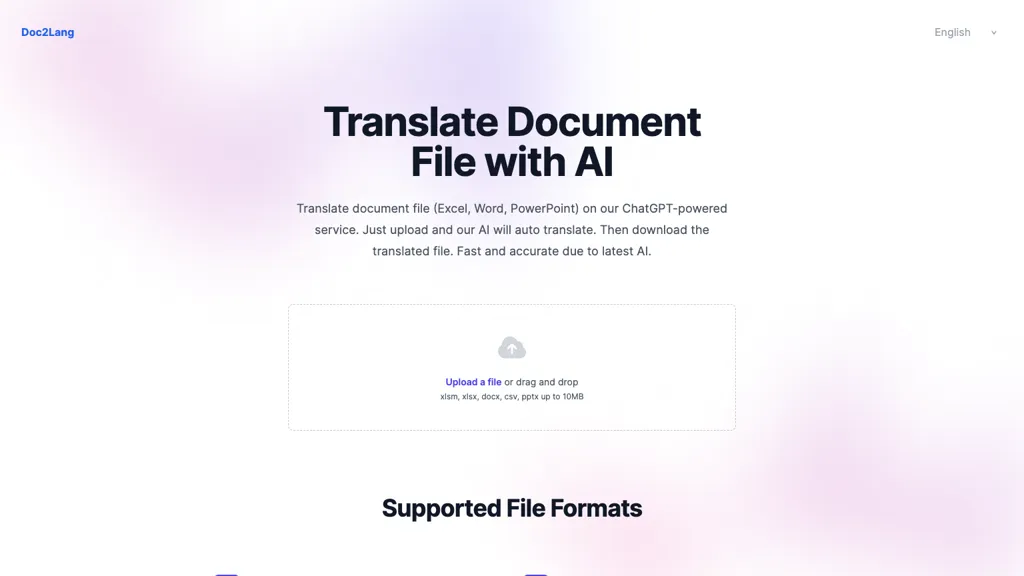
What is Doc2Lang?
Doc2Lang, AI‑powered document translation service that accepts Excel, Word, PDF, PowerPoint, CSV, EPUB, images, video, audio, and subtitle files (SRT, WebVTT, ASS).
It preserves layout, formatting, formulas, speaker notes, and embedded media while translating over 100 languages.
OCR automatically extracts text from scanned PDFs and image‑based documents, enabling translation of printed or photographed content.
Batch upload of ZIP archives allows simultaneous processing of multiple files.
Custom glossary support lets users enforce consistent terminology for brand names and technical terms.
Doc2Lang details
- Built for
- Individuals
- Stated compliance
- PCI DSS
Compliance as stated in Doc2Lang's own published documentation.
Doc2Lang tech specs
- Payment Processors
- Stripe
Doc2Lang pricing
FreemiumVerify on the official pricing page.
View plansDoc2Lang's key features
-
AI-powered document translation
-
Supports Excel, Word, PDF, PowerPoint, CSV
-
OCR for scanned PDFs and images
-
Custom glossary definition
-
Free preview before purchase
-
Batch upload with ZIP archives
-
Secure encrypted file handling
Doc2Lang use cases
-
Translate comprehensive marketing brochures for a global product launch with Doc2Lang, preserving layout, embedded images, and branding across 50+ languages in a single batch ZIP upload
-
Translate multi-language e‑learning course manuals and video subtitles for an international training program, ensuring accurate OCR of scanned PDFs and maintaining speaker notes and formatting with Doc2Lang’s secure file handling
-
Translate legal contracts and compliance documents for multinational operations, applying custom glossaries for industry terminology while preserving formulas and embedded media in Word and Excel files with Doc2Lang
Doc2Lang user reviews
Based on 1 review, 100% of users recommend Doc2Lang, rated highly for quality results.
Liked for
Would you recommend Doc2Lang?
Who is Doc2Lang for?
-
Software developers
-
Content creators
-
Business owners
-
Document translators
-
Language translators
Doc2Lang FAQ
Is Doc2Lang free?
Partly. Doc2Lang has a free plan with usage limits, and paid plans unlock the full feature set. Plans include Best value at $0.10/ 1k tokens, Most popular at $0.25/ 1k tokens, Word document at $5.00 and Credit package (100 credits) at $5.00.
Is Doc2Lang safe to use?
Doc2Lang states PCI DSS compliance in its own published documentation.
What are the best alternatives to Doc2Lang?
The closest alternatives to Doc2Lang are AI TranslateDocs, AI TransPDF, OpenL, PDFT.AI: AI Document Translator and O.Translator. You can compare them side by side in the alternatives section further down this page.
What does Doc2Lang do with my data?
Its privacy policy states that personal data is not sold or shared for marketing purposes. Data may be shared with third-party service providers that help run the product.
Compliance, privacy and billing terms are as stated in each product's own published documentation and have not been independently verified by TopAI.tools.


