
Top 29 Ddict Alternatives in 2026
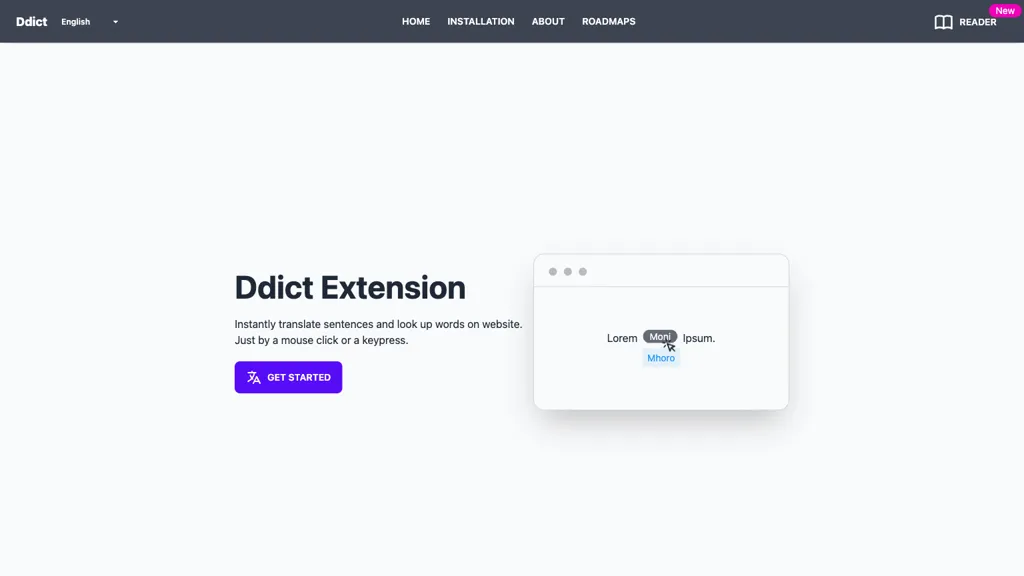
No user reviews yet FreemiumDdict is a browser extension that translates words and sentences in over 20 languages with a single click, offers dictionary definitions, audio pronunciations, text‑to‑speech, AI‑based contextual translations, flashcard creation, and grammar checking for emails and documents.
We've ranked 29 Ddict alternatives, including 21 with a free plan. Rankings are based on feature coverage and user feedbacks.
Top-rated alternatives include MaxAI.me, Lingo Champion, and Voice Writer.
29 Ddict Alternatives & Competitors, Ranked by User Reviews
Click Compare on any tool to compare it side-by-side with Ddict.
 #1
MaxAI.me
#1
MaxAI.me
MaxAI is a Chrome/Edge extension and web app that adds an AI sidebar for instant on‑page queries, delivering responses with cited sources. It supports writing assistance, translation, and summarization of PDFs, videos, and images for research, coding, and marketing.
 #2
Lingo Champion
#2
Lingo Champion
Lingo Champion personalizes language lessons by simplifying real‑world articles, offering instant word explanations and context translations, auto‑logging vocabulary, generating spaced‑repetition flashcards, and tracking progress across reading, listening, and speaking in over 20 languages.
 #3
Voice Writer
#3
Voice Writer
Voice Writer is a browser extension that transcribes speech to text in real time, automatically correcting grammar and adapting style. Supporting more than 30 languages, it works on any site with low latency and no account required.
 #4
Lufe AI
#4
Lufe AI
Lufe AI is a fast, free AI translator for webpages, PDFs, and images, leveraging Gemini, OpenAI, and Claude for accurate multilingual support. It offers a browser extension with side-by-side translations, auto-detection, and customizable displays for seamless bilingual learning.
 #5
BiRead
#5
BiRead
BiRead is a browser extension that translates webpages into a bilingual view with a click. Supporting over 100 languages, it displays original and translated text side‑by‑side across sites and social media, and offers a learning mode highlighting the native language.

NaturalReader AI converts PDFs, Word, ePub, web pages, and OCR text into natural‑sounding audio in 90+ languages. It supports voice cloning, offline playback, mobile and Chrome extension access, and includes captions and dyslexia‑friendly fonts.
- Catch deals before they expire
- Unlock tools matched to you
- Show off your AI stacks
Already a member? Sign in
 #7
AI Toolbar
#7
AI Toolbar
AI Toolbar is a Chrome extension that adds an AI assistant to every webpage. It generates text, summarizes, translates, and paraphrases content, supports voice commands, offers a chatbot, exports replies to Word/PDF, integrates with ChatGPT, and allows custom prompts.
 #8
AITranslator.com
#8
AITranslator.com
Ai Translator compares 22 AI models via its SMART feature to produce the most agreed translations, offering over 100 languages and regional dialects. It auto‑detects source language, accepts text or files, and provides instant quality feedback and real‑time accuracy analytics.
 #9
Speechify
#9
Speechify
Speechify converts PDFs, DOCX, EPUB, web pages, and more into natural‑sounding audio on iOS, Android, macOS, Windows, and Chrome. It offers an AI assistant that summarizes documents while you listen, supports voice typing, and allows offline access.
 #10
Audioread
#10
Audioread
Audioread transforms articles, PDFs, emails, URLs, and RSS feeds into natural‑sounding audio in 80+ languages, with adjustable speed, MP3 downloads, and private podcast feeds for cross‑device streaming. It offers AI summaries, privacy mode, Slack integration, and an API for developers.

Sider AI is a browser extension that consolidates instant summarization, translation, and research tools in a side panel. Users compare AI model responses, receive on‑the‑fly explanations for highlighted text, extract OCR, and store snippets in a searchable knowledge base.
 #12
OpenL
#12
OpenL
OpenL Translate converts text, PDFs, images, and audio into 100+ languages, supporting dialects and emojis. Fast mode delivers short translations; Advanced mode offers precision for legal documents. It handles 150k characters and 40 scanned PDFs daily, processing locally for privacy.
 #13
WebSpellChecker
#13
WebSpellChecker
WProofreader offers AI‑driven, multilingual spelling, grammar, and style checking for 20+ languages. It provides SDKs, an API, browser extensions, and CMS modules, with TLS encryption, GDPR compliance, on‑prem or AWS hosting, and customizable industry rules.
 #14
Glarity
#14
Glarity
Glarity is a browser extension that employs ChatGPT to summarize and translate web pages, PDFs, and YouTube videos. It offers real‑time translations, timestamped video highlights, side‑by‑side language support, and AI‑powered content extraction.
 #15
BlabbyAI
#15
BlabbyAI
BlabbyAI is a speech-to-text tool that integrates with over 50,000 websites. It converts your speech into accurately formatted text with automatic punctuation and support for 90+ languages.
 #16
Transor
#16
Transor
Transor translates websites, PDFs, images and videos using OCR, in‑paint rendering and real‑time bilingual subtitles. It detects core content for low‑intrusion bilingual reading, supports multiple translation engines, browser extensions, selection shortcuts and export features.
 #17
smudge.ai
#17
smudge.ai
smudge.ai is a Chrome extension that adds AI commands to the right‑click menu for instant summarizing, proofreading, bullet‑pointing, and translating highlighted text. It handles up to 150k words, syncs across devices, and uses OpenAI without logging content.
 #18
ParagraphAI
#18
ParagraphAI
ParagraphAI offers real‑time grammar correction, one‑tap email drafting, and instant summarization of web pages and PDFs. It provides multilingual translation, customizable tone filters, a template library, and an instruction engine for repetitive tasks across mobile, desktop, and Chrome.
 #19
Transmonkey
#19
Transmonkey
TransMonkey is an AI translation tool that handles documents, images, and videos, preserving original formats while translating in over 130 languages. It supports 30 file formats, integrated with Google Chrome and Workspace for efficient workflow.
 #20
Free Text-To-Speech
#20
Free Text-To-Speech
A web‑based Microsoft AI TTS tool offering 330+ neural voices in 129 languages. Users can adjust rate, pitch, pauses, and style for news, scripts, or narration. Works across Chrome, Firefox, Edge, with an API for web integration.
 #21
Textpixie
#21
Textpixie
TextPixie offers AI translation of text, images, audio, documents, and web articles into over 100 languages, automatically detecting source language and supporting variants like British English. It works on desktop and mobile, delivering meaning‑preserving outputs as plain text, Word, or PDF.
 #22
AIVideoTranslator.ai
#22
AIVideoTranslator.ai
Free AI Video Translator converts videos into over 30 languages, offering natural voice synthesis and lip synchronization. It supports various formats and includes batch processing and a transcript editor for reviewing and editing translations.
 #23
AI Chat for Search
#23
AI Chat for Search
Browser extension that displays conversational AI answers and multi-model comparisons alongside search results, integrates with GPT-4/Claude and major search engines, and adds YouTube summaries, PDF/image/OCR processing and content-generation tools for research and creation.
 #24
Innerai.com
#24
Innerai.com
All‑in‑one platform integrating GPT‑4o, Claude, Gemini, and others for unified text, image, video, and document AI. Offers summarizing, translation, prompt templates, workflow tools, quiz creation, SCORM export, web search, subtitles, dubbing. SOC II‑compliant with field‑level encryption and data isolation.
 #25
Voice Out
#25
Voice Out
Voice Out is a Chrome extension that reads webpages, Google Docs, PDFs, and e‑books aloud in 60+ languages with 100+ natural voices. It highlights text, lets users adjust speed, pitch, and volume, and supports background playback and keyboard shortcuts.
 #26
Transcript
#26
Transcript
Transcript is an AI study platform with a Chrome extension, mobile app, and synced notebook. It offers instant answers, step‑by‑step solutions, source references, flashcards, handwritten question scanning, lecture summaries, and interactive quizzes for students.
 #27
SpeechGen
#27
SpeechGen
SpeechGen.io converts up to 2 million characters into high‑quality neural‑voice audio across 150 languages with 5,000 models. It allows voice, speed, pitch, volume control, SSML tags, background music, multi‑speaker tagging, downloadable formats, and a REST API.
 #28
Wordvice AI
#28
Wordvice AI
Wordvice AI provides real‑time grammar checking, paraphrasing, translation, summarization, plagiarism and AI‑content detection, plus citation generation across multiple languages. It integrates with Chrome and Word, supporting students, researchers, professionals, teams, and offers on‑demand human editing.
 #29
Trancy
#29
Trancy
Trancy delivers bilingual subtitles for YouTube, Netflix, and educational platforms, featuring a reading mode, AI‑powered word lookup, grammar analysis, and part‑of‑speech tagging. It offers customizable translation engines, TTS voices, adjustable display options, and offline learning decks.
Frequently Asked Questions
Why look for Ddict alternatives?
Common reasons users switch from Ddict:
- Feature gaps: teams needing specific capabilities like translate texts may find a more focused alternative better suited to their workflow.
- Flexibility: exploring alternatives helps find tools that better match your team size, integrations, and budget.
What is the best alternative to Ddict?
Based on 1 user review, MaxAI.me (100% positive) ranks as the top Ddict alternative. MaxAI is a Chrome/Edge extension and web app that adds an AI sidebar for instant on‑page queries, delivering responses with cited sources. It supports It is available on a Subscription plan.
How do the top Ddict alternatives compare?
| Tool | Pricing | Starting Price | User Rating |
|---|---|---|---|
| Ddict this tool | Freemium | — | — |
| MaxAI.me | Subscription | — | 100% (1) |
| Lingo Champion | Freemium | $5.99/mo | — |
| Voice Writer | Freemium | — | — |
| Lufe AI | Freemium | — | 100% (4) |
| BiRead | Paid | — | — |
Are there free Ddict alternatives?
Yes, 21 free alternatives found in our list: Lingo Champion, Voice Writer, Lufe AI. and 18 more — use the pricing filter above to see them all.
What should I look for in a Ddict alternative?
- Core capabilities: confirm the tool supports translate texts, Generate Summaries, enhance text.
- Pricing transparency: look for clear free plan, trial period, or tiered pricing — avoid tools that hide costs.
- User reviews: check both the satisfaction percentage and the number of reviews; a high score from few users is less reliable.
- Integrations: verify it connects with your existing stack before committing.
- Support and updates: active development and responsive support are strong signals of a maintained product.
Which Ddict alternative has the highest user rating?
MaxAI.me has the highest satisfaction score among Ddict alternatives, with 100% positive from 1 user review. It is available on a Subscription plan.
What are Ddict alternatives used for?
- translate texts
- Generate Summaries
- enhance text
- Generate Flashcards
- Analyze Grammars