
Top 23 Convertfiles.ai Alternatives in 2026
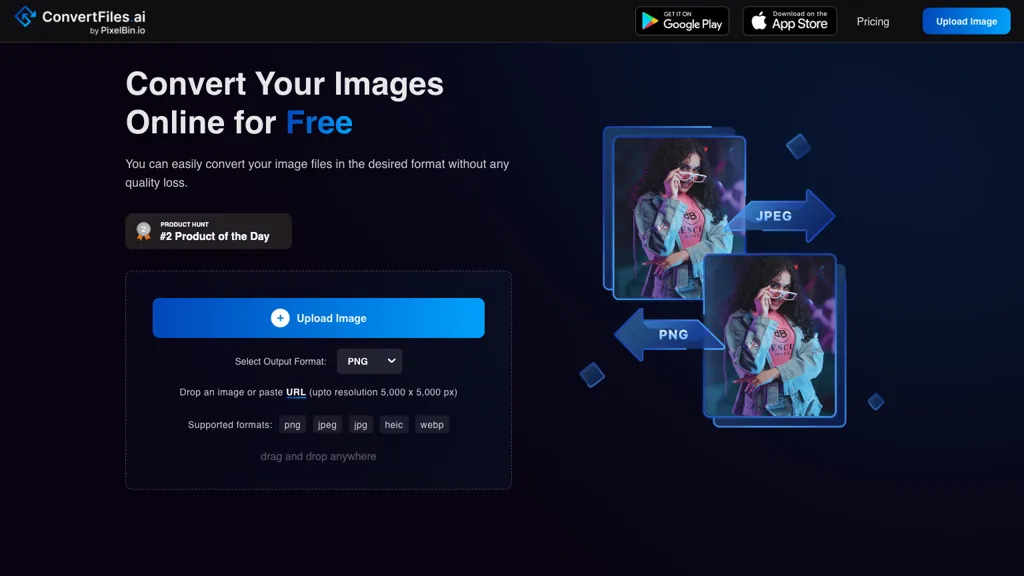
No user reviews yet FreemiumConvertFiles.ai offers free, server‑side conversion for PNG, JPEG, WEBP, and HEIC files up to 5000 × 5000 px via upload, URL, or drag‑and‑drop. It preserves quality, supports bulk processing, provides instant downloads, and includes a mobile app.
We've ranked 23 Convertfiles.ai alternatives, including 18 with a free plan. Rankings are based on feature coverage and user feedbacks.
Top-rated alternatives include AI Image Enlarger, Image upscaling, and PhotoEditor.ai.
23 Convertfiles.ai Alternatives & Competitors, Ranked by User Reviews
Click Compare on any tool to compare it side-by-side with Convertfiles.ai.

Imglarger is an image enhancer that upsamples photos up to 8×, supports batch processing, and offers background, object, and face retouch tools. It converts WebP, JPEG, PNG, SVG, JFIF formats and lets users adjust brightness, contrast, and saturation via web or mobile.
 #2
Image upscaling
#2
Image upscaling
AI‑powered image editor that runs entirely in the browser, offering smart crop, AI expand, format conversion, lossless compression, watermarking, color adjustment, filter, GIF creation, side‑by‑side comparison, and batch workflow design—all processed locally with WebAssembly for speed and privacy.
 #3
PhotoEditor.ai
#3
PhotoEditor.ai
PhotoEditor.ai edits JPG, PNG, HEIC, and WEBP images up to 15 MB in a browser or mobile app. It offers portrait transformation, background removal, detail enhancement, and 4K upscaling, delivering instant downloads for photographers, marketers, and designers.
 #4
Image Compressor AI
#4
Image Compressor AI
Image Compressor AI tool dramatically reduces PNG file sizes for faster loading times. Boasts batch processing, custom quality settings, and an intuitive interface, catering to web designers and bloggers seeking optimal visuals without sacrificing speed.
 #5
Bigjpg AI
#5
Bigjpg AI
BigJpg AI upsizes JPEG, PNG, GIF, BMP images from 2× to 16× while preserving edge sharpness and detail. It automatically sharpens textures, keeps fine lines and color gradients, and supports single or batch processing for printing, displays, and design work.
 #6
BigJpg
#6
BigJpg
Bigjpg uses deep neural networks to enlarge images up to 16× without quality loss, preserving edges and colors. It supports anime, illustrations, photos, batch uploads, API resizing, noise reduction, and automatic data deletion after 3 days.
- Catch deals before they expire
- Unlock tools matched to you
- Show off your AI stacks
Already a member? Sign in
 #7
Smart Upscaler
#7
Smart Upscaler
AI-driven image upscaler that enlarges photos to 7680 × 7680 px, supporting JPEG, PNG, WebP and up to 500 images per batch. It offers an API for sharpening, noise reduction, and a Mac app with background removal, photographers, designers, marketers, and social media managers.
 #8
ImageCartoon
#8
ImageCartoon
ImageToCartoon turns JPEG, PNG, or WebP photos into high‑resolution cartoon images directly in the browser. Users pick from 80+ styles—Ghibli, Pixar, anime, comics—to create avatars, prints, or pet illustrations, with royalty‑free commercial rights.
 #9
Erase.bg
#9
Erase.bg
Erase.bg uses AI to remove backgrounds from PNG, JPG, JPEG, WEBP, and HEIC files. It supports batch processing, lets users replace backgrounds with colors or images, works on browser, iOS, Android, outputs PNG/JPEG, and clears data after use.
 #10
Upscalepics
#10
Upscalepics
Upscalepics lifts image resolution up to 8× with one click via a machine‑learning model, supporting JPG, PNG, and WebP files up to 4000 px. It offers custom dimensions, bulk uploads, and outputs up to 256 MP for print‑ready quality.
 #11
ImageTool
#11
ImageTool
ImageTool aggregates free stock photos from Unsplash, Pexels, and Pixabay, offers AI image generation, and allows bulk upload, crop, compress, resize, and export to WebP/AVIF, simplifying web asset workflows for web designers and developers.
 #12
PNGmaker.io
#12
PNGmaker.io
PNG Maker turns typed text into high‑resolution PNG images with transparent backgrounds. Users can set fonts, sizes, colors, and background opacity, review, and download ready‑for‑web graphics. It works directly in the browser and supports batch creation.
 #13
aiimageedit.ai
#13
aiimageedit.ai
AI Image Editor is a free online tool that utilizes AI to edit and enhance photos. It supports various image formats and batch processing, offering customizable transformations, aspect ratio adjustments, and precise edits for diverse visual content.
 #14
Caricaturer.io
#14
Caricaturer.io
AI caricature generator that accepts JPEG/PNG/WebP up to 10 MB and uses text prompts for expression, pose, clothing, hairstyle, background. It creates high‑resolution, watermark‑free caricatures in multiple styles via drag‑and‑drop, preview, download. Works locally with no registration.
 #15
ImageToVideo AI
#15
ImageToVideo AI
ImageToVideo AI converts JPG, PNG, or WebP images into MP4 videos. Users can crop, resize to social‑media ratios, choose speed/quality presets, apply 50+ templates, add AI music, and edit motion via a prompt editor—all watermark‑free.
 #16
AI Image Editor-
#16
AI Image Editor-
AI Image Editor is an online tool for editing and enhancing images with pixel-level precision. It supports various formats, offers text editing, artistic style transfers, and allows quick generation of image variations for efficient workflow.

Image Editor Online is an AI-powered tool that edits your photos using simple text prompts. It allows you to remove backgrounds, adjust poses, transfer styles, and continuously refine your images in one place.
 #18
AI Vector.ai
#18
AI Vector.ai
AI Vector.ai is a tool that instantly converts PNG, JPG, and WEBP images into SVG format using advanced algorithms for high-quality, watermark-free results. It requires no account, offers unlimited daily conversions, and ensures your files are never stored.
 #19
Dopepics
#19
Dopepics
dopepics.io uses AI to upscale JPEG, PNG, and MP4 images to 8K resolution within seconds. It supports batch processing for photographers and designers, delivers high‑detail output, and deletes files after 48 hours for privacy.
 #20
Free-AI-Generator.com
#20
Free-AI-Generator.com
free-ai-generator.com is a unified AI platform for generating, editing, and upscaling images and video on a single canvas. It offers continuous editing, background removal, headshot generation, and 4K upscaling for photographers, e-commerce teams, and social media creators.
 #21
Photiu Image Upscaler
#21
Photiu Image Upscaler
Photiu Image Upscaler is an AI tool that instantly enhances image resolution and quality for sharper details. It supports drag-and-drop or URL uploads of JPG, PNG, and WebP files, ideal for photographers, e-commerce, and digital content.
 #22
FigureToCartoon
#22
FigureToCartoon
AI Cartoon Generator turns JPEG, PNG, or WEBP photos up to 10 MB into 4K cartoon images in 10–30 seconds, offering over 80 styles like anime, Disney, and watercolor. No sign‑up needed; files auto‑delete after conversion for privacy.
 #23
Magic Background Remover
#23
Magic Background Remover
AI tool removes backgrounds from JPG, PNG, or WebP images (max 25 MB) via a web dashboard or REST API. Supports batch jobs, 4× upscaling, and outputs PNG, compressed JPG, or WebP, with webhook notifications for automation.
Frequently Asked Questions
Why look for Convertfiles.ai alternatives?
Common reasons users switch from Convertfiles.ai:
- Feature gaps: teams needing specific capabilities like Translate Images may find a more focused alternative better suited to their workflow.
- Flexibility: exploring alternatives helps find tools that better match your team size, integrations, and budget.
What is the best alternative to Convertfiles.ai?
Based on 21 user reviews, AI Image Enlarger (76.2% positive) ranks as the top Convertfiles.ai alternative. Imglarger is an image enhancer that upsamples photos up to 8×, supports batch processing, and offers background, object, and face retouch tools. It co It is available on a Freemium plan.
How do the top Convertfiles.ai alternatives compare?
| Tool | Pricing | Starting Price | User Rating |
|---|---|---|---|
| Convertfiles.ai this tool | Freemium | — | — |
| AI Image Enlarger | Freemium | — | 76.2% (21) |
| Image upscaling | Free | — | 100% (1) |
| PhotoEditor.ai | Paid | — | 100% (1) |
| Image Compressor AI | Free | — | — |
| Bigjpg AI | Paid | — | — |
Are there free Convertfiles.ai alternatives?
Yes, 18 free alternatives found in our list: AI Image Enlarger, Image upscaling, Image Compressor AI. and 15 more — use the pricing filter above to see them all.
What should I look for in a Convertfiles.ai alternative?
- Core capabilities: confirm the tool supports Translate Images, Remove Backgrounds.
- Pricing transparency: look for clear free plan, trial period, or tiered pricing — avoid tools that hide costs.
- User reviews: check both the satisfaction percentage and the number of reviews; a high score from few users is less reliable.
- Integrations: verify it connects with your existing stack before committing.
- Support and updates: active development and responsive support are strong signals of a maintained product.
Which Convertfiles.ai alternative has the highest user rating?
Image upscaling has the highest satisfaction score among Convertfiles.ai alternatives, with 100% positive from 1 user review. It is available on a Free plan.
What are Convertfiles.ai alternatives used for?
- Translate Images
- Remove Backgrounds