Best ClarityDocs Alternatives in 2026
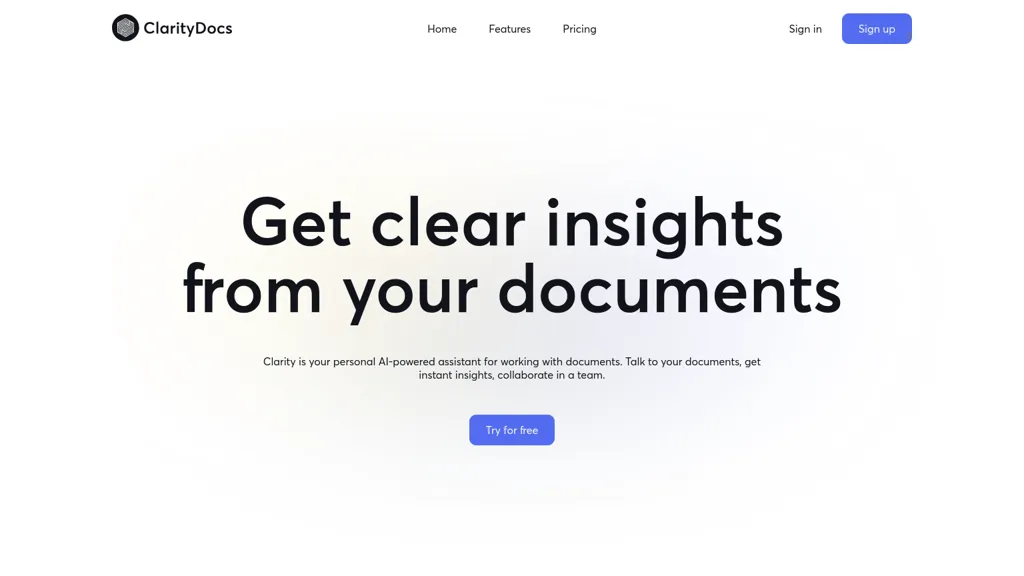
No user reviews yet FreemiumClarityDocs lets users chat with multiple documents, pulling text and images to answer queries and highlight insights. It supports simultaneous search across files, real‑time team collaboration, and accepts unlimited‑page standard formats for research and business use.
We've ranked 29 ClarityDocs alternatives, including 23 with a free plan. Rankings are based on feature coverage and user feedbacks.
Top-rated alternatives include Chatdoc, PaperChat, and Ask AI.
29 ClarityDocs Alternatives & Competitors, Ranked by User Reviews
Click Compare on any tool to compare it side-by-side with ClarityDocs.
#1
Chatdoc
ChatDOC lets users ask questions about PDFs, DOCs, EPUBs, MD, and TXT while preserving layout, tables, formulas, and images. It returns answers with source citations, supports 25+ languages, and offers API/SDK integration.
#2
PaperChat
PaperChat is an AI-powered tool boosting productivity via document chatting. It simplifies document handling, provides swift summary generation, and supports multiple file formats for streamlined project management and data extraction.
#3
Ask AI
Chat & Ask AI combines web search, image generation, link analysis, document chat, and YouTube summarization in one interface. It offers up‑to‑date answers, multilingual support, file uploads, and a prompt library, powered by GPT‑5.2, Gemini, Claude, and Stable Diffusion XL.
Copilot allows users to ask questions, receive complete answers, research topics, and create content.
#5
EnhanceDocs
EnhanceDocs offered AI‑powered search across 100+ tools—Notion, Google Drive, Confluence, Slack, etc.—returning documents and answers via natural‑language queries. It also provided analytics to spot FAQs and gaps, supporting multilingual, secure enterprise knowledge management.
#6
AI ChatDocs
ChatDocs lets users upload PDFs, DOCX, TXT, PPT, websites, and YouTube videos to chat with GPT‑4 for document summarization, extraction, and Q&A. It retains chat history, supports multi‑document workflows, aiding researchers, legal, project managers, and writers.
- Personalized recommendations
- Custom collections
- Save favorites
Already a member? Sign in
#7
Ask Your PDF
AskYourPDF lets users upload PDF or text files to ask questions and retrieve instant answers. It instantly summarizes long documents, supports keyword search across multiple files, and offers a shared library with mobile, Chrome, and plugin access, all GDPR‑compliant.
#8
DocsBot AI
Introducing DocsBot AI, a powerful AI tool that helps you create custom chatbots for documentation. Train and deploy AI-powered chatbots in minutes, saving time and improving support experience. Custom copywriting capabilities, embeddable widgets, and integrations with popular platforms like WordPress and Slack.
#9
CloudPDF - Chat with your PDFs
Chat with Your PDF lets users ask natural‑language questions to PDFs and receive instant, vector‑search‑driven answers that display source excerpts. It speeds up research, study, and professional document review.
#10
ChatPDF
ChatPDF lets users upload PDFs for conversational queries, mapping content and providing cited answers. It supports folders for combined documents, side‑by‑side chat and source viewing, and offers multilingual input and output.
#11
ChatWithDocs
Chatwithdocs.co is an AI-powered tool that allows users to easily chat with documents in various formats including PDF, DOCX, DOC, PPTX, and TXT, with simple and transparent pricing.
#12
AskMyDocs
AskMyDocs.ai lets teams query documents across Slack, Zendesk, Gitbook, websites, and PDFs from one AI interface. It extracts, indexes, and references sources, reducing support tickets, improving response times, and enhancing team efficiency.
#13
AI Drive
AI Drive is an intelligent document management platform that enables users to process and analyze various document types using natural language queries, offering features like automatic OCR, metadata extraction, and custom AI agents for enhanced collaboration and productivity.
#14
Dropbox Dash
Dropbox Dash is an AI-driven search tool unifying data from connected apps & emails. It boosts productivity through smart collections, centralized views, and efficient answers for improved workflow management.
#15
LightPDF
LightPDF lets users chat with PDFs, Word, Excel, PowerPoint, EPUB, performing OCR on scanned documents and handling multiple files per session. It returns plain text, lists, tables or markdown with citations, supporting over 100 languages in a cross‑platform interface.
#16
Document360 2.0
Document360 centralizes knowledge bases, manuals, SOPs, and guides, offering AI Writing, Search, and Chatbot tools to generate content, answer queries, and automate support. It integrates with Zendesk, Salesforce, and Freshdesk, and tracks engagement to reduce tickets.
#17
SearchMyDocs.ai
SearchMyDocs.ai is an AI research assistant that searches PDFs, Word, Excel and other file types. It extracts key data, auto‑organizes content, and delivers instant, context‑aware answers via chat. Military‑grade encryption ensures privacy.
#18
Doubao
Doubao AI is an all‑in‑one desktop and web assistant for drafting and editing text, translating multilingual content, generating images from prompts, analyzing documents for summaries and key facts, performing AI-powered web search, and providing code assistance.
#19
PDF.ai
PDF.ai lets users upload PDFs and chat for questions, summaries, and data extraction. It parses documents into structured JSON, detects sections, tables, and figures, and supplies source‑cited answers via a RESTful API for rapid, secure analysis.
#20
Amigotor
Upload PDFs, Word, and scanned documents to create AI‑powered conversational agents that answer questions, summarize content, explain tables, and provide citations. Supports 100+ languages, collaborative workspaces, cross‑platform use, customizable tone, speech modules, and secure SOC 2/GDPR compliance.
#21
iAsk.ai
iAsk.Ai delivers instant, factual answers to natural‑language questions from authoritative web sources, and offers essay drafting, advanced grammar checks, academic summarization, PDF analysis, image generation, URL bullet‑point briefs, and one‑click grammar correction. Accessible via browser extension or mobile app.
#22
MultipleChat
MultipleChat integrates ChatGPT, Claude, Gemini, Grok, and Perplexity into a single prompt, displaying each model’s output side‑by‑side. It auto‑debates, flags conflicts, provides source references, and supports document, slide, spreadsheet, and image generation with humanized style learning.
#23
aiPDF
aiPDF lets users upload PDFs, EPUBs, URLs or YouTube links to extract data, summarize content, and ask context‑specific questions. It returns source‑backed answers, supports any file size, auto‑deletes uploads, and offers response exports.
Box AI is a secure and compliant enterprise-grade AI tool that offers end-to-end data protection, collaboration features, workflow automation, and AI-powered content insights.
#25
OpenRead
OpenRead centralizes research by letting users upload documents, search 20,000+ journals, compare papers, generate Q&A, graphs, notes, and chat with AI models. It also offers diagram creation, image editing, and homework help, with frequent model updates.
#26
SearchPlus
Search+ AI enables users to interact with PDF documents through conversational queries, providing immediate answers and insights. It supports collaborative dialogue, ensures document privacy with encryption, and streamlines workflows for enhanced decision-making across multiple languages.
#27
Filepower AI
FilePower AI lets users chat with PDFs, PPTs, Excel, and Word files, summarizing, translating, and organizing them into a searchable library. It uses a large‑language model with extended memory and encryption, speeding information extraction for researchers, educators, and analysts.
#28
Read AI
Read AI records, transcribes, and summarizes meetings, emails, and chats across Google Meet, Zoom, Teams, and in‑person sessions. It extracts action items, delivers searchable notes, offers contextual answers from integrated data, supports 20+ languages, and meets SOC II, GDPR, HIPAA compliance.
#29
PortableDocs
PortableDocs is an AI tool that allows users to engage with PDF documents through conversation, enabling quick extraction of insights and summarization. Its intuitive interface and advanced algorithms enhance productivity, particularly for technical, legal, and academic documents.
Frequently Asked Questions
Why look for ClarityDocs alternatives?
Common reasons users switch from ClarityDocs:
- Feature gaps: teams needing specific capabilities like Analyze Documents may find a more focused alternative better suited to their workflow.
- Flexibility: exploring alternatives helps find tools that better match your team size, integrations, and budget.
What is the best alternative to ClarityDocs?
Based on 1 user review, Chatdoc (100% positive) ranks as the top ClarityDocs alternative. ChatDOC lets users ask questions about PDFs, DOCs, EPUBs, MD, and TXT while preserving layout, tables, formulas, and images. It returns answers with s It is available on a Freemium plan.
How do the top ClarityDocs alternatives compare?
| Tool | Pricing | Starting Price | User Rating |
|---|---|---|---|
| ClarityDocs this tool | Freemium | — | — |
| Chatdoc | Freemium | — | 100% (1) |
| PaperChat | Free trial | — | — |
| Ask AI | Free | — | 57.9% (19) |
| Microsoft Copilot | Free | — | 82.8% (29) |
| EnhanceDocs | Freemium | — | — |
Are there free ClarityDocs alternatives?
Yes, 23 free alternatives found in our list: Chatdoc, PaperChat, Ask AI. and 20 more — use the pricing filter above to see them all.
What should I look for in a ClarityDocs alternative?
- Core capabilities: confirm the tool supports Analyze Documents, Extract Texts, Organize Documents.
- Pricing transparency: look for clear free plan, trial period, or tiered pricing — avoid tools that hide costs.
- User reviews: check both the satisfaction percentage and the number of reviews; a high score from few users is less reliable.
- Integrations: verify it connects with your existing stack before committing.
- Support and updates: active development and responsive support are strong signals of a maintained product.
Which ClarityDocs alternative has the highest user rating?
Chatdoc has the highest satisfaction score among ClarityDocs alternatives, with 100% positive from 1 user review. It is available on a Freemium plan.
What are ClarityDocs alternatives used for?
- Analyze Documents
- Extract Texts
- Organize Documents