
Top 29 Cherry Studio Alternatives in 2026
70.6% positive · 17 user reviews FreemiumCherry Studio is a desktop application for Windows and macOS that enables users to switch between multiple AI language models effortlessly. It offers straightforward installation, rapid conversation completion, and strong community support for enhanced user engagement.
We've ranked 29 Cherry Studio alternatives, including 21 with a free plan. Rankings are based on feature coverage and user feedbacks.
Top-rated alternatives include AIChatOne, Chatplayground.ai, and AITranslator.com.
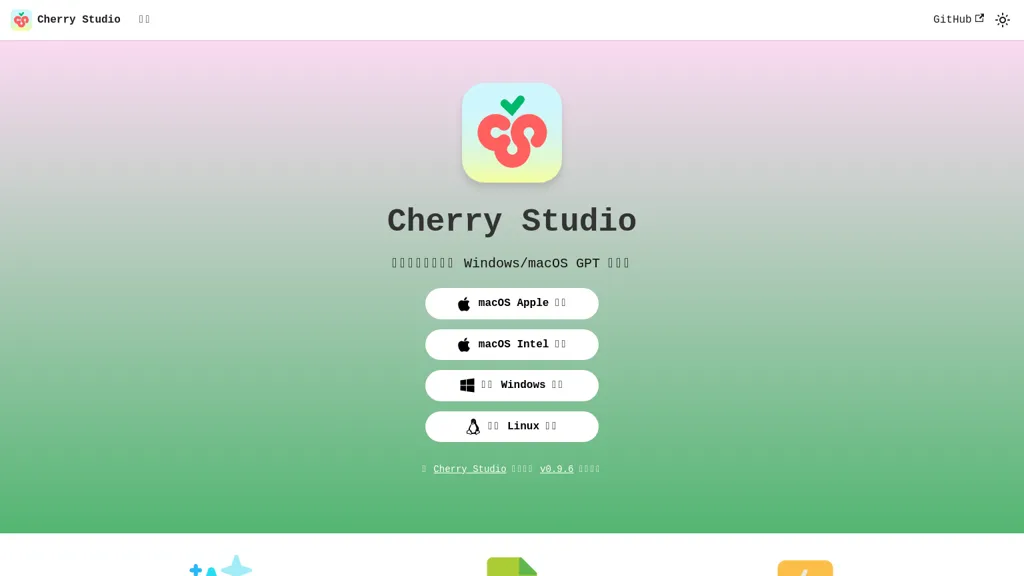
29 Cherry Studio Alternatives & Competitors, Ranked by User Reviews
Click Compare on any tool to compare it side-by-side with Cherry Studio.
 #1
AIChatOne
#1
AIChatOne
AIChatOne is a browser extension and web app that lets users chat with 30+ AI models (GPT‑5, Claude, Gemini, etc.), with real‑time browsing, document upload, voice interaction, encrypted local keys, and searchable chat history.
 #2
Chatplayground.ai
#2
Chatplayground.ai
ChatPlayground lets users compare and interact with 40+ AI models from a single interface, offering live web search, conversation history, document import, 100‑plus language support, a prompt library, and GDPR/CCPA‑compliant privacy.
 #3
AITranslator.com
#3
AITranslator.com
Ai Translator compares 22 AI models via its SMART feature to produce the most agreed translations, offering over 100 languages and regional dialects. It auto‑detects source language, accepts text or files, and provides instant quality feedback and real‑time accuracy analytics.
 #4
Helper.im
#4
Helper.im
Ai Helper is a cross‑platform desktop client that brings ChatGPT, GPT‑4, and other AI engines to macOS, Windows, and Linux. It lets users chat on webpages, PDFs, or videos via shortcuts and generate content, code, or emails within native apps.
 #5
SwytchAI
#5
SwytchAI
SwytchAI is a browser extension that switches between AI models without losing conversation context, securely linking accounts, continuing chats across outages, enabling side-by-side response comparison, cross-model history, exports, shortcuts and centralized workflow management.
 #6
boltai.com
#6
boltai.com
BoltAI is a native macOS app that lets users switch between 300+ AI models, including OpenAI, Anthropic, Google Gemini, and local Ollama. It supports multimodal analysis, fine‑grained controls, project management, local storage, and secure cloud sync.
- Catch deals before they expire
- Unlock tools matched to you
- Show off your AI stacks
Already a member? Sign in
 #7
Magai
#7
Magai
Magai aggregates 50+ AI models into one chat, enabling engine switches mid‑conversation while preserving context. It reuses GPT instructions across models, includes an editor for drafting and editing, and offers prompt refinement, a searchable library, edits, and collaborative sharing.
 #8
Chatbot AI
#8
Chatbot AI
Chatbot AI provides access to various AI models for text conversations and image generation. It features an advanced search function, supports idea brainstorming, and allows for both casual and in-depth discussions with fast response times and chat history.
 #9
Alice App
#9
Alice App
Alice is an AI assistant for macOS, Windows, and Linux that launches via hotkey, stores context locally, supports multiple LLMs through API keys, offers keyboard shortcuts, custom commands via Zapier/Make, and handles files, web, images, and visuals for reliable responses.
 #10
AI Chat for Search
#10
AI Chat for Search
Browser extension that displays conversational AI answers and multi-model comparisons alongside search results, integrates with GPT-4/Claude and major search engines, and adds YouTube summaries, PDF/image/OCR processing and content-generation tools for research and creation.
 #11
AI Fiesta
#11
AI Fiesta
AI Fiesta lets you run multiple AI models side-by-side in one chat with preserved context, automated model selection, prompt enhancement, image generation, audio transcription, expert avatars and project-wide modes for consistent content, research, and code review workflows.
 #12
Chat100.ai
#12
Chat100.ai
Chat100.ai offers a single web interface that integrates GPT‑5.2, GPT‑5.1, GPT‑4o, Grok‑4.1, Grok‑4, Grok‑3, Gemini 3 Pro, and Gemini 3 Flash, enabling instant model switching, side‑by‑side comparison, and streamlined workflows for writing, coding, design, and research.
 #13
Ask AI
#13
Ask AI
Chat & Ask AI combines web search, image generation, link analysis, document chat, and YouTube summarization in one interface. It offers up‑to‑date answers, multilingual support, file uploads, and a prompt library, powered by GPT‑5.2, Gemini, Claude, and Stable Diffusion XL.
 #14
Free.ai
#14
Free.ai
Free.ai provides a comprehensive, free platform with over 400 AI tools, enabling users to experiment with diverse AI capabilities including chat, image generation, code creation, and more. It’s a versatile tool for exploration and application of AI technologies.

Kimi.ai provides free access to the K3 is a multi-modal AI model. It excels in reasoning tasks, supports large context windows, and integrates text and vision data, making it suitable for developers seeking robust AI solutions with enterprise security.
 #16
Duck.ai
#16
Duck.ai
Duck.ai offers anonymous access to popular AI models. It ensures privacy by keeping conversations untracked and outside AI training data, with seamless model switching.
 #17
Lmstudio.ai
#17
Lmstudio.ai
LM Studio runs open‑source large language models locally on Mac (M‑series), Windows, and Linux, enabling private, offline inference. It offers command‑line and headless deployment, server‑side API, SDKs, a model hub, and LM Link for remote model access.
 #18
AI Tutor
#18
AI Tutor
AI Tutor consolidates 200+ models into a single interface, enabling instant switching across text, image, audio, and video. It offers coding support, document analysis, app building, research tools, chatbot creation, and Beam for side‑by‑side model comparison.
 #19
MultipleChat
#19
MultipleChat
MultipleChat integrates ChatGPT, Claude, Gemini, Grok, and Perplexity into a single prompt, displaying each model’s output side‑by‑side. It auto‑debates, flags conflicts, provides source references, and supports document, slide, spreadsheet, and image generation with humanized style learning.

Overchat is a versatile AI app that integrates multiple AI models like ChatGPT, Claude, and Gemini for dynamic text generation, summarization, coding assistance, and image creation. It supports multilingual translation, homework help, and ensures secure, encrypted interactions across all features.
 #21
AIML API
#21
AIML API
AIMLAPI.com offers a unified API endpoint for over 400 AI models spanning chat, image, video, audio, voice, text, 3D, and OCR. It supports sandbox testing, granular access control, batch requests, and an OpenClaw runtime for secure, human‑in‑the‑loop workflows.
 #22
Genspark.ai
#22
Genspark.ai
Genspark unifies inbox, workflows, and collaboration into one AI workspace, offering a 1‑million‑token context window, voice‑to‑text, auto‑meeting notes, and Chrome extensions for instant summarization and task automation across WhatsApp, Slack, and Teams.
 #23
XX.AI
#23
XX.AI
XXAI unifies text, image, and video creation in a single desktop app. It offers drafting, rewriting, a prompt library, real‑time AI search, and a copilot that inserts responses across applications, streamlining authorship, design, and marketing workflows.
 #24
FreedomGPT
#24
FreedomGPT
FreedomGPT unifies access to 400+ AI models, showing side‑by‑side answers for voting and auto‑selection via leaderboard. It keeps privacy safe, runs on Windows/macOS, and is open‑source for community contribution and collaboration.
 #25
AIChat.fm
#25
AIChat.fm
Multimodal AI workspace integrating ChatGPT, Claude, Gemini, Grok and Husky to create and edit text, images, audio, and video, compare multiple models, build custom agents with memory, index web/Telegram for enhanced search, and support team workflows.
 #26
MaxAI.me
#26
MaxAI.me
MaxAI is a Chrome/Edge extension and web app that adds an AI sidebar for instant on‑page queries, delivering responses with cited sources. It supports writing assistance, translation, and summarization of PDFs, videos, and images for research, coding, and marketing.
 #27
MindMac
#27
MindMac
MindMac is a native macOS client that integrates ChatGPT, Azure OpenAI, Gemini, and Claude on the desktop. It offers inline prompts, a 150‑template library, customizable context modes, shortcuts, keychain storage, and 15 UI languages for developers, researchers, and teams.
 #28
Jan
#28
Jan
Jan is an offline ChatGPT alternative for Mac, Windows, and Linux. Enjoy customizable AI assistants, productivity boosts, and secure, exportable data. Integrate with OpenAI equivalent API server and soon-to-come mobile app.
 #29
ChatBetter
#29
ChatBetter
ChatBetter is a unified AI platform that automatically selects and chains the best language models for any query or complex task. It enables side-by-side response comparison and supports team collaboration with enterprise-grade security and project management.
Frequently Asked Questions
Why look for Cherry Studio alternatives?
Common reasons users switch from Cherry Studio:
- User satisfaction: Cherry Studio holds a 70.6% positive rating — some users report unmet expectations.
- Feature gaps: teams needing specific capabilities like Generate text may find a more focused alternative better suited to their workflow.
- Flexibility: exploring alternatives helps find tools that better match your team size, integrations, and budget.
What is the best alternative to Cherry Studio?
AIChatOne ranks as the top Cherry Studio alternative. AIChatOne is a browser extension and web app that lets users chat with 30+ AI models (GPT‑5, Claude, Gemini, etc.), with real‑time browsing, document It is available on a Freemium plan starting from $16.9/mo.
How do the top Cherry Studio alternatives compare?
| Tool | Pricing | Starting Price | User Rating |
|---|---|---|---|
| Cherry Studio this tool | Freemium | — | 70.6% (17) |
| AIChatOne | Freemium | $16.9/mo | — |
| Chatplayground.ai | Subscription | $19/mo | 100% (1) |
| AITranslator.com | Freemium | $39/mo | 100% (1) |
| Helper.im | Freemium | $9.9 | — |
| SwytchAI | Subscription | — | — |
Are there free Cherry Studio alternatives?
Yes, 21 free alternatives found in our list: AIChatOne, AITranslator.com, Helper.im. and 18 more — use the pricing filter above to see them all.
What should I look for in a Cherry Studio alternative?
- Core capabilities: confirm the tool supports Generate text, Switch models, Enhance interaction.
- Pricing transparency: look for clear free plan, trial period, or tiered pricing — avoid tools that hide costs.
- User reviews: check both the satisfaction percentage and the number of reviews; a high score from few users is less reliable.
- Integrations: verify it connects with your existing stack before committing.
- Support and updates: active development and responsive support are strong signals of a maintained product.
Which Cherry Studio alternative has the highest user rating?
Chatplayground.ai has the highest satisfaction score among Cherry Studio alternatives, with 100% positive from 1 user review. It is available on a Subscription plan starting from $19/mo.
What are Cherry Studio alternatives used for?
- Generate text
- Switch models
- Enhance interaction
- Analyze conversations
- Automate responses