
Top 29 Cerebrella Alternatives in 2026
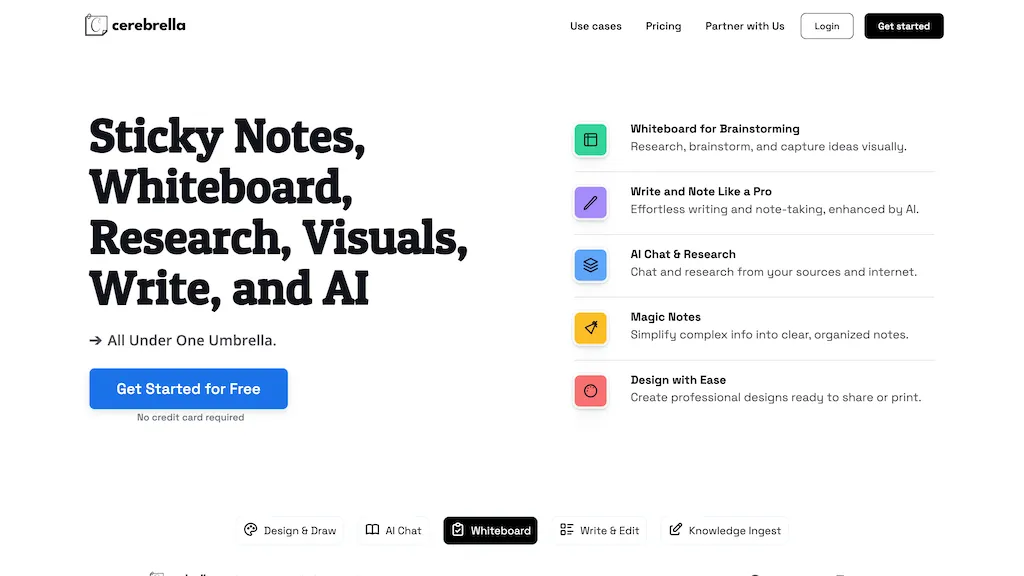
50% positive · 4 user reviews FreemiumCerebrella is an all-in-one AI tool that merges sticky notes, whiteboard, and research capabilities for an innovative creative workspace. It streamlines brainstorming and note-taking while enabling users to engage with AI for research, clarity, and professional project design.
We've ranked 29 Cerebrella alternatives, including 23 with a free plan. Rankings are based on feature coverage and user feedbacks.
Top-rated alternatives include Boardmix online whiteboard, Ideamap, and ConceptMap AI.
29 Cerebrella Alternatives & Competitors, Ranked by User Reviews
Click Compare on any tool to compare it side-by-side with Cerebrella.
 #1
Boardmix online whiteboard
#1
Boardmix online whiteboard
Boardmix is an AI‑powered online whiteboard that supports real‑time collaboration for up to 500 users on an infinite canvas. It offers diagramming tools, AI‑generated layouts, integrations, and embedded video/emoji chat for efficient team workflows.
 #2
Ideamap
#2
Ideamap
Ideamap is an AI-driven brainstorming tool that helps teams unleash their creative potential. With its cutting-edge technology, Ideamap enables real-time collaboration and innovation, making it perfect for remote teams.
 #3
ConceptMap AI
#3
ConceptMap AI
Concept Map AI is a free mind mapping tool that enables users to create visual concept maps quickly through AI interaction. It supports educational purposes, project planning, brainstorming, and process mapping, enhancing clarity, collaboration, and operational efficiency.
 #4
Walling AI
#4
Walling AI
Walling offers a single visual canvas where teams can drag‑and‑drop media, create moodboards, embed tables and task boards, and use AI to generate content. Real‑time collaboration, mobile responsiveness, and link sharing keep projects aligned.
 #5
XNote
#5
XNote
Xnote combines traditional writing on paper with AI technology to capture and convert notes into searchable digital content, enhancing organization and retrieval. This tool supports a seamless workflow for students, professionals, and creatives.
 #6
MindMap AI
#6
MindMap AI
MindMapAI.app is an AI-powered tool for creating dynamic mind maps from text, PDFs, images, audio, and video inputs. It offers AI copilot chat for brainstorming, seamless editing, and multi-format exports to streamline idea tracking and refinement.
- Catch deals before they expire
- Unlock tools matched to you
- Show off your AI stacks
Already a member? Sign in
 #7
Google Workspace
#7
Google Workspace
Google Workspace is a comprehensive suite of online productivity tools, including Gmail, Drive, Meet, Chat, Calendar, and Docs, designed to facilitate real-time collaboration and efficient workflows across various industries.
 #8
Goodnotes
#8
Goodnotes
GoodNotes is a digital notebook that records voice, text, or handwriting and supports collaboration. AI transcribes audio, summarizes meetings, turns notes into searchable flashcards, and syncs audio to slides for students and teachers across iOS, macOS, Windows, Android, and Web.
 #9
MyMind
#9
MyMind
Cross‑platform personal knowledge manager consolidating notes, bookmarks, articles, images, and quotes into one private space. Auto‑classifies content, generates AI summaries, and enables search by color, keyword, brand, or date. Real‑time sync across iOS, Android, macOS, Chrome, Edge, and Safari.
 #10
ThinkerNotes
#10
ThinkerNotes
ThinkerNotes is an AI tool that simplifies content brainstorming by gathering, organizing, and connecting insights from multiple sources to combat writer's block and enhance idea discovery for unique content creation.
 #11
Word.studio
#11
Word.studio
Word.Studio offers 150+ AI-powered tools for content creation, research, and brand development, providing article, essay, and business plan generators, creative writing aids, marketing support, educational utilities, and graphic asset generators.
 #12
Saner.ai
#12
Saner.ai
Saner.AI consolidates emails, calendar, Slack, Drive, and notes into a searchable workspace, auto‑generating tasks, scheduling them, and organizing content with AI tags. It reduces context switching, protects privacy with encrypted storage, and supports bulk import/export of notes.
 #13
Ninja AI
#13
Ninja AI
Ninja AI is an all-in-one productivity tool that supports research, writing, coding, image generation, and task management, integrating various AI models for versatile capabilities in both personal and professional settings.
 #14
Miro AI
#14
Miro AI
Miro AI is an AI tool that enhances creativity, collaboration, and product development through visual word and image generation, sticky note clustering, feedback, and learning from the Miro community.
 #15
Genspark.ai
#15
Genspark.ai
Genspark unifies inbox, workflows, and collaboration into one AI workspace, offering a 1‑million‑token context window, voice‑to‑text, auto‑meeting notes, and Chrome extensions for instant summarization and task automation across WhatsApp, Slack, and Teams.
 #16
edraw ai
#16
edraw ai
Edraw.ai is an AI-driven platform for visual collaboration, offering a variety of diagram types and real-time editing. It enhances productivity by facilitating teamwork, streamlining workflows, and improving visual documentation across diverse industries.
 #17
Craft
#17
Craft
Craft is a cross‑platform workspace that lets users draft, organize, and publish content while synchronizing notes, tasks, calendar items, and whiteboards. It embeds AI writing assistance and integrates with Claude, ChatGPT, VS Code, and Apple Shortcuts.
 #18
Mem.ai
#18
Mem.ai
Mem.ai is an AI-powered workspace that simplifies information management and collaboration, automates tasks, and facilitates knowledge sharing.
 #19
Saga AI
#19
Saga AI
Saga unifies notes, documents, and task management in a single AI‑enhanced workspace, offering real‑time collaboration, Google Drive/Linear integration, AI text generation, Kanban boards, live linking, side‑by‑side views, and rapid cross‑app search.
 #20
Turbo AI
#20
Turbo AI
Turbo.ai is an AI-powered note-taking and study platform that converts lectures, PDFs, videos, and audio into structured notes, flashcards, quizzes, and summaries. It automatically extracts key concepts, preserves technical formatting, and supports collaboration across devices for students, researchers, and professionals.
 #21
Cloudairy
#21
Cloudairy
Cloudairy is a cloud-based collaborative workspace with AI-powered diagramming and project management tools. It enables real-time teamwork with flowcharts, mind maps, Kanban boards, and automated documentation for streamlined workflows.
 #22
Notaide
#22
Notaide
Notaide lets users brainstorm visually by generating ideas and placing them on editable boards. Drag‑and‑drop and real‑time editing let users reorganise concepts as they evolve, while AI quickly suggests connections and expansions for faster iteration.
 #23
Tana
#23
Tana
Tana is an AI-native workspace that enhances knowledge management by transforming notes into tasks, projects, and documents. With AI-powered meeting transcription, custom feeds, and automation, it streamlines workflows for professionals, teams, and individuals seeking organized productivity.
 #24
MyMap.AI
#24
MyMap.AI
MyMap turns text prompts into mind maps, flowcharts, SWOT, timelines, and database schemas on an infinite canvas. It auto‑generates and places nodes with real‑time AI context awareness, letting users drag, connect, and reorganize for brainstorming and planning.
 #25
Wisemap.ai
#25
Wisemap.ai
WiseMap uses ChatGPT to expand keyword‑driven mind maps, adding nodes and refining structures via natural language. It offers AI‑generated backgrounds, unlimited edits, export options, and collaborative sharing with credit tracking for teams and educators.
 #26
NinjaTools
#26
NinjaTools
NinjaTools is an AI workspace that integrates various functionalities, offering tools for image generation, music creation, and document analysis. It supports collaboration, manages chat data across models, and features categorized prompt libraries for enhanced productivity.
 #27
Napkin.ai
#27
Napkin.ai
Napkin AI automatically converts pasted or uploaded text into diagrams, charts, flowcharts, and mind maps. Users can customize icons, styles, connectors, and colors, then export to PPT, PNG, PDF or SVG. It supports 60+ languages and real‑time collaboration.
 #28
MyLens.AI
#28
MyLens.AI
MyLens.ai: Powerful AI tool for generating detailed mind maps & extracting insights from docs. Suitable for research, business & learning purposes. Promoting user privacy. Easy application across various uses.
 #29
Mixflow.ai
#29
Mixflow.ai
Mixflow.ai is a versatile productivity platform that allows users to organize and manage various media types on an infinite canvas, streamline workflows, and enhance collaboration across industries such as software development, legal, marketing, and healthcare.