
What is Boardmix online whiteboard?
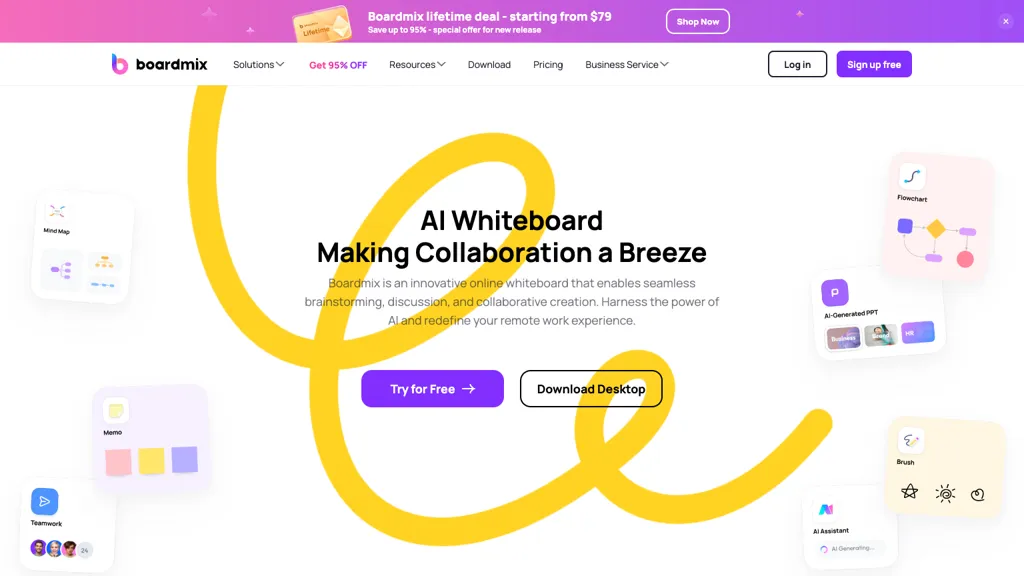
Boardmix is an AI‑powered online whiteboard that enables real‑time collaboration for teams of up to 500 users. It offers an infinite canvas and a suite of diagramming tools such as flowcharts, mind maps, organizational charts, and technical diagrams. Built‑in AI assistants generate structured diagrams, generate content, and suggest layouts from templates like SWOT, BCG matrix, and business model canvas.
The platform supports native integrations with common tools, allowing workflow automation and document embedding. Designers, product managers, marketers, and developers can use Boardmix to create presentations, map customer journeys, plan projects, and conduct workshops.
Boardmix online whiteboard details
- Built for
- Individuals
Boardmix online whiteboard tech specs
- Integrations
- Figma
Boardmix online whiteboard pricing
PaidVerify on the official pricing page.
View plansBoardmix online whiteboard's key features
-
AI-powered idea assistant
-
Unlimited infinite canvas
-
One-click layout switching
-
Intelligent smart formatting
-
Real-time integrated chatbox
-
Dynamic presentation mode
-
Multi-format file compatibility
Boardmix online whiteboard use cases
-
Design and manage enterprise-level project roadmaps with Boardmix's AI-generated layouts and real‑time collaboration, enabling teams of up to 500 to stay aligned without switching tools
-
Host interactive remote brainstorming sessions on Boardmix’s infinite canvas, leveraging integrated video/emoji chat and instant diagramming tools for seamless idea capture and iteration
-
Create and maintain complex system architecture diagrams that auto‑synchronize across distributed teams, exporting directly to common formats and integrating with project management tools
Boardmix online whiteboard user reviews
Based on 19 reviews, 74% of users recommend Boardmix online whiteboard, rated highly for quality results.
Liked for
Disliked for
Would you recommend Boardmix online whiteboard?
Who is Boardmix online whiteboard for?
-
Content creators
-
Remote teams
-
Collaboration facilitators
-
Brainstorming groups
-
Virtual whiteboard teams
Boardmix online whiteboard FAQ
How much does Boardmix online whiteboard cost?
Boardmix online whiteboard is a paid product with no free plan. Plans include Boardmix lifetime plan 1 at $99, Boardmix lifetime plan 2 at $399, Boardmix lifetime plan 3 at $699 and Boardmix lifetime plan 4 at $999.
Is Boardmix online whiteboard safe to use?
Boardmix online whiteboard carries the TopAI.tools verified mark, which we award after a manual review of pricing transparency, published terms, public following and working functionality. It has a substantial audience that is independently measured month to month.
Is Boardmix online whiteboard good?
Boardmix online whiteboard has a 74% recommendation rate from 19 reviewers on TopAI.tools. Reviewers rate it highest on quality of results and ease of use.
What are the best alternatives to Boardmix online whiteboard?
The closest alternatives to Boardmix online whiteboard are Napkin.ai, Jeda AI, Cloudairy, EdrawMax.com and PresentationsAI. You can compare them side by side in the alternatives section further down this page.
What does Boardmix online whiteboard integrate with?
Boardmix online whiteboard connects with Figma.


