Best Audio Cutter AI Alternatives in 2026
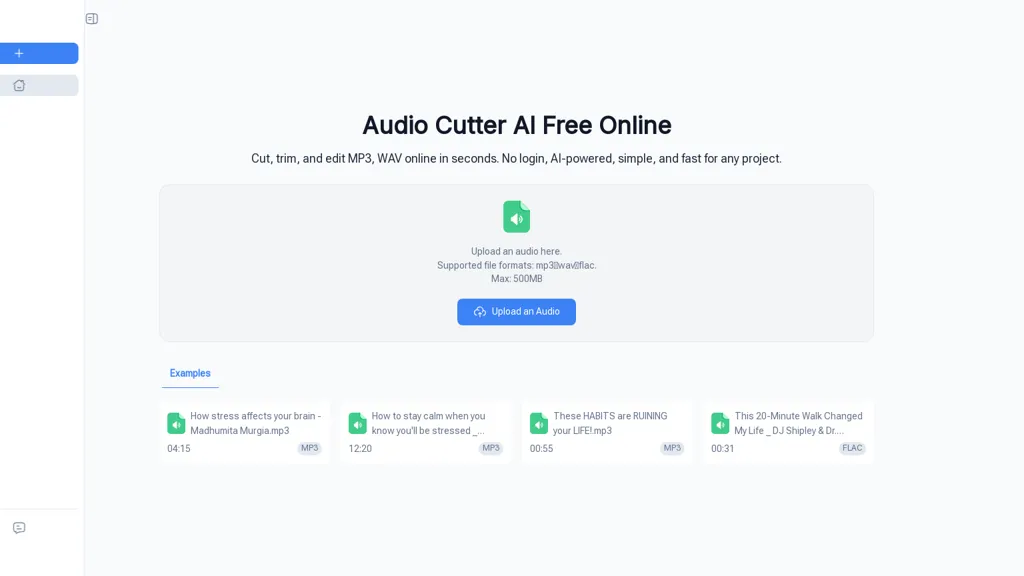
100% positive · 1 user review FreemiumAudio Cutter AI is a browser-based tool for trimming and editing MP3, WAV, and FLAC files with AI-assisted cut point detection and precise interval selection. It enables a simple three-step workflow—upload, set trim points, and download—for creating polished audio clips without any local software.
We've ranked 12 Audio Cutter AI alternatives, including 10 with a free plan. Rankings are based on feature coverage and user feedbacks.
Top-rated alternatives include Audio Cut, MyEdit, and Mp3Converter AI.
12 Audio Cutter AI Alternatives & Competitors, Ranked by User Reviews
Click Compare on any tool to compare it side-by-side with Audio Cutter AI.
#1
Audio Cut
Audio Cut is a browser-based tool for trimming and cutting audio files without installation. It supports multiple formats, processes files securely in your browser, and allows for lossless export.
#2
MyEdit
Karaoke Maker uses browser-based AI vocal isolation to turn MP3, WAV, FLAC, or M4A tracks into downloadable instrumentals. Adjust vocal bleed and transpose pitch via sliders for practice, covers, performances, or video soundtracks.
#3
Mp3Converter AI
mp3converter AI is a user-friendly online tool for converting various audio formats, like WAV and FLAC, to MP3. It supports batch conversions, ensuring high-quality output and compatibility across devices while maintaining audio fidelity.
#4
Vocal Remover Online
VocalRemover is a web‑based AI tool that isolates vocals and accompaniment from audio files. It supports MP3, WAV, FLAC, MP4, MKV, and YouTube/TikTok links, and outputs stems in WAV, MP3, or FLAC for karaoke, remixing, or podcast editing.
#5
Audo AI
Audo Studio is an AI audio tool that offers one-click audio cleaning features for podcasts, YouTube videos, and other audio content. It removes background noise, enhances speech, and uses advanced processing to clean audio in seconds.
#6
AI Music Sampler
AI Music Sampler separates vocals, drums, bass, and other instruments from a single track with up to 99% accuracy. It supports MP3, WAV, AIFF, FLAC and outputs lossless WAV stems. Ideal for remixing, podcasting, and music education.
- Personalized recommendations
- Custom collections
- Save favorites
Already a member? Sign in
#7
Audio Strip
AudioStrip is an online AI service that isolates vocals from music and removes background noise, producing clean stems in WAV, FLAC or MP3. It supports single or batch uploads up to 50 MB, ideal for musicians, producers, podcasters and audio engineers.
#8
SplitSong
SplitSong.com uses AI to separate uploaded MP3, WAV, or YouTube audio into individual stems—drums, bass, guitars, keys, vocals—ready for download, remixing, karaoke, or instrument study, all without any installation.
#9
AudioTranscriber.io
Audio Transcriber AI is a browser-based tool that converts audio and video files into timestamped, speaker-labeled text. It supports major formats, large uploads up to 5 GB, automatic language recognition for 120+ languages, and includes TikTok MP3 conversion and YouTube audio extraction.
#10
SimpleClean
SimpleClean is a browser-based AI noise reducer that removes wind, traffic, hums, clicks, and background chatter from audio and video (MP3, WAV, MP4, MOV, etc.), preserving natural speech, supporting bulk uploads, cloud processing, and multiple output formats.
#11
Smart Media Cutter
Smart Media Cutter is a desktop tool for streamers and editors that enables frame-accurate, lossless cutting of video and audio. It uses AI transcription, chat activity overlays, and automated silence removal to quickly find highlights and export clips for social media.
#12
SoundBoost.ai
SoundBoost.ai offers rapid, prompt-driven online mastering with genre-aware AI profiles, stem splitting, LUFS/loudness analysis, true-peak limiting, analog-modeled saturation, A/B comparison and metadata editing, accepting major formats and returning masters under a minute.
Frequently Asked Questions
Why look for Audio Cutter AI alternatives?
Common reasons users switch from Audio Cutter AI:
- Feature gaps: teams needing specific capabilities like Edit Audio Files may find a more focused alternative better suited to their workflow.
- Flexibility: exploring alternatives helps find tools that better match your team size, integrations, and budget.
What is the best alternative to Audio Cutter AI?
Based on 7 user reviews, Audio Cut (71.4% positive) ranks as the top Audio Cutter AI alternative. Audio Cut is a browser-based tool for trimming and cutting audio files without installation. It supports multiple formats, processes files securely in It is available on a Free plan.
How do the top Audio Cutter AI alternatives compare?
| Tool | Pricing | Starting Price | User Rating |
|---|---|---|---|
| Audio Cutter AI this tool | Freemium | — | 100% (1) |
| Audio Cut | Free | — | 71.4% (7) |
| MyEdit | Free | $4/mo | — |
| Mp3Converter AI | Freemium | — | — |
| Vocal Remover Online | Freemium | — | — |
| Audo AI | Freemium | — | — |
Are there free Audio Cutter AI alternatives?
Yes, 10 free alternatives found in our list: Audio Cut, MyEdit, Mp3Converter AI. and 7 more — use the pricing filter above to see them all.
What should I look for in a Audio Cutter AI alternative?
- Core capabilities: confirm the tool supports Edit Audio Files, Trim Mp3 Files, Cut Wav Files.
- Pricing transparency: look for clear free plan, trial period, or tiered pricing — avoid tools that hide costs.
- User reviews: check both the satisfaction percentage and the number of reviews; a high score from few users is less reliable.
- Integrations: verify it connects with your existing stack before committing.
- Support and updates: active development and responsive support are strong signals of a maintained product.
Which Audio Cutter AI alternative has the highest user rating?
Audio Strip has the highest satisfaction score among Audio Cutter AI alternatives, with 100% positive from 1 user review. It is available on a Paid plan.
What are Audio Cutter AI alternatives used for?
- Edit Audio Files
- Trim Mp3 Files
- Cut Wav Files
- Edit Flac Files
- Enhance Audio Quality