
What is SimpleClean?
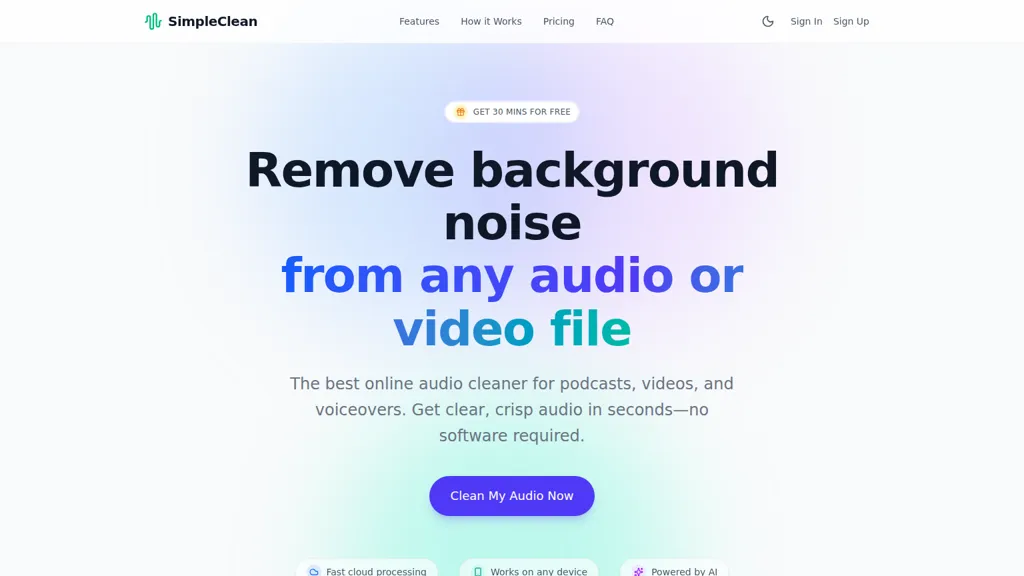
SimpleClean removes background noise from audio and video files using AI noise reduction. The browser-based audio cleaner works without software installation and supports major audio and video formats (MP3, WAV, FLAC, MP4, MOV and more). Cloud processing and bulk upload enable batch cleanup and quick turnaround on desktop and mobile devices.
The AI distinguishes human speech from ambient sounds to reduce wind, traffic, hums, clicks, and background chatter while preserving natural voice quality. Output options include multiple download formats ready for publishing and post-production workflows.
Use cases include podcast noise reduction, YouTube and video audio cleanup, voiceover polishing, lecture and training recording improvement, and first-pass cleanup for audio engineers. Responsive web access, broad format compatibility, and automated processing streamline audio cleanup for creators, marketers, educators, and casual users.
SimpleClean details
- Built for
- Individuals
SimpleClean tech specs
- Integrations
- Discord Microsoft Teams
SimpleClean pricing
SubscriptionPricing details aren't listed here — check the official pricing page below.
- Auto-renewal
- Yes
Verify on the official pricing page.
View plansSimpleClean's key features
-
AI-driven automatic noise reduction that analyzes waveforms and removes background/background noises from audio and video
-
Browser-based cloud processing (no software install) with cross-device support (desktop, iOS, Android)
-
Bulk upload capability with email notifications when processing is complete
-
Supports wide range of audio and video file formats (e.g., MP3, WAV, FLAC, MP4, MOV, MKV and many others)
-
File limits and retention controls: max file size 1GB, max duration 3 hours; original and processed files auto-deleted after 7 days
SimpleClean use cases
-
Remove background noise from podcast episodes using SimpleClean in your browser without installing software, bulk-upload multiple MP3 or WAV files for cloud processing, and download speech-preserved, ready-to-publish episodes in multiple formats
-
Enhance interview and video audio by denoising MP4 and MOV files with SimpleClean's AI reducer to eliminate wind, traffic, hums and clicks while preserving natural speech, process videos in bulk and export cleaned audio for editing or publishing
-
Restore field recordings, voiceovers, and corporate training audio using SimpleClean's browser-based cleaner to remove background chatter and electrical hum, leverage cloud processing for large batches, and get studio-quality audio without manual editing
SimpleClean user reviews
Would you recommend SimpleClean?
Who is SimpleClean for?
-
Audio editors
-
Content creators
-
Video editors
-
Podcasters
-
Musicians
SimpleClean FAQ
Is SimpleClean free?
No. SimpleClean is a paid product and requires a paid plan to use.
What are the best alternatives to SimpleClean?
The closest alternatives to SimpleClean are AI Voice Cleaner, Noiseremoval.net, AudioAI.io, Cleanvoice AI and Audo AI. You can compare them side by side in the alternatives section further down this page.
What does SimpleClean do with my data?
SimpleClean states that customer content is not used to train its models. Its privacy policy states that personal data is not sold or shared for marketing purposes. Data may be shared with third-party service providers that help run the product.
Does SimpleClean auto-renew or offer refunds?
SimpleClean subscriptions renew automatically until you cancel.
What does SimpleClean integrate with?
SimpleClean connects with Discord and Microsoft Teams.
Compliance, privacy and billing terms are as stated in each product's own published documentation and have not been independently verified by TopAI.tools.


