
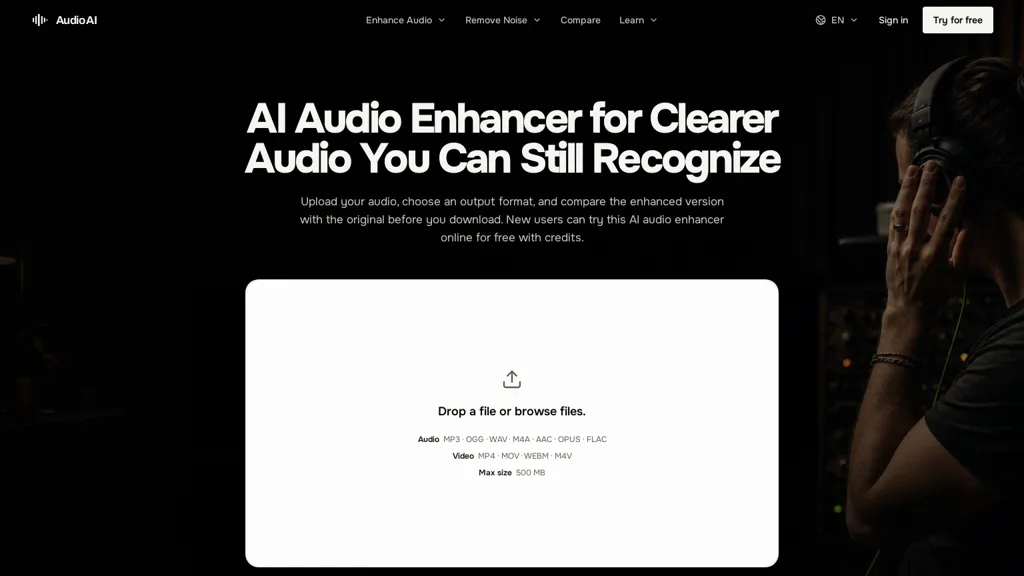
What is AudioAI.io?
AI Audio Enhancer removes background noise, reduces echo and distortion, levels volume, and enhances buried voice to improve speech intelligibility.Upload one supported file (mp3, wav, m4a, aac, ogg, opus, flac, or video), choose an output format (mp3, aac, m4a, ogg, opus, flac, wav), preview the enhanced result and compare with the original before download.
Preserves intentional music, ambience and room tone while balancing levels and keeping pauses and transients natural.Addresses noisy environments (traffic, wind, fans), low-level speech and overlapping talk so key words and quiet consonants are easier to hear.
Workflow is.upload, select output, generate preview, compare versions, download; the original file remains unchanged.Suitable for podcasters, interviewers, educators, journalists, video creators and musicians needing noise removal, voice enhancement, echo reduction and quick format conversion for post-production or distribution.
AudioAI.io pricing
Free trialAudioAI.io offers a free trial before requiring payment.
Verify on the official pricing page.
Start free trialAudioAI.io's key features
-
Background noise removal (handles traffic, wind, fans)
-
Echo and distortion reduction
-
Automatic volume leveling and level balancing
-
Enhancement of low-level and overlapping speech (buried voice enhancement)
-
Supports multiple input formats (mp3,wav,m4a,aac,ogg,opus,flac,video) and configurable output format conversion (mp3,aac,m4a,ogg,opus,flac,wav)
AudioAI.io use cases
-
Polish podcasts, interviews and voice-overs using AI Audio Enhancer to remove background noise, reduce echo and even levels—preview and compare enhanced output in multiple formats, preserve music and room tone, then download broadcast-ready files without extra tools
-
Recover and clarify low-level or overlapping speech from interviews, depositions and field recordings by separating overlapping voices, boosting intelligibility and cutting distortion so transcripts, reporting and legal evidence become usable and accurate
-
Clean and prepare audio from video productions and on-location shoots by removing noise and echo, balancing levels and converting formats—compare enhancements before download and drop the improved tracks directly into your editing timeline
AudioAI.io user reviews
Would you recommend AudioAI.io?
Who is AudioAI.io for?
-
Podcast creators
-
Music creators
-
Video creators
-
Interviewing staff
-
Learning instructors
AudioAI.io FAQ
Is AudioAI.io free?
Not permanently. AudioAI.io gives you a free trial, after which a paid plan is required.
What are the best alternatives to AudioAI.io?
The closest alternatives to AudioAI.io are Cleanaudio.io, Voice Isolator, SimpleClean, Audo AI and Voice Isolator. You can compare them side by side in the alternatives section further down this page.


