
What is AI Toolbox?
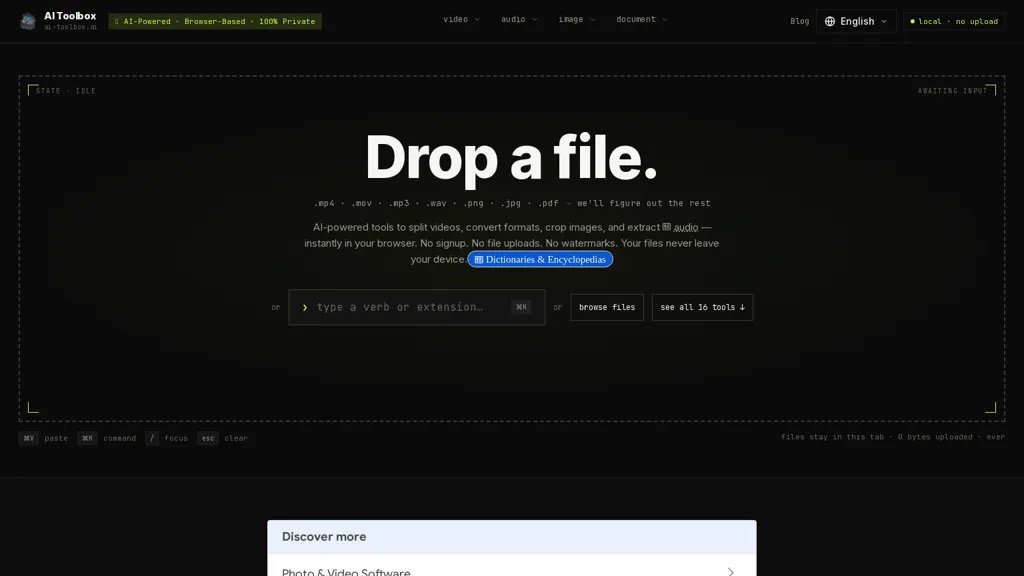
AI Toolbox is a browser-based multimedia toolkit for local video, audio, image, and document processing.Processing runs in the browser via WebAssembly so files are handled locally and are not uploaded to servers.
Video tools include frame-accurate splitting, trimming, merging, rotation, flipping, compression, and format conversion (MP4, MOV, WEBM, MKV, AVI) with support for codecs such as H.264, H.265, AV1, and VP9.
Audio features extract and split tracks, convert between MP3, WAV, FLAC, AAC, OGG, and offer browser-based transcription.Image utilities crop, resize, and convert between PNG, JPG, WebP, and AVIF and include OCR to extract text from images.
Document functions merge PDFs, convert and extract archives (RAR, ZIP), and perform file-type detection via magic bytes.The tool targets content creators, editors, marketers, educators, and developers who need browser-based conversion, editing, and extraction with local-only processing and no account requirement.
AI Toolbox details
- Built for
- Individuals
AI Toolbox pricing
FreeThis tool is free to use, with no credit card required.
Verify on the official pricing page.
Get started freeAI Toolbox's key features
-
Browser-based local multimedia processing via WebAssembly (files handled in-browser, not uploaded)
-
Video editing and conversion with frame-accurate splitting, trimming, merging, rotation, flipping, compression and support for MP4/MOV/WEBM/MKV/AVI and codecs H.264, H.265, AV1, VP9
-
Audio processing: track extraction and splitting, format conversion between MP3/WAV/FLAC/AAC/OGG, and browser-based transcription
-
Image utilities: crop, resize, convert between PNG/JPG/WebP/AVIF, and OCR text extraction from images
-
Document functions: merge PDFs, convert and extract archives (RAR, ZIP), and file-type detection via magic bytes
AI Toolbox use cases
-
Trim frame-accurate interview footage and merge clips in-browser, extract and transcribe audio locally for searchable quotes and show notes, all without uploads or accounts—perfect for journalists and podcasters prioritizing privacy and speed
-
Convert and compress large camera or drone video files to web-friendly formats, batch-change image formats and run local OCR on receipts and labels to extract text for expense reports, keeping sensitive data on-device
-
Merge and convert PDFs or archives for client deliverables, extract images and run OCR to produce editable documents, and perform quick in-browser audio/video edits for presentations using the WebAssembly toolkit with no uploads or account
AI Toolbox user reviews
Would you recommend AI Toolbox?
Who is AI Toolbox for?
-
Content creators
-
Editors
-
Marketers
-
Educators
-
Developers
AI Toolbox FAQ
Is AI Toolbox free?
Yes. AI Toolbox is free to use and does not require a credit card.
What are the best alternatives to AI Toolbox?
The closest alternatives to AI Toolbox are Image upscaling and Smart Media Cutter. You can compare them side by side in the alternatives section further down this page.

