
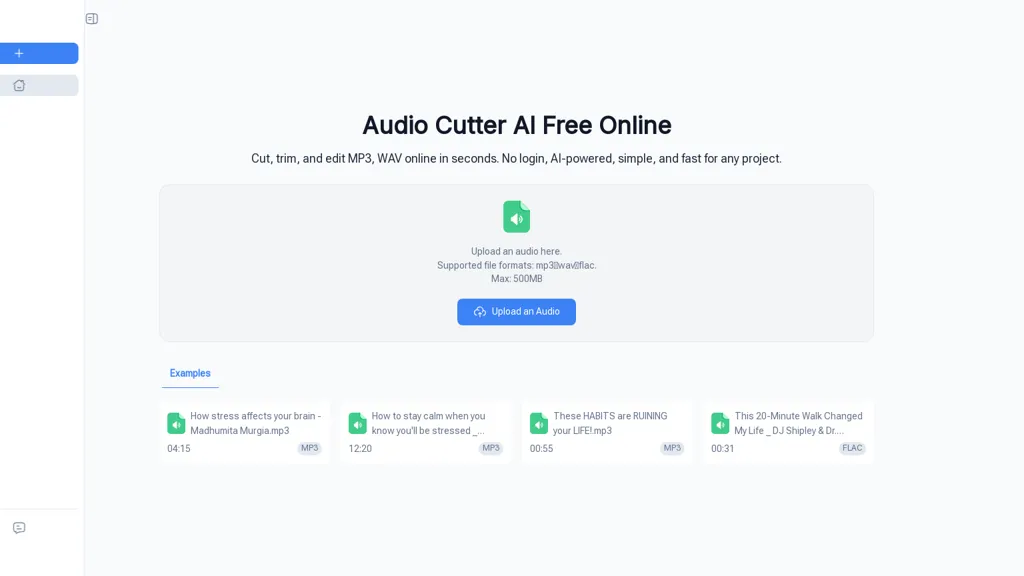
What is Audio Cutter AI?
Audio Cutter AI.browser-based audio editor for trimming, cutting, and editing MP3, WAV, and FLAC files.Supports uploads up to 500 MB and precise interval selection for start/end trimming.Three-step workflow — upload, set trim points, preview, and download — requires no local software.
AI-assisted processing helps detect cut points and preserves audio quality during export.Output-ready files for podcasts, social media clips, ads, lectures, interviews, and classroom materials.Designed for creators, podcasters, educators, journalists, and social media managers who need efficient audio edits.
Keywords.audio cutter AI, trim audio, cut MP3, edit audio online, online audio cutter, edit WAV.
Audio Cutter AI details
- Jurisdiction
- United States
- Data residency
- United States, European Union, and other territories
Audio Cutter AI pricing
FreemiumAudio Cutter AI offers a free plan with paid upgrades available.
- Refund window
- 1 days
- Auto-renewal
- Yes
Verify on the official pricing page.
View plansAudio Cutter AI's key features
-
Browser-based audio editor (no local software required)
-
Supports trimming, cutting, and editing MP3, WAV, and FLAC files
-
Accepts uploads up to 500 MB
-
Precise interval selection for start/end trimming
-
AI-assisted detection of cut points with audio-quality-preserving export
Audio Cutter AI use cases
-
Produce polished podcast episodes and highlight clips directly in your browser by uploading MP3/WAV/FLAC files up to 500 MB, using AI-assisted cut detection to remove dead air and filler, preview edits and export quality-preserving audio ready for publishing
-
Create social-ready clips from long interviews, lectures, or streams by setting trim points or letting the AI detect natural cut points, instantly preview results and download optimized MP3/FLAC snippets that retain original audio fidelity
-
Prepare clean lecture and interview recordings for transcription or archiving by trimming irrelevant sections with AI-assisted detection, previewing changes in-browser and exporting lossless WAV/FLAC files up to 500 MB for accurate transcripts and sharing
Audio Cutter AI user reviews
Based on 2 reviews, 100% of users recommend Audio Cutter AI, rated highly for quality results.
Liked for
Would you recommend Audio Cutter AI?
Who is Audio Cutter AI for?
-
Content creators
-
Podcasters
-
Educators
-
Journalists
-
Social media managers
Audio Cutter AI FAQ
Is Audio Cutter AI free?
Partly. Audio Cutter AI has a free plan with usage limits, and paid plans unlock the full feature set.
What are the best alternatives to Audio Cutter AI?
The closest alternatives to Audio Cutter AI are Online Audio Converter, LALAL.AI, SoundBoost.ai, MyEdit and MusicRemover AI. You can compare them side by side in the alternatives section further down this page.
What does Audio Cutter AI do with my data?
Its privacy policy states that personal data is not sold or shared for marketing purposes. Data may be shared with third-party service providers that help run the product. Customer data is held in United States, European Union, and other territories.
Does Audio Cutter AI auto-renew or offer refunds?
Audio Cutter AI subscriptions renew automatically until you cancel. It states a 1-day refund window.
Compliance, privacy and billing terms are as stated in each product's own published documentation and have not been independently verified by TopAI.tools.


