Top 29 VoiceInk Alternatives in 2026
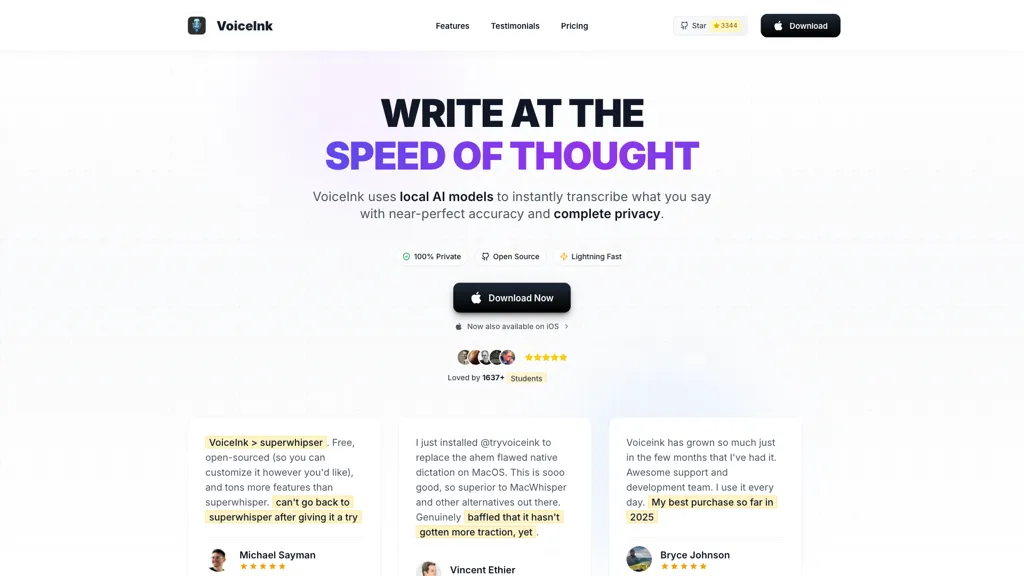
100% positive · 1 user review FreemiumVoiceink is a macOS dictation application that offers accurate offline voice-to-text transcription. It features customizable dictionaries, automated formatting, and seamless integration for composing emails and messages quickly, enhancing productivity for professionals and students.
We've ranked 29 VoiceInk alternatives, including 24 with a free plan. Rankings are based on feature coverage and user feedbacks.
Top-rated alternatives include Voicenotes, Voice Inbox, and Speechify.
29 VoiceInk Alternatives & Competitors, Ranked by User Reviews
Click Compare on any tool to compare it side-by-side with VoiceInk.
#1
Voicenotes
Voicenotes lets users record audio on iPhone, Android, desktop, or web, automatically transcribing and summarizing content. It supports 100+ languages, integrates with video calls, and converts notes into blogs, emails, or tasks, keeping recordings encrypted and private.
#2
Voice Inbox
Voice Inbox is a note-taking tool that converts speech to text with high accuracy. It supports multiple languages, integrates with Obsidian for organized note management, and recognizes calendar events for easy appointment scheduling.
#3
Speechify
Speechify converts PDFs, DOCX, EPUB, web pages, and more into natural‑sounding audio on iOS, Android, macOS, Windows, and Chrome. It offers an AI assistant that summarizes documents while you listen, supports voice typing, and allows offline access.
#4
Voicetypr
Voicetypr is an offline AI voice-to-text tool that runs locally on your computer for private dictation. It supports over 99 languages and transcribes speech for emails, coding, and documentation with smart formatting.
#5
Voicetapp
Voicetapp is a cloud-based AI-powered software that provides real-time transcription in multiple languages with speaker identification and supports various input formats.
#6
Letterly.app
Letterly instantly transcribes spoken audio into polished text, supports 90+ languages, and offers 25+ rewrite styles for emails, blogs, tweets, or bullet points. It works offline, integrates via Zapier/webhooks, and tags content for quick retrieval.
- Catch deals before they expire
- Unlock tools matched to you
- Show off your AI stacks
Already a member? Sign in
#7
Dictanote
Dictanote is a voice‑to‑text note‑taking app that supports over 50 languages and 80 dialects, letting users add punctuation, smileys, and technical terms via speech. It syncs notes across Windows, Linux, macOS, Android, iPhone, encrypts data, retains no audio recordings.
#8
WriteVoice
WriteVoice is a voice-to-text application that converts speech to punctuated text at 4x typing speed with 97%+ accuracy. It handles accents and technical terms, integrates with popular productivity tools, and is privacy-focused with no data storage.
#9
superwhisper
Superwhisper converts spoken language into polished text for any app, works offline, supports 100+ languages with English translation, offers customizable tone and formatting, includes AI meeting assistant, and allows video/audio transcription with GPT/Claude/Llama models.
#10
Speechly
Speechly is a speech-to-text tool for Mac that converts voice into text efficiently, supporting 150+ languages. It streamlines communication tasks, offers smart modes for various needs, and allows customizable voice commands to enhance productivity.
#11
Utter.to
Utter is an AI-powered tool that instantly converts spoken words into polished text across apps like Slack, Gmail, and documents. It offers 4x faster dictation speeds, supports over 50 languages, and provides customizable modes for various writing tasks.
#12
VoicePen App
VoicePen is a voice-to-text application that transcribes speech into organized text, supports audio file imports, and offers editing features. With multi-language support and iCloud synchronization, it streamlines note-taking for students, professionals, and casual users.
#13
VoiceType
VoiceType AI converts speech into formatted text across web and desktop apps for email, meeting summaries, notes, documentation and code. It offers context-aware transcription, tone matching, auto-formatting, multilingual support, high-throughput capture, integrations and encrypted storage.
#14
AudioNotes
Audionotes AI tool for effortless voice-to-text conversion, organization, summarization, and content generation.
#15
Wiz Write
On‑device voice transcription keeps recordings private. A global hotkey captures spoken text across apps, auto‑formatting it for use. 50+ AI actions convert speech to emails, summaries, or structured data, and can route to Notion, Slack, or webhooks.
#16
EasyDictation.app
EasyDictation.app converts YouTube videos into interactive learning modules, auto‑generating multilingual transcripts, auto‑pausing per sentence, offering repeat practice, instant accuracy feedback, real‑time shadowing pronunciation scoring, and tracking vocabulary and progress for learners and educators.
#17
Speechnotes
Speechnotes is a web‑based speech‑to‑text tool for real‑time dictation and batch transcription in multiple languages. It offers speaker tagging, timestamps, subtitle export, and imports from Google Drive, YouTube, or local files. Export to text, markdown, PDF while preserving privacy.
#18
TalkNotes
TalkNotes records audio, accurately transcribes it, and formats the text into meeting notes, task lists, email drafts, blog posts, or flashcards. It supports 50+ languages, offers editing, exporting, Zapier integration, and workflow templates.
#19
VoiceBox
Voicebox is an open-source desktop app for voice cloning and TTS that clones voices from short samples, supports WAV/MP3/FLAC/WEBM and mic capture, multi-voice timeline editing with effects, local or remote GPU inference, Whisper STT, and API integration.
#20
TalkTastic
TalkTastic lets users dictate and edit text in macOS apps with accurate transcription. By capturing a snapshot of the active window when a note starts, it supplies context, tone, and proper‑noun recognition for smart rewriting, keeping data local and auto‑deleted.
#21
Whisper Memos
Whisper Memos lets iPhone and Apple Watch users record one‑tap voice memos that auto‑transcribe with Whisper or ElevenLabs, format into clean emails with paragraph breaks and summaries, and export to Notion, Trello, Evernote, or task apps via built‑in integrations.
#22
VoiceToText
Voice to Text offers real‑time multilingual transcription of audio and video files, automatically punctuating and adding emojis. It includes inline editing, formatting options, and exports to TXT, DOCX, and more, supporting all major browsers for seamless workflow integration.
#23
Voicemaker
Voicemaker is a cloud‑based text‑to‑speech platform offering 1,500+ AI voices in 130+ languages. It lets users adjust pitch, speed, pauses, add effects, clone voices with a minute of audio, and export to MP3, WAV, OGG, AAC, or OPUS.
#24
Voice Writer
Voice Writer is a browser extension that transcribes speech to text in real time, automatically correcting grammar and adapting style. Supporting more than 30 languages, it works on any site with low latency and no account required.
#25
SpeakType
speaktype is a macOS app offering on-device, real-time Apple Silicon–optimized speech-to-text. It keeps audio and transcripts locally, integrates across apps via a keyboard shortcut, supports long-form dictation and contextual prompts, and is open-source.
#26
Voice Anywhere
Voice Anywhere is a macOS instant-dictation app with a persistent floating microphone that converts speech to text across applications, using on-device Apple recognition (with encrypted cloud fallback), supporting 70+ languages and one-click multilingual switching.
#27
Swiftink
Swiftink turns spoken audio into written text with high‑speed, hardware‑accelerated speech‑to‑text models. It supports multi‑hour recordings, 95+ languages, domain‑aware terminology, and offers API and plugin integrations, enabling swift turnaround for large media files.
#28
EchoNote
EchoNote transcribes spoken words into structured notes or actionable to‑do lists. The AI quickly processes recordings, supporting custom prompts for diverse content types. Cross‑platform on Web, iOS, Android, it helps students, managers, and professionals track ideas and tasks efficiently.
#29
SpeechPulse
SpeechPulse is an innovative AI tool for seamless voice typing. It provides real-time speech-to-text conversion across multiple languages, including translation services. Key features include offline usage, audio transcription, subtitle generation, and ultra-fast recognition. Revolutionizing voice typing experience.
Frequently Asked Questions
Why look for VoiceInk alternatives?
Common reasons users switch from VoiceInk:
- Feature gaps: teams needing specific capabilities like Transcribe Audio may find a more focused alternative better suited to their workflow.
- Flexibility: exploring alternatives helps find tools that better match your team size, integrations, and budget.
What is the best alternative to VoiceInk?
Based on 5 user reviews, Voicenotes (60% positive) ranks as the top VoiceInk alternative. Voicenotes lets users record audio on iPhone, Android, desktop, or web, automatically transcribing and summarizing content. It supports 100+ languages It is available on a Freemium plan.
How do the top VoiceInk alternatives compare?
| Tool | Pricing | Starting Price | User Rating |
|---|---|---|---|
| VoiceInk this tool | Freemium | — | 100% (1) |
| Voicenotes | Freemium | — | 60% (5) |
| Voice Inbox | Freemium | — | — |
| Speechify | Free trial | $29/mo | 80.8% (26) |
| Voicetypr | Paid | $35 | 80% (5) |
| Voicetapp | Free trial | $19/mo | 100% (1) |
Are there free VoiceInk alternatives?
Yes, 24 free alternatives found in our list: Voicenotes, Voice Inbox, Speechify. and 21 more — use the pricing filter above to see them all.
What should I look for in a VoiceInk alternative?
- Core capabilities: confirm the tool supports Transcribe Audio, Generate Text, Automate Formatting.
- Pricing transparency: look for clear free plan, trial period, or tiered pricing — avoid tools that hide costs.
- User reviews: check both the satisfaction percentage and the number of reviews; a high score from few users is less reliable.
- Integrations: verify it connects with your existing stack before committing.
- Support and updates: active development and responsive support are strong signals of a maintained product.
Which VoiceInk alternative has the highest user rating?
Voicetapp has the highest satisfaction score among VoiceInk alternatives, with 100% positive from 1 user review. It is available on a Free trial plan starting from $19/mo.
What are VoiceInk alternatives used for?
- Transcribe Audio
- Generate Text
- Automate Formatting
- Create Emails
- Write Messages