
Top 29 snapfiddle.ai Alternatives in 2026
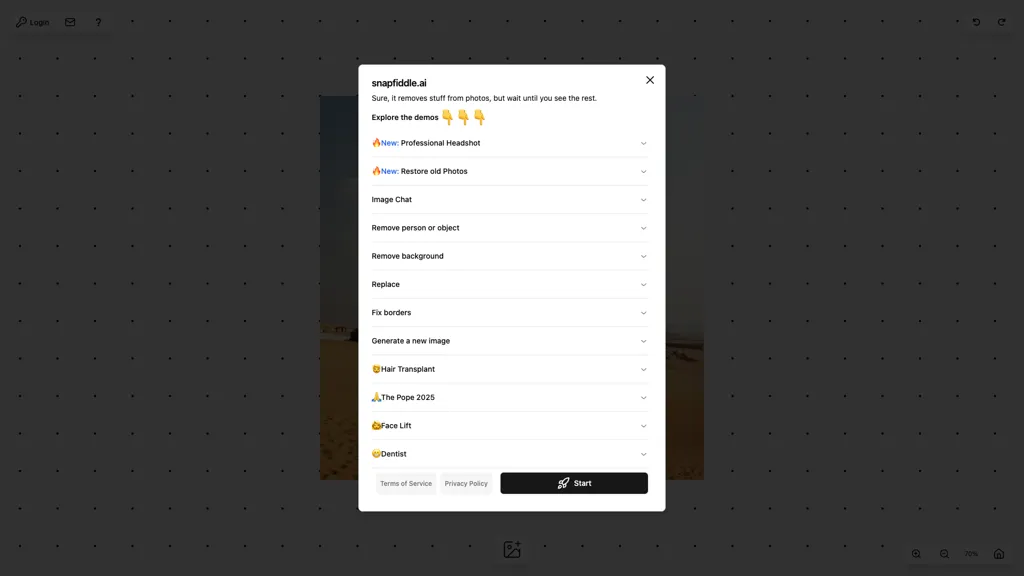
No user reviews yet FreemiumSnapfiddle.ai is an AI‑powered desktop photo editor that removes objects, backgrounds, and corrects borders. It can generate new images, restore old photos, and create professional headshots, including simulated hair transplants, face lifts, and element replacement. Batch processing supports common formats.
We've ranked 29 snapfiddle.ai alternatives, including 20 with a free plan. Rankings are based on feature coverage and user feedbacks.
Top-rated alternatives include Pixlr, Pixelfox AI, and Face Swapper AI.
29 snapfiddle.ai Alternatives & Competitors, Ranked by User Reviews
Click Compare on any tool to compare it side-by-side with snapfiddle.ai.

Pixlr is a browser‑based photo editor that uses AI for background removal, generative fill, and object deletion. It offers cropping, color correction, collages, templates, and social media layouts across desktop, tablet, and mobile.
 #2
Pixelfox AI
#2
Pixelfox AI
Pixelfox AI is an online AI-powered photo editor that offers advanced features like background removal, face swaps, and image enhancement. It’s designed for both personal and professional use, requiring no downloads.
 #3
Face Swapper AI
#3
Face Swapper AI
FaceSwapper uses AI to replace faces in photos, videos, GIFs, and batch images via drag‑and‑drop. It supports PNG, JPG, WebP, single or multiple swaps, cloth/style changes, and deletes images after download for privacy.
 #4
Remaker AI
#4
Remaker AI
remaker ai offers web and mobile AI image and video editing for creators and teams, including upscaling, background removal, object erasing, face swap, text-to-image, lip-sync, batch processing and templates for short-form social content.
 #5
Airbrush AI Headshots
#5
Airbrush AI Headshots
Headshot AI Generator is an AI-powered tool that quickly produces professional headshots with advanced editing capabilities. Whether you need to retouch photos, create avatars, or enhance images, this tool offers customization options and fast results, perfect for improving your online presence effortlessly.
 #6
Photo AI Studio
#6
Photo AI Studio
AI Photo Studio delivers AI‑powered image and video creation, including generation, background removal, virtual try‑on, style libraries, advanced editing (skin, age, expression, eye color), outpainting, thumbnails, and direct social publishing via a web interface.
- Catch deals before they expire
- Unlock tools matched to you
- Show off your AI stacks
Already a member? Sign in
 #7
AI Face Swap
#7
AI Face Swap
AIFaceSwap lets you swap faces in photos, GIFs, and videos without sign‑up. It supports JPG, PNG, WebP, batch processing, and gender swapping. Results are watermark‑free, auto‑deleted after 24 hours, and mobile‑friendly.
 #8
SnapFusion
#8
SnapFusion
SnapFusion.AI lets users train a custom face model and generate high‑resolution images for headshots, social media avatars, dating photos, and Instagram posts with a single click. It offers secure data handling and scalable production for individuals, teams, and businesses.
 #9
123RF
#9
123RF
123rf Image Editor is a comprehensive AI tool for effortless photo editing, offering features like image scaling, background removal, object removal, and seamless background remixing. It also includes an AI writer for content creation and an image enlarger for ratio adjustments. Efficiently enhance and edit your visuals with this user-friendly tool.
 #10
iFoto
#10
iFoto
AI Photo Studio automates e‑commerce image editing: background removal, resolution enhancement, lossless compression, profile passport creation, hairstyle preview, object cleanup, old‑photo restoration, colorization, AI fashion model generation, clothing recolor, background changes, and file conversion to PDF/Word/PPT for streamlined product photography.
 #11
PixPretty AI Photo Editor
#11
PixPretty AI Photo Editor
PixPretty AI Photo Editor is a free tool that uses AI to remove or replace backgrounds in seconds. It also supports batch editing for bulk transformations, retouching, and format conversion.
 #12
FaceAI.art
#12
FaceAI.art
Face AI is an online face-swap suite for photos, videos, and GIFs, offering single and multi-face swaps, frame-by-frame video replacement, templates and one-click workflows, plus upscaling, morphing, meme generator, and batch edits and privacy controls.
 #13
Pixfy AI
#13
Pixfy AI
Pixfy is an AI image editor that uses natural language commands for editing tasks. Features include background removal, object erasing, face swapping, and an image generator, making it suitable for e-commerce, social media, and personal projects.
 #14
Picsman.AI
#14
Picsman.AI
Picsman is an AI‑powered editor that removes or replaces backgrounds, ups image resolution, and applies styles like Ghibli or cartoon. It also offers text‑prompt editing, video generation, image extending, and watermark removal for quick, high‑definition results.
 #15
PhotoGrid
#15
PhotoGrid
PhotoGrid is a browser‑based AI photo editor that offers one‑click enhancement, background removal, and upscaling. It lets users build collages from 20,000 templates, add stickers, text, custom backgrounds, and convert images into short video clips.
 #16
Snapshawt
#16
Snapshawt
Snapshawt offers AI face swapping, image enhancement, headshot generation, and text‑to‑image creation through a web interface, enabling quick visual experiments, fast professional portrait production, and streamlined content creation for marketers, creators, and hobbyists.
 #17
PicWish
#17
PicWish
PicWish AI Photo Editor automates image enhancement, background removal, and watermark deletion. It processes batches of up to 30 files, offering resizing, lighting, upscaling, AI Designer prompts, Face Cutout, and single‑click unblur/sharpen. Available on Windows, macOS, iOS, Android, and browser.
 #18
Instaheadshots
#18
Instaheadshots
InstaHeadshots uses AI to turn a handful of varied selfies into high‑resolution professional headshots in about fifteen minutes. It generates a customizable library for LinkedIn, resumes, and print, securely deleting all photos and outputs after 30 days.
 #19
Snappyit.ai
#19
Snappyit.ai
Snappyit.ai is an AI tool that automatically converts flat lay apparel images into professional ghost mannequin photos. It also uses generative AI to create original clothing styles through an intuitive, free-to-try interface.
 #20
Snapied
#20
Snapied
Snapied is a web-based design studio that offers drag‑and‑drop editing, one‑click background removal, and AI‑generated images. It supplies 10,000+ templates, brand presets, team collaboration, stock search with attribution, and non‑destructive export options.
 #21
NovaFlick AI
#21
NovaFlick AI
NovaFlick is an AI photo editor and image generator for portrait enhancement, background replacement, style-transfer presets, AI try-on, and group photo composition, offering one-click corrections, batch styling, virtual outfit previews, and subject synthesis.
 #22
aifaceswap.ai
#22
aifaceswap.ai
AI Face Swap replaces faces in images, videos, or photo batches with an AI algorithm that maintains expression and lighting. Simple upload interface, cloud processing, automatic deletion after 48 hours, delivers high‑resolution, ready‑for‑social‑media results.
 #23
insMind
#23
insMind
insMind AI is an all‑in‑one visual platform that generates images, animates videos, and edits photos. It offers background removal, upscaling, batch editing, and template automation for designers, marketers, and small businesses to produce high‑quality visuals quickly.
 #24
PicStudio.AI
#24
PicStudio.AI
PicStudio.AI turns uploaded selfies into realistic headshots in minutes. It trains on multiple photos to produce corporate, casual, or editorial styles, offers upscaling, background removal, version control, and full commercial ownership of results.
 #25
Pixflux.AI
#25
Pixflux.AI
Pixflux.ai is a browser-based AI photo editing tool that improves image quality through features like background removal, watermark erasure, object removal, and enhancement, while also supporting batch processing and transparent background generation.
 #26
NanoPhoto.AI
#26
NanoPhoto.AI
NanoPhoto.AI is an AI-powered media editor that simplifies generating and editing images and videos. It offers features like photo restoration and style changes, and supports batch processing for efficient workflows.
 #27
HeyPhoto
#27
HeyPhoto
HeyPhoto is an AI‑powered photo editor that lets users swap faces, generate new faces, upscale images, and remove backgrounds with one click, offering facial attribute adjustments and support for common image formats up to 5 MB.

DeepAI offers browser‑based AI tools for text‑to‑image, photo editing, background removal, super‑resolution, and video/musical generation, plus APIs for integration. It prioritizes user ownership, privacy, fast processing, and supports conservation research via object detection and habitat mapping.
 #29
BestPhotoAI
#29
BestPhotoAI
BestPhotoAI is an AI photo studio offering over 40 tools to enhance, create, or transform images. Upload a photo, choose a style like anime or professional headshot, and receive a high-resolution edit in under an hour.