Best PingMeBud Alternatives in 2026
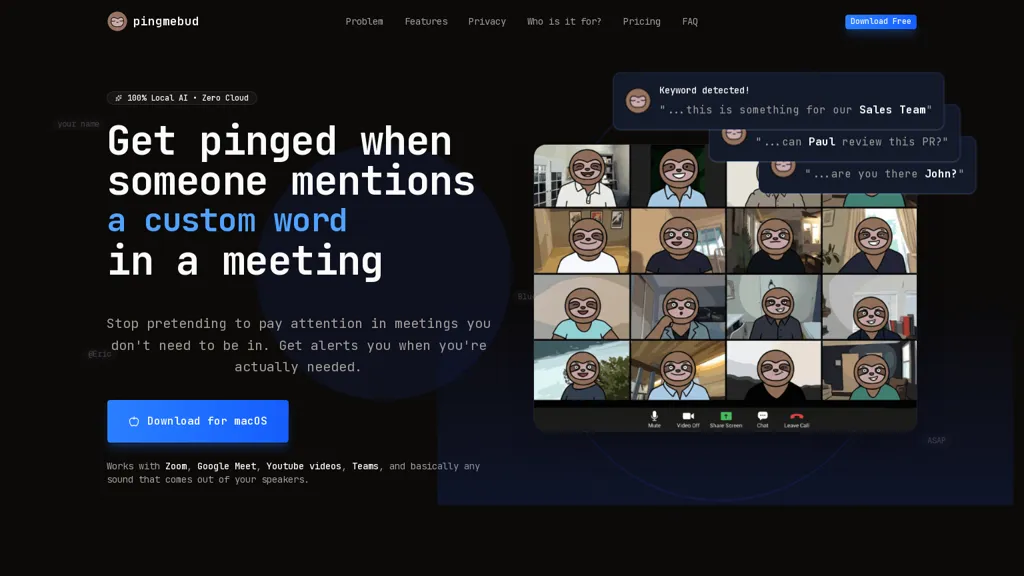
No user reviews yet Free trialPingMeBud is a macOS menu bar app that monitors meeting audio locally on Apple Silicon, sending real-time alerts for specific keywords without joining calls. It processes speech entirely on-device for privacy, works with major conferencing apps, and requires no cloud or account.
We've ranked 11 PingMeBud alternatives, including 8 with a free plan. Rankings are based on feature coverage and user feedbacks.
Top-rated alternatives include Read AI, Shadow, and ScreenPipe.
11 PingMeBud Alternatives & Competitors, Ranked by User Reviews
Click Compare on any tool to compare it side-by-side with PingMeBud.
#1
Read AI
Read AI records, transcribes, and summarizes meetings, emails, and chats across Google Meet, Zoom, Teams, and in‑person sessions. It extracts action items, delivers searchable notes, offers contextual answers from integrated data, supports 20+ languages, and meets SOC II, GDPR, HIPAA compliance.
#2
Shadow
Shadow automatically records, transcribes, and summarizes spoken and visual content from virtual or in‑person meetings. It tags speakers, stores data locally, produces concise notes, action items, and draft emails, and supports export to Markdown or Zapier integrations.
#3
ScreenPipe
Screenpipe records screen and microphone continuously on macOS, Windows, or Linux, stores data locally, indexes it by text/audio, and runs AI agents that update CRMs, transcribe meetings, track expenses, or monitor competitors, delivering structured data to apps like Slack or Notion. Privacy is kept on device.
#4
CrystalSound
CrystalSound removes background noise from calls, records audio and screen, and produces transcripts with minutes and insights. It works as a selectable mic on Windows, macOS, Linux, and integrates with Zoom, Google Meet, Teams. On‑device processing keeps data local.
#5
Voicepen
VoicePen turns spoken audio into editable text on iPhone, iPad, Watch, and Mac. Record or upload up to two hours; transcriptions appear in 30 seconds, support 80+ languages, auto‑label speakers, offer 25 rewrite styles, summaries, and PDF/DOCX exports, syncing via iCloud.
#6
SpeakType
speaktype is a macOS app offering on-device, real-time Apple Silicon–optimized speech-to-text. It keeps audio and transcripts locally, integrates across apps via a keyboard shortcut, supports long-form dictation and contextual prompts, and is open-source.
- Personalized recommendations
- Custom collections
- Save favorites
Already a member? Sign in
#7
Mumble AI
Mumble AI is a voice-first tool for Mac that captures meetings and dictation with real-time transcription and speaker labels. It generates structured summaries and action items, offering both secure on-device processing and a cloud mode for multi-language support.
#8
Wave
Wave records audio from calls and video conferences, transcribes in real time, summarizes key topics and action items, offers multilingual support and translation, and exports to common platforms. Available on iOS, Android, Windows, macOS, and web.
#9
Whisper Wizard
WhisperWizard records spoken language on macOS and transcribes it with OpenAI’s Whisper model. It supports custom ChatGPT prompts, shortcut‑enabled templates for emails and translations, local session storage, instant replay, and adjustable transcription settings.
#10
Voice Anywhere
Voice Anywhere is a macOS instant-dictation app with a persistent floating microphone that converts speech to text across applications, using on-device Apple recognition (with encrypted cloud fallback), supporting 70+ languages and one-click multilingual switching.
#11
Magical
timeOS automatically transcribes and summarizes meetings, extracts action items, and drafts follow‑up emails. It syncs minutes and tasks to Notion, monday.com, Google Drive, and more, offering real‑time translation, speaker labeling, and SOC II‑compliant security.
Frequently Asked Questions
Why look for PingMeBud alternatives?
Common reasons users switch from PingMeBud:
- Cost: PingMeBud is a Free trial tool — users often look for more affordable or free options.
- Feature gaps: teams needing specific capabilities like Analyze Audio may find a more focused alternative better suited to their workflow.
- Flexibility: exploring alternatives helps find tools that better match your team size, integrations, and budget.
What is the best alternative to PingMeBud?
Based on 23 user reviews, Read AI (87% positive) ranks as the top PingMeBud alternative. Read AI records, transcribes, and summarizes meetings, emails, and chats across Google Meet, Zoom, Teams, and in‑person sessions. It extracts action i It is available on a Freemium plan starting from $15/mo.
How do the top PingMeBud alternatives compare?
| Tool | Pricing | Starting Price | User Rating |
|---|---|---|---|
| PingMeBud this tool | Free trial | — | — |
| Read AI | Freemium | $15/mo | 87% (23) |
| Shadow | Freemium | $8/mo | 50% (4) |
| ScreenPipe | Subscription | $35/mo | — |
| CrystalSound | Freemium | $99/mo | — |
| Voicepen | Free | — | — |
Are there free PingMeBud alternatives?
Yes, 8 free alternatives found in our list: Read AI, Shadow, CrystalSound. and 5 more — use the pricing filter above to see them all.
What should I look for in a PingMeBud alternative?
- Core capabilities: confirm the tool supports Analyze Audio, transcribe audio, Track Meetings.
- Pricing transparency: look for clear free plan, trial period, or tiered pricing — avoid tools that hide costs.
- User reviews: check both the satisfaction percentage and the number of reviews; a high score from few users is less reliable.
- Integrations: verify it connects with your existing stack before committing.
- Support and updates: active development and responsive support are strong signals of a maintained product.
Which PingMeBud alternative has the highest user rating?
SpeakType has the highest satisfaction score among PingMeBud alternatives, with 100% positive from 1 user review. It is available on a Free plan.
What are PingMeBud alternatives used for?
- Analyze Audio
- transcribe audio
- Track Meetings
- Generate Alerts
- Automate Notifications