
Top 29 OmniFlash.org Alternatives in 2026
No user reviews yet FreemiumOmniFlash.org is a conversational AI video editor that transforms text, images, sketches, clips, and audio into multi-turn, reference-guided edits. It supports physics-aware, iterative refinement of style, characters, and motion while preserving scene consistency and exporting ready-to-use results.
We've ranked 29 OmniFlash.org alternatives, including 19 with a free plan. Rankings are based on feature coverage and user feedbacks.
Top-rated alternatives include MindVideo AI, CinemaFlow AI, and TopView.ai.
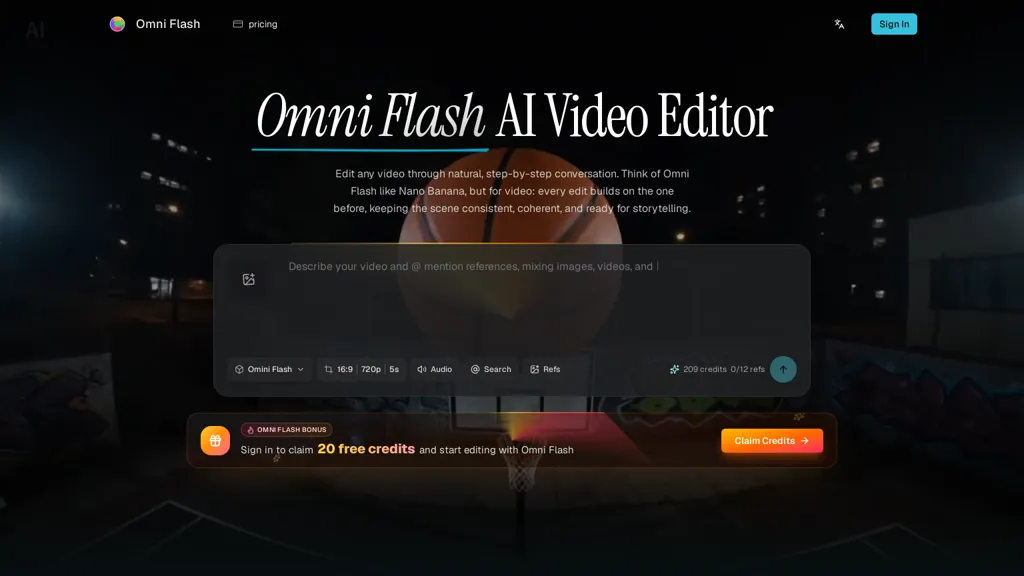
29 OmniFlash.org Alternatives & Competitors, Ranked by User Reviews
Click Compare on any tool to compare it side-by-side with OmniFlash.org.
 #1
MindVideo AI
#1
MindVideo AI
MindVideo AI is an AI-powered online video generator that converts text and images into high-quality 4K videos with diverse effects and animation styles. It supports multiple AI engines and automatically deletes uploaded content post-generation for privacy.
 #2
CinemaFlow AI
#2
CinemaFlow AI
CinemaFlow AI converts scripts into full videos with one-click automated scene selection and AI cinematography. It offers customizable templates and cinematic styles, advanced editing with real-time previews, adjustable SD–4K rendering, and team collaboration controls.
 #3
TopView.ai
#3
TopView.ai
AI Video Agent converts text, product images or URLs, and reference clips into full‑scripted, brand‑aligned videos, automatically planning scenes, adding visual effects, and allowing prompt‑based refinement for fast marketing and social content creation.
 #4
Flow AI Video
#4
Flow AI Video
flowaivideo.org is a professional AI video generator that transforms text or images into consistent, multi-shot videos using Google's advanced Flow models. It offers extensive creative control with style presets, editing tools, and high-resolution exports for scalable production.
 #5
Video Studio AI
#5
Video Studio AI
Video Studio AI turns text prompts or uploaded photos into short, realistic animated videos with natural facial expressions, head movement, and blinking. Output is ready within minutes in 4K or stylized Disney‑like formats, using a three‑step web workflow.
 #6
V03 AI
#6
V03 AI
V03 AI is an advanced video generator using Google’s VEO 3 technology to create high-resolution 4K videos with physics-based motion, natural lighting, and synchronized audio. Users input text or image prompts for fast, professional-grade results with precise control over movements and camera paths.
- Catch deals before they expire
- Unlock tools matched to you
- Show off your AI stacks
Already a member? Sign in
 #7
AIImageToVideo Pro
#7
AIImageToVideo Pro
AIImageToVideo Pro is an AI tool that transforms static images and text prompts into short videos using models like Veo and Kling, offering control over motion, duration, and resolution. It features editing for text overlays and captions, with export options for creating watermark-free content for social media and marketing.

Conut.AI is a comprehensive AI platform for generating and editing images and videos. It offers multiple models for cinematic video creation, high-resolution image generation, and a suite of studio tools for motion control, upscaling, and audio-visual production.
 #9
Clipfly AI Video Generator
#9
Clipfly AI Video Generator
AI Video Generator by Clipfly seamlessly transforms text into engaging video frames. Easily add subtitles, stickers, music, and merge clips. Enjoy features like face swap and voiceover for professional video creation effortlessly.
 #10
imagetovideoai.pro
#10
imagetovideoai.pro
imagetovideoai.pro is an AI tool that transforms static images into cinematic video clips with camera controls, keyframes, and audio. It supports multi-image references, physics-aware motion, and team collaboration for rapid, consistent content creation.
 #11
ChatCut
#11
ChatCut
ChatCut is a browser and ChatGPT-plugin video editor that uses transcript-based editing to remove fillers, trim and reorder talking-head footage, assemble coherent cuts, generate motion graphics, B-roll, captions (100+ languages) and AI music, and export timelines.
 #12
Cliptalk
#12
Cliptalk
Cliptalk turns text, images, or website content into ready‑to‑publish short‑form videos, automating editing, captions, B‑roll, and voice creation. It supports multiple languages, voice styles, and natural‑language editing for quick publishing.
 #13
Viw AI
#13
Viw AI
Viw AI is a multi-model video and image generation platform for text-to-video, text-to-image and image-to-video workflows, offering synchronized audio, cinematic camera and multi-shot continuity, 4K image output, templates/effects, fast iteration and watermark-free commercial exports.
 #14
TryVeo3.ai
#14
TryVeo3.ai
TryVeo3.ai is a cinematic AI video generator that transforms text prompts and images into lifelike HD videos with synchronized audio, lip-syncing, and dynamic motion. Enjoy instant access with no sign-up, enabling fast creation of complex, natural-looking scenes.
 #15
Deevid AI
#15
Deevid AI
DeeVid AI is an advanced AI-powered video generator that transforms text, images, and videos into high-quality content. It offers text-to-video, image animation, and video enhancement features, making video creation accessible for content creators, marketers, and businesses.
 #16
Videoai
#16
Videoai
VideoAI turns images, text, or emojis into motion‑rich, narrated videos with style‑transfer filters, offering high‑resolution output. Its intuitive interface lets users upload media, enter captions, preview results instantly, and supports multiple languages for global creators.
 #17
VideoMaker.me
#17
VideoMaker.me
Google Veo 3 generates 8‑second, full‑HD cinematic clips from text prompts with lip‑synced dialogue and ambient audio. It animates still images, adds motion, lighting, perspective shifts, and over 60 visual effects for quick online video prototyping.
 #18
VO3AI AI Generator
#18
VO3AI AI Generator
VO3 AI Video Generator transforms text and images into cinematic videos using Google's Veo3, featuring synchronized audio and customizable styles. Its intuitive design allows for realistic motion, enabling seamless text-to-video and image-to-video creation.
 #19
Imagine.art
#19
Imagine.art
ImagineArt unifies AI‑driven image, video, and audio creation and editing, enabling prompt‑based generation, upscale tools, drag‑and‑drop video workflows, 4K cinematic rendering, and real‑time team collaboration for streamlined media production for artists, designers, and creators.
 #20
Clipfly
#20
Clipfly
Clipfly turns text prompts into videos, animates images, and adds lifelike touches to photos. With an AI storyboard, one‑click enhancer, background removal, subtitles, and audio integration, it streamlines branded content, social clips, and personal memories.
 #21
CogVideo AI
#21
CogVideo AI
Cogvideo AI is an AI platform that transforms text, images, and videos into dynamic visual stories. It enables text-to-video generation, animates static images, and enhances existing videos with simple prompts.
 #22
MixHub AI
#22
MixHub AI
MixHub AI is a versatile platform for content creation, offering text-to-video, image-to-video, and video style transfer capabilities. With over 150 effects and cloud-based processing, it enables fast and high-quality video production across devices.
 #23
Video Generator - A2E.ai
#23
Video Generator - A2E.ai
video.a2e.ai is a comprehensive AI studio that generates and edits videos and images from text, featuring advanced models for creation, face/actor swapping, and lip-syncing. It includes editing tools, a voice studio, and API support for streamlined content production and integration.
 #24
GoEnhance
#24
GoEnhance
GoEnhance AI transforms text, images, and videos into 4K, 60fps clips in seconds, offering text‑to‑video, image‑to‑video, and video‑to‑video engines, face swap, lip sync, and anime‑style animations with upscaling and a talking avatar.
 #25
CrePal AI
#25
CrePal AI
CrePal is an AI video platform that automates scriptwriting, storyboarding, image/video generation and editing across integrated models, producing multi-scene, style-consistent HD videos with subtitles, voiceover, lip-synced avatars, PDF-to-video conversion and export-ready outputs.
 #26
Studio Neiro AI
#26
Studio Neiro AI
AI Video Maker turns written text into ready‑to‑share videos. Users draft scripts, select or upload avatars, apply visual styles, generate natural narration, and share directly to social media or collaboration platforms, with optional monetization.
 #27
wondershare.net
#27
wondershare.net
Wondershare AI delivers end‑to‑end media creation: it turns scripts into spokesperson videos with multiple voices, generates music, offers real‑time transcription, AI audio cleanup, talking‑photo synthesis, PDF markup, text‑to‑image, multilingual video, object removal, and batch conversion.
 #28
SuperMaker AI Video Creator
#28
SuperMaker AI Video Creator
SuperMaker AI Video Creator is a text-to-video platform that generates scripts, visuals, voiceovers, and music from prompts. It includes editing tools and customizable workflows for seamless video production.
 #29
chat4o.ai
#29
chat4o.ai
Chat 4O AI centralizes LLMs, image and video generators for multimodal content creation and problem solving—offering text, code and long-context generation, style presets for image/video, productivity utilities (math solver, text rewrites) and API access.