
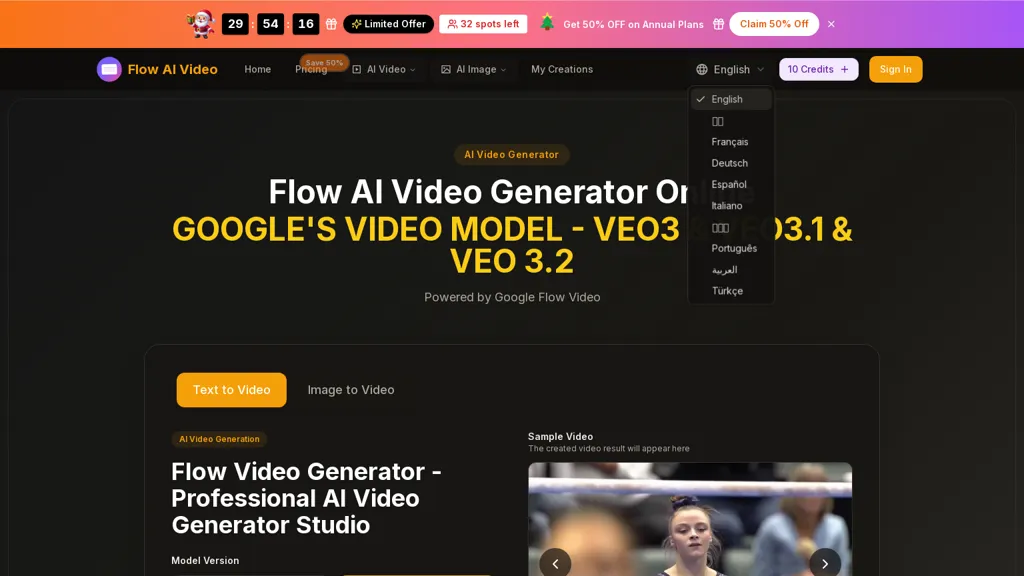
What is Flow AI Video?
Flow AI Video is an AI video generator supporting text-to-video and image-to-video production.It uses Google Flow models (Veo 3, Veo 3.1, Veo 3.2) for motion synthesis and multi-shot storytelling with scene and character consistency.
Output options include 4K, 1080p, 720p and common aspect ratios.Features include audio support, fast generation for previews, editing tools to refine shots and transitions, and semantic prompt controls for camera movements and multi-agent actions.
Visual style presets cover photorealism, anime, cyberpunk, watercolor and other aesthetics to match creative briefs.Target users include creators, social media producers, agencies and enterprises needing scalable AI-driven video production and narrative workflows.
Workflow.enter a text prompt or upload an image, choose model and settings, generate and refine for text-to-video or image-to-video projects.
Flow AI Video details
- Company
- PixelForge LLC
- Built for
- Businesses and teams
Flow AI Video tech specs
- Works with
- OpenAI / Sora Google / Gemini Google / Veo Google / Nano Banana ByteDance / Seedance ByteDance / Seedream
Flow AI Video pricing
Freemium- Auto-renewal
- Yes
Verify on the official pricing page.
View plansFlow AI Video's key features
-
Text-to-video and image-to-video generation
-
Motion synthesis and multi-shot storytelling with scene and character consistency using Google Flow models (Veo 3, Veo 3.1, Veo 3.2)
-
Export output resolutions and aspect ratios: 4K, 1080p, 720p; 16:9, 9:16, 4:3, 3:4, 21:9, 1:1
-
Semantic prompt controls for camera movements and multi-agent actions
-
Editing tools with audio support and fast preview generation to refine shots and transitions
Flow AI Video use cases
-
Create cinematic 4K product demo videos from simple text prompts using Flow AI Video's text-to-video and multi-shot storytelling, maintaining consistent product and character framing across scenes with semantic camera and action controls, and finish with built-in editing and audio support—no filming or complex editing required
-
Produce engaging social-media and ad reels by turning brand images into animated multi-shot videos with Flow's image-to-video generator and visual style presets, ensuring character/logo consistency across shots, precise camera moves via semantic controls, and ready-to-post 4K exports with soundtracks and voiceover
-
Generate professional e-learning and explainer videos by scripting scene-by-scene lessons with character consistency and semantic camera directions, use editing tools to add narration, captions, and music, and export high-resolution 4K modules suitable for streaming or LMS integration
Flow AI Video user reviews
Based on 3 reviews, 67% of users recommend Flow AI Video, rated highly for ease of use.
Liked for
Disliked for
Would you recommend Flow AI Video?
Who is Flow AI Video for?
-
Content creators
-
Video producers
-
Social media producers
-
Digital agencies
-
Enterprise clients
Flow AI Video FAQ
Is Flow AI Video free?
Partly. Flow AI Video has a free plan with usage limits, and paid plans unlock the full feature set. Plans include Basic at $15.9/mo, Professional at $25.9/mo and Enterprise at $49.9/mo.
Is Flow AI Video safe to use?
Flow AI Video is operated by PixelForge LLC. It has a substantial audience that is independently measured month to month.
What are the best alternatives to Flow AI Video?
The closest alternatives to Flow AI Video are VideoMaker.me, Veo3, www-veo3.com, VO3AI AI Generator and Video Generator - A2E.ai . You can compare them side by side in the alternatives section further down this page.
What does Flow AI Video do with my data?
Flow AI Video states that customer content may be used to train its models. Its privacy policy states that personal data is not sold or shared for marketing purposes. Data may be shared with third-party service providers that help run the product.
Does Flow AI Video auto-renew or offer refunds?
Flow AI Video subscriptions renew automatically until you cancel.
Who made Flow AI Video?
Flow AI Video is built and operated by PixelForge LLC.
Which AI models does Flow AI Video use?
Flow AI Video is built on OpenAI / Sora, Google / Gemini, Google / Veo, Google / Nano Banana, ByteDance / Seedance and ByteDance / Seedream. Which models you can reach may depend on your plan.
Compliance, privacy and billing terms are as stated in each product's own published documentation and have not been independently verified by TopAI.tools.


