
Top 29 GPTOCR Alternatives in 2026
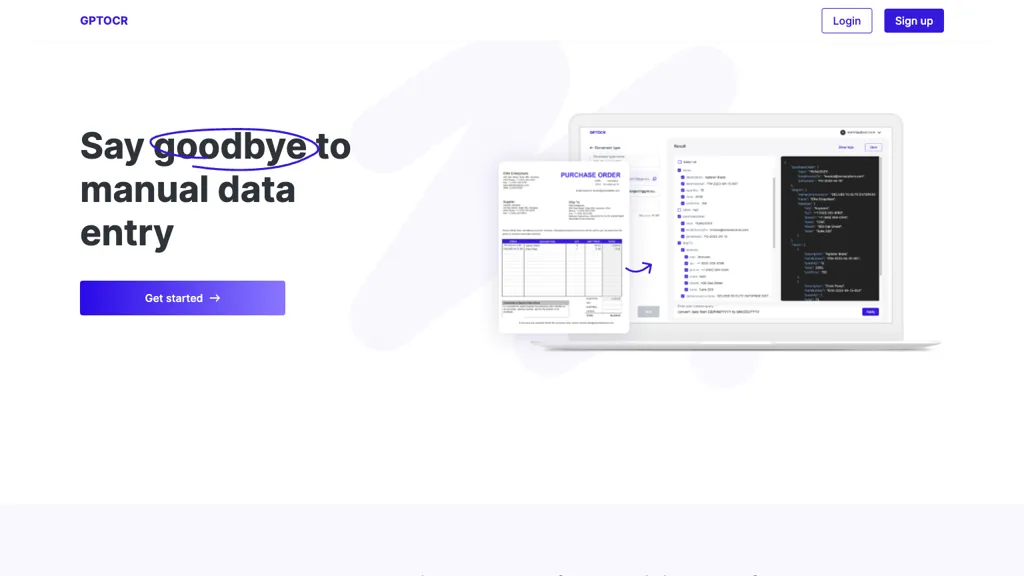
No user reviews yet FreemiumGPTOCR converts scanned or digital PDFs into structured JSON, extracting text, tables, and forms via OCR. The machine‑readable output feeds databases or analytics, cutting manual entry, reducing errors, and speeding data workflows for developers, analysts, and business users.
We've ranked 29 GPTOCR alternatives, including 22 with a free plan. Rankings are based on feature coverage and user feedbacks.
Top-rated alternatives include PDF Parser, DOConvert, and Doctly AI.
29 GPTOCR Alternatives & Competitors, Ranked by User Reviews
Click Compare on any tool to compare it side-by-side with GPTOCR.
 #1
PDF Parser
#1
PDF Parser
PDF Parser transforms PDFs and image files into structured data. Users define custom fields (string, number, date, boolean) and AI extracts context‑aware content. Outputs clean JSON/CSV, supports batch processing, and processes securely over HTTPS without storing uploads.
 #2
DOConvert
#2
DOConvert
DOConvert extracts fields from PDFs and scanned images, converting them to JSON, CSV, or XML for integration with ERP systems like SAP, Salesforce, and Oracle. It offers deployment and can be implemented in ten business days, reducing entry and errors.
 #3
Doctly AI
#3
Doctly AI
Doctly AI converts PDFs, Word, scans, and images into structured JSON, CSV, Markdown, or XML via REST API or webhooks. It handles complex layouts, tables, and forms without manual training, and offers end‑to‑end encryption, SOC 2, HIPAA, GDPR compliance, and deployment.
 #4
qomplement
#4
qomplement
qomplement converts PDFs, images, spreadsheets, emails and scans into structured, ERP-ready data using OCR, computer vision, and LLMs; it extracts and validates fields, auto-discovers schemas, supports batch processing, handwritten text, and direct Excel/ERP exports.
 #5
Tablextract
#5
Tablextract
Tablextract converts tables from PDFs, images and scans into Excel, CSV or JSON using automatic OCR and table recognition that preserves rows, merged cells and nested layouts. Selective page extraction and format-preserving exports simplify downstream processing.
 #6
FormX
#6
FormX
FormX.ai automates extraction from invoices, receipts, IDs, and contracts using OCR and AI, delivering structured JSON via API for Zapier, N8N, or custom apps. Mobile SDK, quality checks, continuous learning, and ISO 27001/SOC 2 compliance enable secure, efficient workflow integration.
- Catch deals before they expire
- Unlock tools matched to you
- Show off your AI stacks
Already a member? Sign in
 #7
ReceiptUp
#7
ReceiptUp
ReceiptUp OCR API transforms receipt and invoice images into structured JSON, extracting totals, dates, merchant details, line items, and tax information in over 50 languages. It supports common image formats and PDFs, and developers can integrate via REST endpoints.
 #8
StructiFi
#8
StructiFi
StructiFi uses AI OCR to convert images, PDFs, and Word files into structured outputs like JSON, tables, Markdown, or Excel. Users can limit extraction to specific fields for higher accuracy and download or copy results directly.
 #9
Parseur
#9
Parseur
Parseur converts PDFs, emails, spreadsheets, and scanned documents into structured data using AI, OCR, and customizable templates. Export outputs to CSV, Excel, JSON, or integrate via Zapier, Make, Power Automate, webhooks, or API for finance, HR, e‑commerce, logistics, and real‑estate use.
 #10
VisionParser
#10
VisionParser
VisionParser is a generative AI-powered API for OCR and document processing, enabling structured data extraction from receipts and invoices into JSON, CSV, or XML formats. It offers custom field extraction, robust security, and seamless integration for efficient document automation.
 #11
ScantextAI
#11
ScantextAI
ScantextAI turns images—JPG, PNG, BMP, GIF, TIFF, WEBP—into editable PDF text. Supports 50+ languages, inline editing, and local storage for privacy. Useful for students, finance, healthcare, and content creators across various industries.
 #12
Parsio
#12
Parsio
Parsio extracts structured data from PDFs, emails, and attachments using OCR and multi‑language recognition. Users create templates by highlighting text, and the tool offers pre‑built templates and integrations with Google Sheets, Slack, QuickBooks, and Drive for seamless data flow.
 #13
PDFtoPDF
#13
PDFtoPDF
PDFtoPDF is a web-based tool that converts scanned PDFs and images into editable text, supporting multiple formats. It offers high recognition accuracy and batch processing, making it ideal for efficient document management and information accessibility.
 #14
Extracta.ai
#14
Extracta.ai
Extracta.ai is an advanced data extraction solution for unstructured documents, achieving up to 99% accuracy without prior training using a three-step process: OCR technology, Large Language Model, and Data Validation. Primarily designed for developers, it offers API integration and a user-friendly interface.
 #15
deepseekocr.io
#15
deepseekocr.io
DeepSeek OCR is an advanced document intelligence tool that extracts high-resolution text and layout with 97% accuracy. It supports over 100 languages, processes up to 200k pages daily, and preserves complex structures like tables and diagrams.
 #16
PDF Pilot
#16
PDF Pilot
PDF Pilot uses AI to extract structured data from PDFs, invoices, receipts, and contracts. Users upload documents and instantly receive clean CSV/Excel exports, supporting purchase orders, delivery notes, and onboarding packets while ensuring encryption and rapid setup.
 #17
AlgoDocs
#17
AlgoDocs
Algodocs automates classification, data extraction, and workflow management for documents like invoices, passports, and customs forms. It offers table and handwriting extraction with 97 % accuracy, exporting to CSV, Excel, JSON, or XML. Integration via API, email, or cloud supports workflows.
 #18
Landing.ai
#18
Landing.ai
Agentic Document Extraction pulls structured data from PDFs, images, spreadsheets using vision‑first parsing, preserving layout and delivering bounding‑box citations. Modular REST APIs and Python/TypeScript SDKs support on‑prem or cloud deployment for regulated sectors needing traceable, accurate extraction.
 #19
Airparser
#19
Airparser
Airparser extracts structured data from emails, PDFs, images, and scanned documents in 60+ languages using AI and OCR. Users set up schemas quickly and deploy via API, Zapier, or native integrations, automating workflows and cutting manual data entry.
 #20
FormToExcel
#20
FormToExcel
FormToExcel is an AI tool that efficiently converts PDF and image data into Excel format. It precisely recognizes text fields, checkboxes, and radio buttons, simplifying data analysis through smooth exports to Excel, with plans for mobile app accessibility.
 #21
RapidScan.AI
#21
RapidScan.AI
RapidScan AI automates data extraction from various documents using advanced OCR technology, reducing manual entry errors. It offers real-time processing, structured data organization, mobile accessibility, multi-user collaboration, and seamless integration with accounting and ERP systems.
 #22
GetSearchablePDF
#22
GetSearchablePDF
GetSearchablePDF performs fast OCR on scanned PDFs and images, supporting 100+ languages and both printed and handwritten text. It allows batch uploads up to 400 MB, offers a force OCR option, and deletes uploads after processing, producing fully searchable PDFs.
 #23
DeepPDF
#23
DeepPDF
DeepPDF is an AI-powered tool for interacting with PDFs, enabling conversational queries, summaries, translations, and analysis of text, images, and formulas. It also supports OCR, annotations, and multi-format conversions for seamless document handling.
 #24
Extracta
#24
Extracta
Extracta.ai automates data extraction from CVs, invoices, and images with ease. Define templates or upload files to obtain structured data quickly. Benefit from smart technology for seamless integration and intelligent automation.
 #25
DocuClipper
#25
DocuClipper
DocuClipper is an AI tool that automates the conversion of financial documents into structured formats using advanced OCR. It features bank statement reconciliation, transaction categorization, and integrates with accounting software for streamlined bookkeeping and financial analysis.
 #26
SuperAI
#26
SuperAI
super.AI converts unstructured documents into structured data using LLMs, guiding users through upload, classify, extract, and validate steps. It supports 500+ layouts, multiple languages, code‑free workflow building, and real‑time ERP/database sync for finance, logistics, insurance, and supply‑chain automation.
 #27
InvoiceOCR
#27
InvoiceOCR
InvoiceOCR is a directory of AI solutions for automating invoice processing, featuring advanced document processing, customizable templates, real-time data validation, and multi-language support, while enabling seamless integration with existing accounting systems for efficient financial management.
 #28
ChatPdf.so
#28
ChatPdf.so
Chatpdf.so is an AI tool for efficiently extracting information from PDF documents. It uses GPT-4 for questions, summaries, and interactive learning. With multi-language support and robust data security features, it helps users generate reports and essays effortlessly.
 #29
Cradl
#29
Cradl
Cradl AI automates extraction of structured data from PDFs, images and scanned documents in 150 languages using OCR and LLMs. Built‑in validation and human‑in‑the‑loop corrections improve accuracy, with REST API, Power Automate and n8n connectors. Security and GDPR compliance included.
Frequently Asked Questions
Why look for GPTOCR alternatives?
Common reasons users switch from GPTOCR:
- Feature gaps: teams needing specific capabilities like Extract Documents may find a more focused alternative better suited to their workflow.
- Flexibility: exploring alternatives helps find tools that better match your team size, integrations, and budget.
What is the best alternative to GPTOCR?
Based on 1 user review, PDF Parser (100% positive) ranks as the top GPTOCR alternative. PDF Parser transforms PDFs and image files into structured data. Users define custom fields (string, number, date, boolean) and AI extracts context‑aw It is available on a Subscription plan starting from $9/mo.
How do the top GPTOCR alternatives compare?
| Tool | Pricing | Starting Price | User Rating |
|---|---|---|---|
| GPTOCR this tool | Freemium | — | — |
| PDF Parser | Subscription | $9/mo | 100% (1) |
| DOConvert | Subscription | — | — |
| Doctly AI | Freemium | $499/mo | — |
| qomplement | Free | — | — |
| Tablextract | — | — | 50% (1) |
Are there free GPTOCR alternatives?
Yes, 22 free alternatives found in our list: Doctly AI, qomplement, FormX. and 19 more — use the pricing filter above to see them all.
What should I look for in a GPTOCR alternative?
- Core capabilities: confirm the tool supports Extract Documents, analyze text, Generate Jsons.
- Pricing transparency: look for clear free plan, trial period, or tiered pricing — avoid tools that hide costs.
- User reviews: check both the satisfaction percentage and the number of reviews; a high score from few users is less reliable.
- Integrations: verify it connects with your existing stack before committing.
- Support and updates: active development and responsive support are strong signals of a maintained product.
Which GPTOCR alternative has the highest user rating?
PDF Parser has the highest satisfaction score among GPTOCR alternatives, with 100% positive from 1 user review. It is available on a Subscription plan starting from $9/mo.
What are GPTOCR alternatives used for?
- Extract Documents
- analyze text
- Generate Jsons