
Top 29 GPTBox Alternatives in 2026
No user reviews yet Freegptbox is a Windows application that integrates ChatGPT into the taskbar, offering AI-powered assistance for composing emails, drafting documents, and generating code snippets, streamlining productivity for developers, writers, and busy professionals.
We've ranked 29 GPTBox alternatives, including 22 with a free plan. Rankings are based on feature coverage and user feedbacks.
Top-rated alternatives include CodeGPT, GPT-Workspace, and ChatGPT Add-in for Outlook.
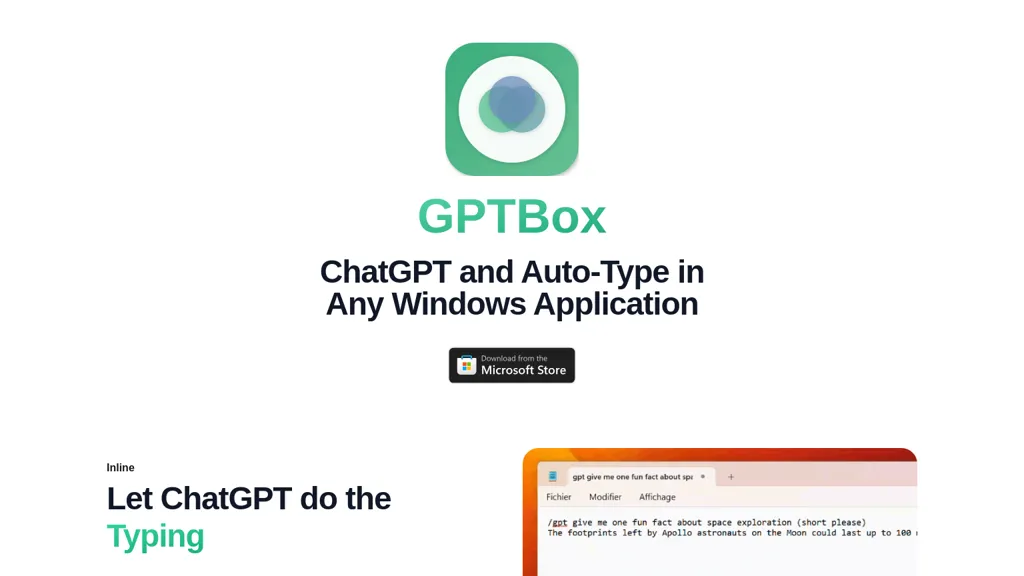
29 GPTBox Alternatives & Competitors, Ranked by User Reviews
Click Compare on any tool to compare it side-by-side with GPTBox.
 #1
CodeGPT
#1
CodeGPT
The CodeGPT IntelliJ IDE Plugin is an AI-driven coding tool that offers text completion, chat functionality, custom prompts and code actions, reviewing past conversations, restoring previous sessions, and privacy settings.
 #2
GPT-Workspace
#2
GPT-Workspace
GPT Workspace enhances productivity within Google Workspace by automating tasks such as email composition, content generation, and presentation creation. It offers smart features for data analysis in Sheets and writing assistance in Docs while ensuring user data privacy.
 #3
ChatGPT Add-in for Outlook
#3
ChatGPT Add-in for Outlook
ChatGPT for Outlook embeds OpenAI’s ChatGPT into Microsoft Outlook, enabling custom prompts on emails to generate summaries, highlights or revisions, and allowing users to replace content or flag messages. Administrators can deploy it across Office 365 with tailored prompts for teams.
 #4
GlobalGPT
#4
GlobalGPT
GlobalGPT is a comprehensive AI service hub providing over 100 specialized agents for tasks like content creation, social media management, academic assistance, and software development, including advanced features like text-to-video conversion and personalized planning tools.
 #5
PowerBrain
#5
PowerBrain
ChatGPT is an AI-powered chat app that uses advanced NLP technology to provide fast answers and automate tasks.
 #6
Open GPT
#6
Open GPT
OpenGPT lets users build ChatGPT‑based applications instantly using a library of ready‑made AI tools for productivity, copywriting, coding, entertainment, and education. The platform offers prompt‑to‑code conversion, regex creation, and tools that refine prompts and transform requests into actionable outputs.
- Catch deals before they expire
- Unlock tools matched to you
- Show off your AI stacks
Already a member? Sign in
 #7
GPTChat
#7
GPTChat
GPTChat for Slack connects to a workspace via API keys, offering real‑time AI help to draft emails, articles, lists, code snippets, and locate best‑practice resources directly in channels or DMs. Logs are retained for 30 days, then deleted.
 #8
MyGPT
#8
MyGPT
A free and fast Chat interface powered by ChatGPT API with prompts support, which can be enhanced by installing plugins via MyGPT, requiring an OpenAI API key.
 #9
Code GPT
#9
Code GPT
CodeGPT plugs into VS Code and JetBrains IDEs, offering AI‑driven coding, refactoring, and debugging. It scans entire codebases, produces implementation plans, suggests incremental edits, and supports multiple models while keeping data local with BYOK and threat‑detection safeguards.
 #10
editGPT
#10
editGPT
editGPT is a Chrome extension that turns ChatGPT into a writing assistant. It provides real‑time grammar, style, and rewriting support in 80+ languages, preserves formatting, tracks changes, and manages revisions.
 #11
ChatGPT Prompt Generator
#11
ChatGPT Prompt Generator
The ChatGPT Prompt Generator from webutility.io is an online tool that streamlines prompt creation for engaging and insightful conversations with ChatGPT, allowing users to define their desired action, focus, subject, and context.
 #12
ChatGPT Images
#12
ChatGPT Images
OpenAI’s ChatGPT Images, powered by GPT Image 1.5, elevates creative workflows by offering rapid, precise image generation and editing directly within ChatGPT. It’s a versatile tool for visual content creation and design.
 #13
Sidekiiick
#13
Sidekiiick
Sidekick AI tool is a conversational AI tool that provides easy access to ChatGPT on macOS.
 #14
GPT Reader & Transcriber
#14
GPT Reader & Transcriber
gpt-reader.com is a community-driven AI development platform that enables open-source teams to manage projects through proposal voting, AI-assisted code reviews, and integrated CI/CD workflows.
 #15
ChatGPT Notepad
#15
ChatGPT Notepad
ChatGPT Notepad is a browser‑based plain‑text editor that lets users create, edit, and manage multiple notes without registration. It offers undo, redo, cut/copy/paste, find‑replace, spell check, real‑time word count, AI‑content cleanup, and .txt export, compatible with major browsers.
 #16
PopboxGPT
#16
PopboxGPT
PopboxGPT is a Chrome extension that embeds GPT‑3.5‑turbo into the browser, offering Alt+J quick launch, fullscreen mode, persistent session history, and a lightweight modal for drafting, research, or brainstorming across sites for all users.
 #17
Text GPT
#17
Text GPT
TextGPT is an AI-powered question and answer app that can generate realistic images from simple text inputs, and provides quick and accurate responses to various queries on a wide range of topics.
 #18
GPTGO
#18
GPTGO
GPTGO blends Google search with ChatGPT, presenting results and AI‑generated summaries in 100+ languages. Users get concise answers beside each result, can copy or download, and access the tool on desktop, mobile, or tablet without registering.
 #19
ThinkBoxAI
#19
ThinkBoxAI
ThinkBoxAI is a desktop application that leverages the OpenAI API, offering customizable output settings, a comprehensive prompt library, and the creation of tailored AI agents, while ensuring user data privacy across multiple platforms.
 #20
FileGPT
#20
FileGPT
FileGPT lets users query PDFs, DOCs, text, audio, YouTube, and web pages via GPT, extracting and consolidating information across multiple sources. It supports large documents, handwritten text, and delivers concise, cross‑source answers for researchers, students, and managers.
 #21
SiteGPT
#21
SiteGPT
SiteGPT builds a custom AI customer support agent from a company’s website and documents. It can be embedded across pages, syncs updates, supports 95+ languages, integrates with Intercom and Zendesk, and delivers analytics and lead capture.
 #22
iChatWithGPT
#22
iChatWithGPT
iChatWithGPT is an AI assistant integrated into iMessage that uses GPT‑5.2, Claude 4.5, and Google Search for real‑time web research, news, weather, and game results. It offers text reminders, AI‑generated images, voice‑activated messaging across iPhone, Apple Watch, MacBook, and CarPlay.
 #23
GPT Translator
#23
GPT Translator
GPT Translator offers real-time translation for text, documents, and websites in 95+ languages. It supports various file formats, preserves formatting, includes automatic language detection, and features batch processing for efficient multilingual content management.
 #24
WappGpt
#24
WappGpt
WappGPT is a versatile AI assistant boosting productivity & creativity in academics, business, and writing. It excels in natural language processing, providing personalized help for ideation, project management, and exam prep.
 #25
CheatGPT
#25
CheatGPT
CheatGPT is an AI‑powered study assistant that blends web search, PDF analysis, and quiz creation into one interface. It offers specialized modes for focused learning, coding help, and quick question generation to streamline academic research and exam prep.
 #26
YourGPT
#26
YourGPT
YourGPT builds and deploys AI agents across chat, email, and voice. It supports GPT‑4, Claude, Gemini, DeepSeek, trains on PDFs, CSVs, Markdown, and integrates with Intercom, Slack, Shopify, Twilio, Zapier. SOC 2, GDPR, SSO, it automates FAQs, appointments, orders, invoices, leads.
 #27
GPTPLUS
#27
GPTPLUS
GPTPlus is a browser extension featuring GPT-4 and GPT-3.5 technologies. It provides an integrated ChatGPT assistant within a sidebar for writing, translation, code analysis, prompts, templates, and custom queries, boosting productivity in content generation and SEO optimization tasks.
 #28
OpenAssistantGPT
#28
OpenAssistantGPT
OpenAssistantGPT is an open‑source SaaS that lets you build no‑code AI chatbots for websites. It auto‑crawls a URL, supports GPT‑4/3.5, handles file attachments, SAML/SSO, API calls, and web search, with GitHub source and Vercel SDK.
 #29
ChatGPT2Help Chrome Extension
#29
ChatGPT2Help Chrome Extension
ChatGPT2Help is a Chrome extension embedding ChatGPT for instant AI assistance: rapid content drafting, copy editing, multi‑language translation, page summarization, and specialized tasks like real‑estate listings, legal risk flagging, customer‑service FAQ responses, personalized education plans, and preliminary medical suggestions.