
Top 29 Glasses Gone Alternatives in 2026
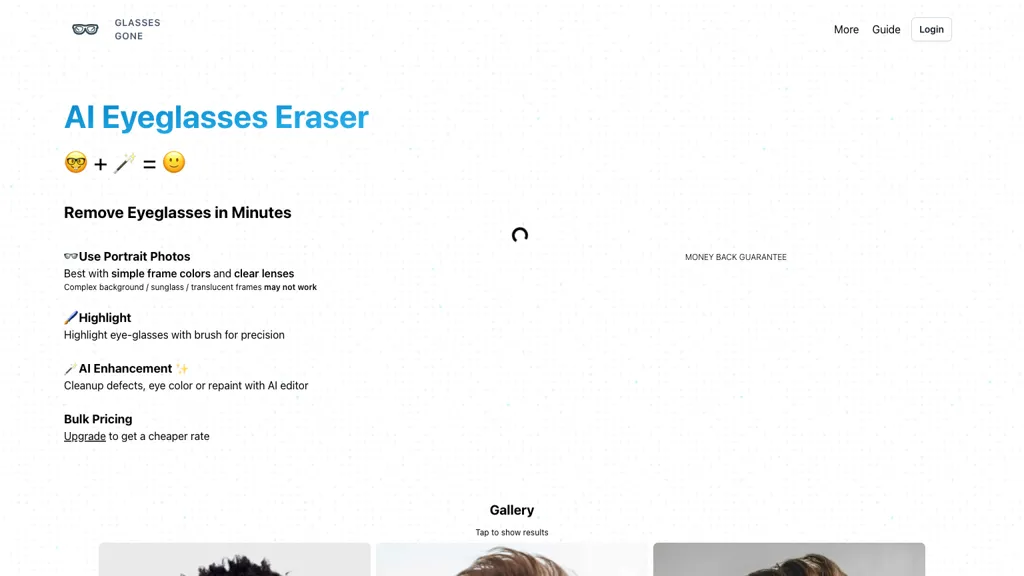
No user reviews yet FreemiumGlasses Gone removes eyeglasses from portrait photos with AI, allowing a brush for precise selection. It cleans defects, adjusts eye color, or repaints the eye area after removal and supports bulk processing for photographers, designers, and creators.
We've ranked 29 Glasses Gone alternatives, including 20 with a free plan. Rankings are based on feature coverage and user feedbacks.
Top-rated alternatives include Lensa.app, Removal.ai, and EzMaker AI.
29 Glasses Gone Alternatives & Competitors, Ranked by User Reviews
Click Compare on any tool to compare it side-by-side with Glasses Gone.
 #1
Lensa.app
#1
Lensa.app
Lensa AI is a mobile photo editor that offers one‑tap portrait retouching, automatic background and object removal, adjustable background blur with bokeh, a variety of social‑media filters, stylized avatar generation, and high‑resolution exports for iOS and Android.
 #2
Removal.ai
#2
Removal.ai
Removal.AI instantly isolates foreground subjects from .jpg and .jpeg images, offering preview, high‑resolution downloads, background replacement, manual eraser, API integration, batch processing, and professional editing support. Ideal for photographers, designers, marketers, and e‑commerce sites needing consistent product imagery.
 #3
EzMaker AI
#3
EzMaker AI
EzMaker AI is an AI-powered photo editor that automates image enhancement, background removal, and retouching for scalable, consistent edits. It offers fast batch processing and workflow presets tailored for photographers, e-commerce sellers, and social media managers.
 #4
Cleanup.pictures
#4
Cleanup.pictures
Cleanup.pictures is an AI-powered photo editing tool that allows users to remove objects, people, text, and defects from any picture with ease, highly valued by photographers, creative agencies, real estate professionals, and e-commerce businesses.
 #5
Remover AI
#5
Remover AI
removerai.io is a web-based AI tool that automatically removes backgrounds from images, preserving fine details like hair and edges. It requires no installation, allows manual refinements, and exports high-resolution transparent PNGs for e-commerce, design, and marketing.
 #6
EzRemove.ai
#6
EzRemove.ai
EzRemove.ai is an AI-powered tool that instantly removes image backgrounds in 5 seconds, delivering high-quality transparent PNGs with precision. It offers batch processing, customizable backgrounds, and basic editing features, ideal for ecommerce, design, and social media.
- Catch deals before they expire
- Unlock tools matched to you
- Show off your AI stacks
Already a member? Sign in
 #7
PicWish
#7
PicWish
PicWish AI Photo Editor automates image enhancement, background removal, and watermark deletion. It processes batches of up to 30 files, offering resizing, lighting, upscaling, AI Designer prompts, Face Cutout, and single‑click unblur/sharpen. Available on Windows, macOS, iOS, Android, and browser.
 #8
Retouch4.me
#8
Retouch4.me
Retouch4me is an AI retouching suite that functions as Photoshop plugins or standalone apps. It automates skin, eyes, hair, clothing, and background edits in real‑time, supports RAW and batch workflows, and offers video color grading with offline processing.
 #9
ObjectRemover
#9
ObjectRemover
ObjectRemover uses AI to erase unwanted people, stickers, logos, text, and clutter from images. Drag‑and‑drop JPG, PNG, or WebP files up to 10 MB, preview edits, and download watermark‑free results in seconds with high‑quality output.
 #10
Background Remover
#10
Background Remover
AI Background Remover deletes backgrounds from JPG, PNG, WebP images while preserving resolution, handling up to 500 at once. Users can replace with color, gallery, or upload; ideal for designers, marketers, and e‑commerce workflows.
 #11
Magic Eraser
#11
Magic Eraser
Magic Eraser is an AI-powered tool for removing unwanted elements from images in seconds. It offers free use with low-resolution image downloads and is suitable for various industries such as real estate, photography, fashion, and social media.
 #12
PicTools.AI
#12
PicTools.AI
PicTools.AI is a web‑based photo editor that lets users upload images and apply changes via text prompts or over 100 one‑click AI filters—background removal, outfit changes, smile addition, restoration, and artistic styles—without design skills.
 #13
PixPretty AI Photo Editor
#13
PixPretty AI Photo Editor
PixPretty AI Photo Editor is a free tool that uses AI to remove or replace backgrounds in seconds. It also supports batch editing for bulk transformations, retouching, and format conversion.
 #14
iFoto
#14
iFoto
AI Photo Studio automates e‑commerce image editing: background removal, resolution enhancement, lossless compression, profile passport creation, hairstyle preview, object cleanup, old‑photo restoration, colorization, AI fashion model generation, clothing recolor, background changes, and file conversion to PDF/Word/PPT for streamlined product photography.
 #15
Photo Glare Remover - AIAI
#15
Photo Glare Remover - AIAI
Photo Glare Remover is an AI-powered tool that automatically detects and eliminates glare, reflections, and highlights from photos using advanced computer vision. It restores clear, natural-looking images with minimal manual effort, ideal for product shots, portraits, and scanned documents.
 #16
BeautyPlus
#16
BeautyPlus
BeautyPlus - Versatile AI tool for effortless photo & video editing; offers face reshaping, filter & sticker additions; perfect for enhancing selfies & videos.
 #17
Picsman.AI
#17
Picsman.AI
Picsman is an AI‑powered editor that removes or replaces backgrounds, ups image resolution, and applies styles like Ghibli or cartoon. It also offers text‑prompt editing, video generation, image extending, and watermark removal for quick, high‑definition results.
 #18
jpgRM
#18
jpgRM
AI Image Magic Cleanup uses a 2026 GAN to automatically erase backgrounds or unwanted objects from photos. Users mark areas with a brush, then the tool refines and fills the space with matching background detail, delivering quick results on mobile.
 #19
RestorePhotos
#19
RestorePhotos
Face Photo Restorer uses AI to enhance and restore old or blurry face photos, supporting batch uploads. It outputs high‑resolution images with corrected color, reduced noise, and sharpened detail, and offers real‑time previews for comparison.
 #20
BackGroundRemove.io
#20
BackGroundRemove.io
backgroundremove.io is a tool that quickly erases image backgrounds using AI. It automatically creates clean, high-resolution cutouts, ready for e-commerce, social media, and design projects.
 #21
HeyPhoto
#21
HeyPhoto
HeyPhoto is an AI‑powered photo editor that lets users swap faces, generate new faces, upscale images, and remove backgrounds with one click, offering facial attribute adjustments and support for common image formats up to 5 MB.
 #22
PhotoEditor.ai
#22
PhotoEditor.ai
PhotoEditor.ai edits JPG, PNG, HEIC, and WEBP images up to 15 MB in a browser or mobile app. It offers portrait transformation, background removal, detail enhancement, and 4K upscaling, delivering instant downloads for photographers, marketers, and designers.
 #23
Background remover from photo by Hitpaw
#23
Background remover from photo by Hitpaw
HitPaw Online Background Remover uses AI to delete backgrounds in seconds, supporting single or up to 50‑image batch uploads. It offers transparent, black, or template backgrounds, realistic shadows, and works on Windows, macOS, iOS, Android, and browsers.
 #24
Facetune
#24
Facetune
Facetune is an AI‑driven photo and video editor offering touch‑up, background removal, face and body reshaping, realistic makeup and hairstyle try‑on, background blur, and noise removal—enabling quick mobile edits for influencers, photographers, and stylists.
 #25
Erase.bg
#25
Erase.bg
Erase.bg uses AI to remove backgrounds from PNG, JPG, JPEG, WEBP, and HEIC files. It supports batch processing, lets users replace backgrounds with colors or images, works on browser, iOS, Android, outputs PNG/JPEG, and clears data after use.
 #26
PicPicAI
#26
PicPicAI
PicPicAI automatically removes backgrounds, sharpens portraits, upscales and extends images, and restores old photos, delivering polished results in seconds for e‑commerce, social media, and design workflows, with optional Flux AI art generation.
 #27
Slazzer
#27
Slazzer
Slazzer: AI‑driven background removal that handles complex edges, offers upscale, shadow, sky replacement, and de‑oldifying. Available via web, desktop, mobile, API, and design‑software plugins for bulk processing, ideal for photographers, e‑commerce, marketers, and developers.
 #28
Bg.Eraser
#28
Bg.Eraser
BgEraser is a web‑based AI that removes photo backgrounds in seconds, supporting JPEG, PNG, and WebP. It handles up to 20 images at once, preserves fine detail, offers drag‑and‑drop uploads, and provides commercial‑ready, watermark‑free downloads.
 #29
Removebackgroundai
#29
Removebackgroundai
RemoveBackgroundAI.com is a web‑based AI that deletes image and video backgrounds from JPEG, PNG, GIF, MP4, MOV files up to 234 MB, offering transparent or solid colors. It supports batch processing, multiple output formats (PNG, WebP, MP4), and a multilingual interface.
Frequently Asked Questions
Why look for Glasses Gone alternatives?
Common reasons users switch from Glasses Gone:
- Feature gaps: teams needing specific capabilities like Remove Eyeglasses may find a more focused alternative better suited to their workflow.
- Flexibility: exploring alternatives helps find tools that better match your team size, integrations, and budget.
What is the best alternative to Glasses Gone?
Lensa.app ranks as the top Glasses Gone alternative. Lensa AI is a mobile photo editor that offers one‑tap portrait retouching, automatic background and object removal, adjustable background blur with bo It is available on a Free trial plan.
How do the top Glasses Gone alternatives compare?
| Tool | Pricing | Starting Price | User Rating |
|---|---|---|---|
| Glasses Gone this tool | Freemium | — | — |
| Lensa.app | Free trial | — | — |
| Removal.ai | Free | $0.13 | 71% (31) |
| EzMaker AI | Free | — | — |
| Cleanup.pictures | Free trail | — | 84.6% (13) |
| Remover AI | Free | — | 33.3% (6) |
Are there free Glasses Gone alternatives?
Yes, 20 free alternatives found in our list: Lensa.app, Removal.ai, EzMaker AI. and 17 more — use the pricing filter above to see them all.
What should I look for in a Glasses Gone alternative?
- Core capabilities: confirm the tool supports Remove Eyeglasses, Edit Images, Enhance Images.
- Pricing transparency: look for clear free plan, trial period, or tiered pricing — avoid tools that hide costs.
- User reviews: check both the satisfaction percentage and the number of reviews; a high score from few users is less reliable.
- Integrations: verify it connects with your existing stack before committing.
- Support and updates: active development and responsive support are strong signals of a maintained product.
Which Glasses Gone alternative has the highest user rating?
Magic Eraser has the highest satisfaction score among Glasses Gone alternatives, with 100% positive from 1 user review. It is available on a Freemium plan.
What are Glasses Gone alternatives used for?
- Remove Eyeglasses
- Edit Images
- Enhance Images