
Top 29 Draftr Alternatives in 2026
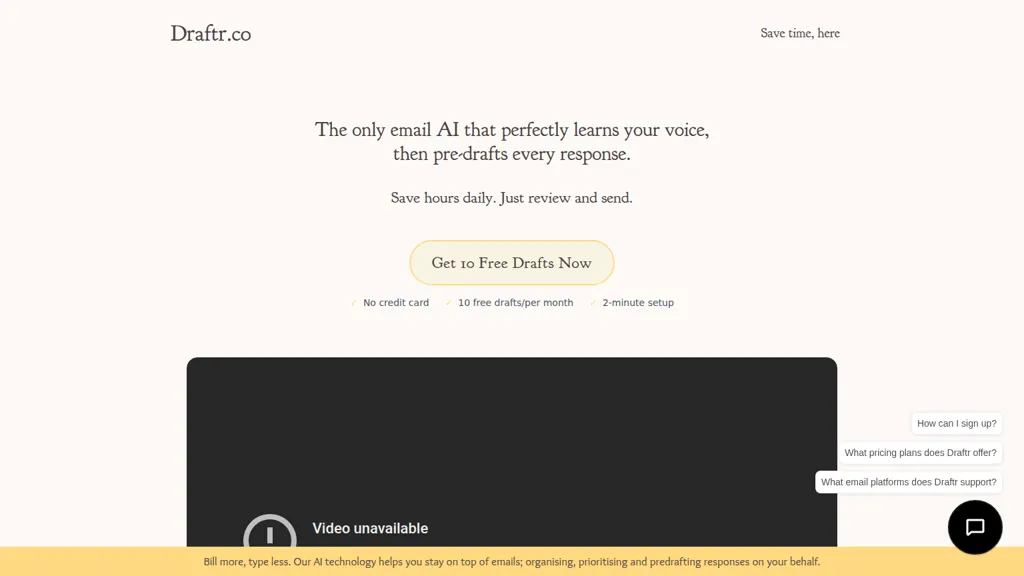
No user reviews yet SubscriptionDraftr is an AI email management tool that integrates with Gmail and Outlook, automatically drafting responses based on user writing styles. It streamlines email workflows, enhances productivity, and prioritizes user privacy with advanced security features.
We've ranked 29 Draftr alternatives, including 18 with a free plan. Rankings are based on feature coverage and user feedbacks.
Top-rated alternatives include AImReply, AI Mail Assistant, and ReplyAI.
29 Draftr Alternatives & Competitors, Ranked by User Reviews
Click Compare on any tool to compare it side-by-side with Draftr.
 #1
AImReply
#1
AImReply
AImReply auto‑generates email drafts and replies in up to 17 languages, offering 12 tones and three length options. It delivers real‑time edits and AI suggestions, streamlining composition for professionals, support agents, academics, and entrepreneurs—no login needed.
 #2
AI Mail Assistant
#2
AI Mail Assistant
AI Mail Assistant integrates with Gmail to auto‑generate replies, summarize threads, correct grammar and tone, translate into 13 languages, and flag ethical concerns—all without an OpenAI account—saving professionals time and improving email clarity.
 #3
ReplyAI
#3
ReplyAI
AI Email Writer utilizes GPT-4 technology to accelerate email composition, offering customizable templates and smart suggestions for Gmail and Outlook. It allows users to adapt writing styles, improving productivity while maintaining effective communication for various contexts.
 #4
Klart AI
#4
Klart AI
AI Mail Assistant is a Gmail add‑on that uses GPT‑4o to automate email tasks: it generates concise replies, summarizes long messages, translates 13 languages, provides grammar checks, auto‑labels and archives emails, and flags tone issues.
 #5
Serif
#5
Serif
Serif streamlines email management by automating replies, scheduling, and organizing messages, reducing processing time by up to 50%. It integrates with Gmail and Outlook, allowing efficient task delegation and easy access to pre-written responses.
 #6
AI Email Generator
#6
AI Email Generator
Emailor generates structured email drafts from a brief intent, audience context, and desired action in seconds. It allows tone, urgency, and relationship customization, supports multiple languages, and offers ready‑made templates for sales, support, and HR communications.
- Catch deals before they expire
- Unlock tools matched to you
- Show off your AI stacks
Already a member? Sign in
 #7
Instantly
#7
Instantly
Instantly.ai is a cold email software that uses AI technology and personalization to increase response rates and drive new business.
 #8
AI Perfect Assistant
#8
AI Perfect Assistant
AI Perfect Assistant adds ChatGPT, Gemini, Claude, and 60+ LLMs to Office 365 apps, delivering real‑time grammar, style checks, drafting, summarization, translation, and formula generation to streamline writing, analysis, and teamwork across Word, Excel, PowerPoint, Outlook, Teams, and OneNote.
 #9
DraftLab
#9
DraftLab
DraftLab is an AI-powered Chrome extension for Gmail that helps users write better and faster emails using a pay-as-you-go model, while respecting user privacy.
 #10
QuickMail AI
#10
QuickMail AI
Quickmail AI is an AI-driven email assistant that generates professional emails quickly from brief prompts. It enhances productivity by reducing writing time and allows users to customize content to fit their style, supporting efficient email management.
 #11
ghostwrite.rip
#11
ghostwrite.rip
GhostWrite generates draft emails from concise prompts, offering subject‑line suggestions and template recognition. Users preview, edit, and approve drafts, while the system learns from edits to improve future suggestions. No auto‑sending; secure, lightweight web interface.
 #12
Inbox AI
#12
Inbox AI
Inbox AI is a voice-driven automation tool for macOS that streamlines email management and task processing. It integrates with Apple Mail for smart actions, supports custom voice assistants, and ensures privacy through on-device processing.
 #13
Hi AI
#13
Hi AI
hiaireply.com is an AI-powered email client that instantly generates and prioritizes messages with a smart inbox. It enables custom AI models for specific tasks while ensuring security with end-to-end encryption.
 #14
Mails.ai
#14
Mails.ai
Mails.ai automates cold‑email campaigns—creating, sending, and scheduling follow‑ups—while supporting unlimited Gmail, Outlook, Zoho, or custom SMTP accounts. It verifies addresses, warms mailboxes, generates personalized AI copy, rotates inboxes for deliverability, tracks contacts, reports, and offers team collaboration.
 #15
Eloquens AI
#15
Eloquens AI
Eloquens AI is a smart email assistant that automates routine emails, books appointments, and filters spam in 160+ languages. It learns user preferences, operates continuously, and provides performance analytics.
 #16
PulseMail
#16
PulseMail
PulseMail is an AI-powered email assistant that optimizes inbox management through smart responses, prioritization, meeting handling, and automation. It provides personalized messages, analytics, and seamless integration with existing tools for enhanced communication efficiency.
 #17
Email Whisperer
#17
Email Whisperer
Boost your email writing efficiency with Email Whisperer, an AI tool for Gmail and Outlook. Enhance clarity, fix errors, and personalize your tone for error-free, customized emails. Speed up your workflow and automate email composition effortlessly.
 #18
Spark Mail
#18
Spark Mail
Spark Mail unifies IMAP, iCloud, Exchange, Outlook, Yahoo, and Google accounts on one screen, featuring a Smart Inbox, Gatekeeper, and priority highlights. It offers AI summaries, drafting, translation, scheduling tools, and real‑time team collaboration, all encrypted on Google Cloud.
 #19
InboxPro
#19
InboxPro
AI‑powered InboxPro streamlines client acquisition and nurture workflows by auto‑composing, summarizing, and personalizing emails, automating multi‑step follow‑ups, syncing with Google Calendar, tracking opens and clicks, and providing analytics dashboards for data‑driven outreach.
 #20
Inbox Zero
#20
Inbox Zero
Inbox Zero is an AI‑powered assistant for Gmail and Outlook that auto‑labels mail, drafts replies in the user’s voice, bulk unsubscribes, and syncs with calendars and CRM. It offers privacy‑centric, self‑hostable code and inbox analytics.
 #21
MailMaestro
#21
MailMaestro
MailMaestro is an AI email assistant for Outlook, Outlook Web, and Gmail that drafts, summarizes, and tags emails in 20+ languages, extracts deadlines and action items, nudges follow‑ups, and adds a Teams meeting‑notes extension.
 #22
Duet Mail
#22
Duet Mail
Duet Mail is an AI-driven email assistant that enhances Gmail usage by categorizing emails, summarizing threads, and drafting messages. It prioritizes important communications and offers follow-up reminders, streamlining inbox management for increased productivity.
 #23
Forthwrite AI
#23
Forthwrite AI
forthwrite.ai is an AI email writer Chrome extension that integrates with Gmail and Outlook to generate context-aware replies and batch drafts. It supports multiple LLM providers with one-click switching, voice matching, encrypted profiles, and analytics for tracking drafting accuracy over time.
 #24
Read AI
#24
Read AI
Read AI records, transcribes, and summarizes meetings, emails, and chats across Google Meet, Zoom, Teams, and in‑person sessions. It extracts action items, delivers searchable notes, offers contextual answers from integrated data, supports 20+ languages, and meets SOC II, GDPR, HIPAA compliance.
 #25
iManage AI
#25
iManage AI
iManage centralizes document and email management with secure cloud storage, AI-driven classification, data extraction and a natural-language assistant for search and automation, while enforcing access controls, governance, legal transaction workflows and Microsoft co-authoring.
 #26
Fyxer.ai
#26
Fyxer.ai
Fyxer streamlines email management by auto‑labeling and filtering spam, generating draft replies in your voice, summarizing meetings, and syncing Gmail/Outlook calendars. It supports single/multi‑inbox setups for teams, cutting admin time.

Missive turns an inbox into a workspace, letting teams view, tag, assign, and comment on messages. It creates tasks from emails, automates actions with rules and AI, and integrates with Gmail, Outlook, calendars, and 25+ apps while keeping security.
 #28
Inboxly ai
#28
Inboxly ai
Inboxly aggregates email, social media, and messaging into one inbox, auto‑organizing and prioritizing content. AI drafts replies, cuts response time, and sends a daily digest for a quick channel overview, saving users time and streamlining outreach.
 #29
InboxGPT
#29
InboxGPT
InboxGPT syncs Gmail into a unified inbox for teams, offering AI‑generated draft replies that adapt to your site’s tone. Customizable, multi‑language, and learns from every email, streamlining support and reducing response time.
Frequently Asked Questions
Why look for Draftr alternatives?
Common reasons users switch from Draftr:
- Cost: Draftr is a Subscription tool — users often look for more affordable or free options.
- Feature gaps: teams needing specific capabilities like Generate emails may find a more focused alternative better suited to their workflow.
- Flexibility: exploring alternatives helps find tools that better match your team size, integrations, and budget.
What is the best alternative to Draftr?
Based on 6 user reviews, AImReply (66.7% positive) ranks as the top Draftr alternative. AImReply auto‑generates email drafts and replies in up to 17 languages, offering 12 tones and three length options. It delivers real‑time edits and AI It is available on a Free plan.
How do the top Draftr alternatives compare?
| Tool | Pricing | Starting Price | User Rating |
|---|---|---|---|
| Draftr this tool | Subscription | — | — |
| AImReply | Free | — | 66.7% (6) |
| AI Mail Assistant | Freemium | — | — |
| ReplyAI | Freemium | — | — |
| Klart AI | Free trial | — | 100% (1) |
| Serif | Free trial | $20/mo | — |
Are there free Draftr alternatives?
Yes, 18 free alternatives found in our list: AImReply, AI Mail Assistant, ReplyAI. and 15 more — use the pricing filter above to see them all.
What should I look for in a Draftr alternative?
- Core capabilities: confirm the tool supports Generate emails, Automate responses, Optimize workflow.
- Pricing transparency: look for clear free plan, trial period, or tiered pricing — avoid tools that hide costs.
- User reviews: check both the satisfaction percentage and the number of reviews; a high score from few users is less reliable.
- Integrations: verify it connects with your existing stack before committing.
- Support and updates: active development and responsive support are strong signals of a maintained product.
Which Draftr alternative has the highest user rating?
Klart AI has the highest satisfaction score among Draftr alternatives, with 100% positive from 1 user review. It is available on a Free trial plan.
What are Draftr alternatives used for?
- Generate emails
- Automate responses
- Optimize workflow
- Analyze correspondence
- Track messages