
What is Missive?
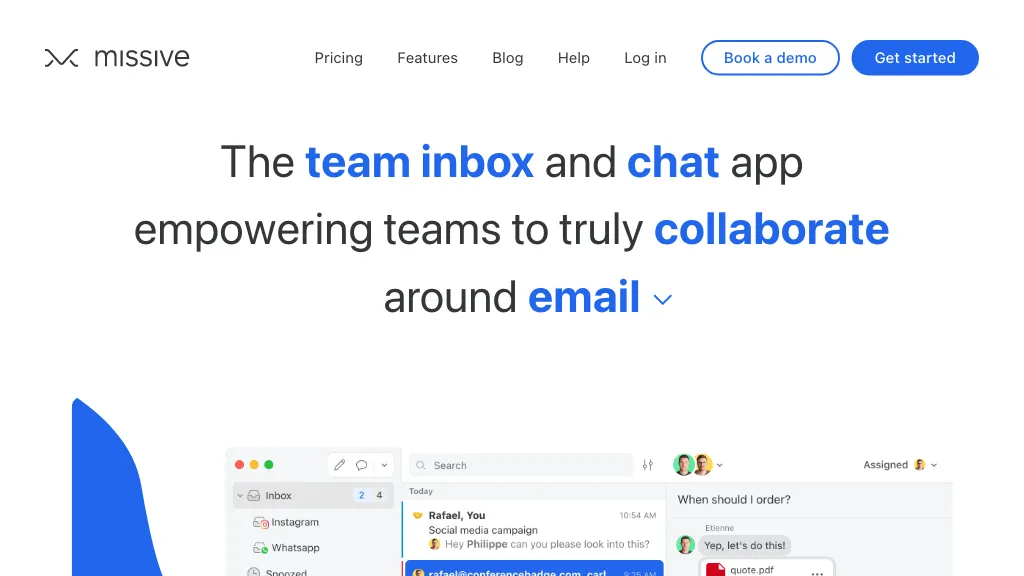
Missive is a team‑focused email platform that converts a standard inbox into a shared workspace. It lets multiple users view, assign, and collaborate on messages in real time while keeping personal email separate. The interface supports tagging, status indicators, and thread comments for clear communication.
Tasks can be created from emails, auto‑assigned, and tracked against due dates, giving teams visibility into workload and capacity. Built‑in rules and AI‑powered automation streamline repetitive actions such as snoozing, filtering, and drafting replies.
The service integrates with Gmail, Outlook, Office 365, Google Workspace, calendars, and over 25 other apps, so teams can pull context from their existing tools without leaving the inbox. Security features include single sign‑on, two‑factor authentication, and read‑tracking blocking.
Missive details
- Company
- Heliom inc.
- Jurisdiction
- Province of Quebec, Canada
- Built for
- Businesses and teams
- Stated compliance
- SOC 2, GDPR
Compliance as stated in Missive's own published documentation.
Missive tech specs
- Works with
- OpenAI / GPT
- Cloud
- Azure
- Payment Processors
- Stripe
- Integrations
- Slack Google Workspace Trello
Missive pricing
Paid- Free trial
- 30 days
- Refund window
- 30 days
- Auto-renewal
- Yes
Verify on the official pricing page.
View plansMissive's key features
-
Team shared inboxes
-
Assign & watch conversations
-
AI‑powered drafting and editing
-
Built‑in task management
-
Workflow automation rules
-
Unified inbox across channels
-
Custom integrations via webhooks
Missive use cases
-
Transform the sales team’s inbox into a collaborative workspace, automatically tagging leads and converting qualifying emails into calendar meetings with AI suggestions, while keeping data encrypted and compliant
-
Enable customer support to view and comment on incoming tickets in a shared inbox, auto‑assigning them to agents and creating tasks in Trello or Asana via Missive’s 25+ app integrations, all without leaving Gmail
-
Streamline project communication by converting project update emails into tasks, using AI‑powered rules to prioritize and route messages to Slack channels, ensuring secure, searchable collaboration across teams
Missive user reviews
Based on 19 reviews, 84% of users recommend Missive, rated highly for value for money.
Liked for
Disliked for
Would you recommend Missive?
Who is Missive for?
-
Team administrators
-
Software developers
-
Digital marketers
-
E-commerce sellers
-
Operations staff
Missive FAQ
How much does Missive cost?
Missive is a paid product with no free plan. Plans include Starter at $14, Productive at $24 and Business at $36.
Is Missive safe to use?
Missive states SOC 2 and GDPR compliance in its own published documentation. Missive is operated by Heliom inc., registered in Province of Quebec, Canada. Missive carries the TopAI.tools verified mark, which we award after a manual review of pricing transparency, published terms, public following and working functionality.
Is Missive good?
Missive has an 84% recommendation rate from 19 reviewers on TopAI.tools. Reviewers rate it highest on value for money and quality of results.
What are the best alternatives to Missive?
The closest alternatives to Missive are AgentMail, Inbox Zero, InboxPro, Upstream and Serif. You can compare them side by side in the alternatives section further down this page.
What does Missive do with my data?
Its privacy policy states that personal data is sold or shared for marketing purposes. Data may be shared with third-party service providers that help run the product.
Does Missive auto-renew or offer refunds?
Missive subscriptions renew automatically until you cancel. It states a 30-day refund window.
Who made Missive?
Missive is built and operated by Heliom inc., a company registered in Province of Quebec, Canada.
Which AI models does Missive use?
Missive is built on OpenAI / GPT. Which models you can reach may depend on your plan.
What does Missive integrate with?
Missive connects with Slack, Google Workspace and Trello.
Compliance, privacy and billing terms are as stated in each product's own published documentation and have not been independently verified by TopAI.tools.


