What is MailMaestro?
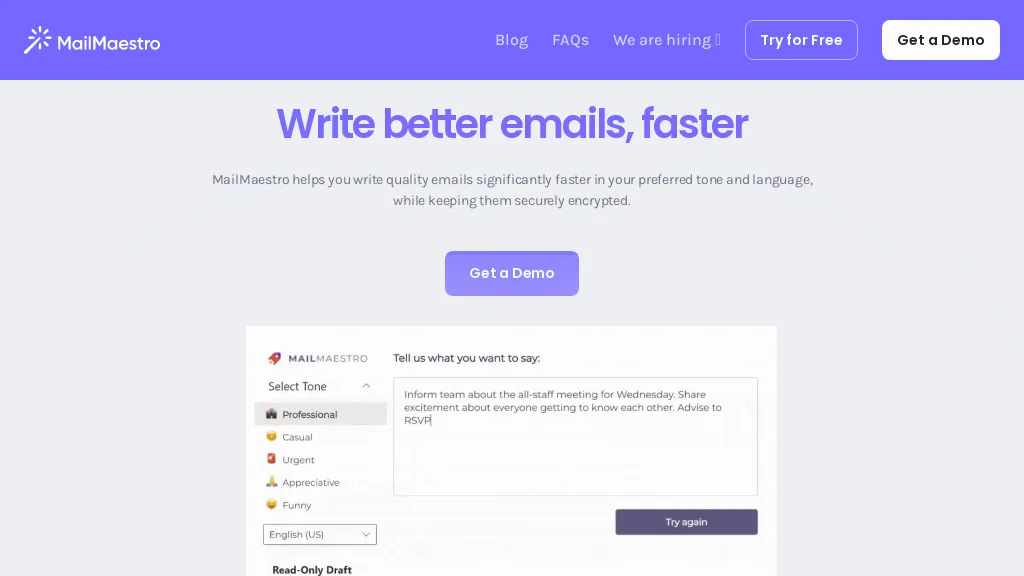
MailMaestro is an AI‑powered email assistant that integrates directly into Microsoft Outlook, Outlook web app, and Gmail, providing features such as draft generation, summarization, and action‑item extraction.
Users can generate multiple email drafts in over 20 languages, customize tone and length, and edit or improve existing messages with a single click.
The tool automatically tags emails by priority and intent, helping professionals reduce inbox clutter and focus on high‑value tasks.
MailMaestro detects deadlines, follow‑up reminders, and next steps, and nudges users to complete action items before they expire.
It also offers a meeting note‑taking extension, TeamsMaestro, that joins scheduled Microsoft Teams calls, captures transcripts, summarizes key points, and distributes concise action‑point lists.
Security is addressed through SOC 2 Type II, GDPR, and HIPAA compliance, with data encrypted in transit and at rest and optional zero‑day data retention.
MailMaestro details
- Company
- Maestro Labs Pte. Ltd.
- Jurisdiction
- Singapore
- Built for
- Businesses and teams
- Data residency
- United States and European Union
- Stated compliance
- SOC 2, GDPR, HIPAA
Compliance as stated in MailMaestro's own published documentation.
MailMaestro tech specs
- Works with
- OpenAI / GPT Anthropic / Claude Google / Gemini
- Integrations
- Google Workspace Microsoft Teams
MailMaestro pricing
Freemium- Auto-renewal
- Yes
Verify on the official pricing page.
View plansMailMaestro's key features
-
AI email drafting
-
Email thread summarization
-
Action item detection
-
Meeting note generation
-
Native Outlook Gmail Teams integration
-
Support for multiple languages
-
Enterprise-grade security compliance
MailMaestro use cases
-
Draft concise follow‑up emails after a meeting, automatically pulling key points and deadlines from the chat, so I never miss a task deadline
-
Summarize overnight inbox clutter into a single digest with priority tags and multilingual support, allowing me to triage my day in minutes
-
Create instant Teams meeting notes that auto‑extract action items, share summaries across Outlook and Gmail, and sync deadlines to calendar
MailMaestro user reviews
Would you recommend MailMaestro?
Who is MailMaestro for?
-
Digital marketers
-
Email assistants
-
Content translators
-
Business managers
-
System administrators
MailMaestro FAQ
Is MailMaestro free?
Partly. MailMaestro has a free plan with usage limits, and paid plans unlock the full feature set. Plans include Professional/team at $12, Team at $12, Enterprise at $12 and Professional at $12.
Is MailMaestro safe to use?
MailMaestro states SOC 2, GDPR and HIPAA compliance in its own published documentation. MailMaestro is operated by Maestro Labs Pte. Ltd., registered in Singapore. It has a substantial audience that is independently measured month to month.
What are the best alternatives to MailMaestro?
The closest alternatives to MailMaestro are AI Mail Assistant, tl;dv, Mailbutler, Fyxer.ai and AI Perfect Assistant. You can compare them side by side in the alternatives section further down this page.
What does MailMaestro do with my data?
MailMaestro states that customer content is not used to train its models. Its privacy policy states that personal data is not sold or shared for marketing purposes. Data may be shared with third-party service providers that help run the product. Customer data is held in United States and European Union.
Does MailMaestro auto-renew or offer refunds?
MailMaestro subscriptions renew automatically until you cancel.
Who made MailMaestro?
MailMaestro is built and operated by Maestro Labs Pte. Ltd., a company registered in Singapore.
Which AI models does MailMaestro use?
MailMaestro is built on OpenAI / GPT, Anthropic / Claude and Google / Gemini. Which models you can reach may depend on your plan.
What does MailMaestro integrate with?
MailMaestro connects with Google Workspace and Microsoft Teams.
Compliance, privacy and billing terms are as stated in each product's own published documentation and have not been independently verified by TopAI.tools.