Top 29 Designrr Alternatives in 2026
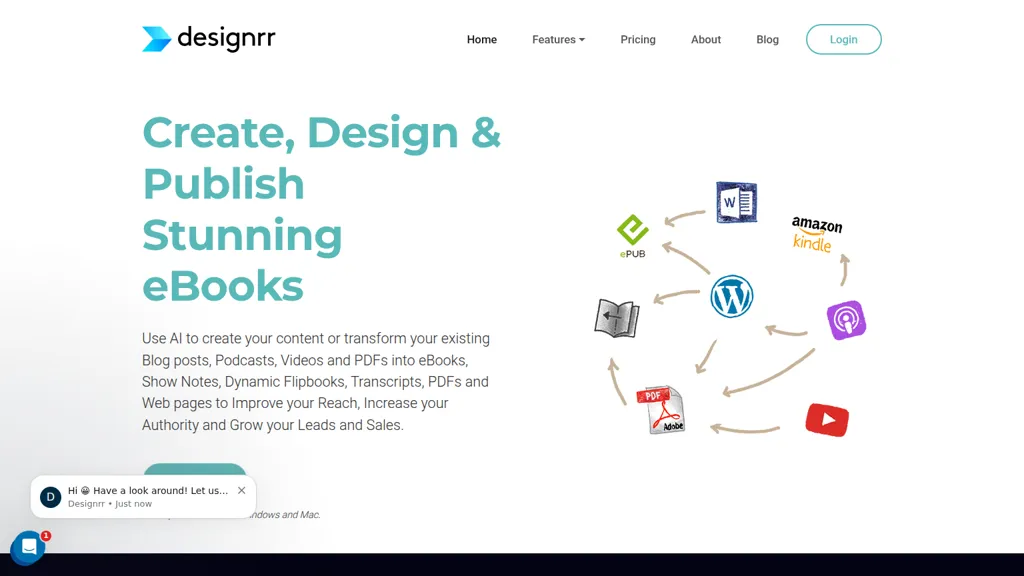
No user reviews yet SubscriptionDesignrr converts blog posts, Word/Google Docs, PDFs, audio and video into ebooks, PDFs, flipbooks and blog posts, using automatic transcription, templates and editing tools to produce export-ready layouts, transcripts and publishable lead magnets.
We've ranked 29 Designrr alternatives, including 13 with a free plan. Rankings are based on feature coverage and user feedbacks.
Top-rated alternatives include Video to Blog, BlogMyVideo, and Youbooks.com.
29 Designrr Alternatives & Competitors, Ranked by User Reviews
Click Compare on any tool to compare it side-by-side with Designrr.
#1
Video to Blog
Video To Blog converts YouTube links or uploads into ready‑to‑publish blog posts in under a minute, supporting 30+ languages. It formats prose, adds headings, SEO metadata, and embeds, and outputs HTML, Markdown, PDF, or links.
#2
BlogMyVideo
BlogMyVideo turns video, audio, and podcast content into searchable blog posts, automatically syncing with YouTube, providing editable text, meta tags, Schema markup, and fast edge‑server publishing to reach readers and expand audience reach.
#3
Youbooks.com
Youbooks transforms uploaded PDFs, DOCX, TXT, or transcripts into structured non‑fiction chapters, augments them with web research, allows voice training from 20–200k words, and uses multiple LLMs for ideation, drafting, and export in DOCX, EPUB, Markdown, or RTF.
#4
VoicePen AI
Voicepen transcribes audio and video files into structured blog posts, auto‑generating SEO‑friendly headings, keyword‑optimized content, and subtitle files. It supports batch processing, offers an integrated editor, and delivers ready‑to‑publish articles.
#5
Podnotes
Podnotes transcribes podcasts and audio into text, auto‑generating chapters, summaries, timestamps, and speaker‑segregated transcripts. It converts them into social media posts, blog articles, and other formats across 19+ languages with a one‑click generator.
#6
Inpodcast AI
Inpodcast AI transforms PDFs, Word, Markdown, and TXT files into audio podcasts in seconds. It offers customizable script control, multi‑language TTS, over 70 voices, voice cloning, and corporate or educational use, delivering ready‑to‑publish audio episodes.
- Catch deals before they expire
- Unlock tools matched to you
- Show off your AI stacks
Already a member? Sign in
#7
Notegpt
NoteGPT transcribes and summarizes lectures, meetings, and recordings in any language, offering PDF/PPT/book/video overviews, translation, and AI drafting tools. It also supports text‑to‑speech, voice cloning, infographics, slide generation, and multi‑model chat assistance.
#8
Automateed
Automateed uses conversational AI to draft full books—up to 150+ pages—adding illustrations and covers. It exports PDFs, EPUBs, MOBIs, supports 100+ languages, offers editing, and a publishing marketplace with secure payouts.
#9
notevibes.com
Notevibes transforms text, PDFs, URLs, images, and audio into studio‑quality voiceovers, podcasts, and audiobooks using 550+ voices across 57 languages. It auto‑summarizes content, supports multi‑speaker dialogues, and delivers MP3/WAV downloads for commercial use.
#10
VideoToPage
VideoToPage transcribes audio/video, structures content, and auto‑generates blog posts, SEO articles, social snippets, tutorials, SOPs, and course modules. It extracts themes, shots, OCR text, supports batch uploads, multilingual, and publishes directly to WordPress, Notion, Ghost, Shopify, and social platforms.
#11
SlideSpeak
SlideSpeak transforms PDFs, Word, Excel, and web content into PowerPoint slides in seconds, offering AI editing, infographics, charts, AI images, narrated videos, branding, translation, and an API for custom integration.
#12
Show Notes Generator
Turn podcast audio into show notes with key takeaways, timestamps, and cited resources. Generate social media posts, newsletters, and SEO‑optimized blog content—all from one file, supporting large uploads and batch processing.
#13
Speechify
Speechify converts PDFs, DOCX, EPUB, web pages, and more into natural‑sounding audio on iOS, Android, macOS, Windows, and Chrome. It offers an AI assistant that summarizes documents while you listen, supports voice typing, and allows offline access.
#14
Bookfab
BookFab downloads and decrypts ebooks and audiobooks from Kindle, Kobo, Audible and other stores, converts and batch-processes files to EPUB/PDF/MP3/FLAC/OPUS, preserves formatting and metadata, offers DRM removal, a Calibre plugin and AI TTS with voice cloning.
#15
TranscribetoText.AI
TranscribeToText.AI turns audio and video files—up to 10 hours or 5 GB—into accurate text in 100+ languages, supporting MP3, MP4, WAV, OGG, etc. Export as DOCX, PDF, TXT, SRT, VTT or import from URLs, YouTube, Google Drive, Dropbox, or live meetings.
#16
DocstoAudio
DocstoAudio is a browser-based tool that converts EPUB, PDF, DOCX, and TXT files into MP3 or M4B audiobooks with chapter marks, supporting batch and chapter-based conversion. It offers standard and premium voices across 30+ languages, with live progress tracking and downloadable single or zipped chapter outputs.
#17
Drlambda
ChatSlide turns documents, PDFs, and web pages into slide decks, videos, avatars, charts, and posters in minutes. It auto‑generates outlines, applies design templates, allows real‑time editing, dynamic charts, multilingual support, and exports to PDF, PPTX, Keynote.
#18
Podscribe.io
PodScribe.io converts podcast and video recordings into ready‑to‑publish assets—show notes, social posts, blog outlines, newsletters—by extracting quotes, chapters, and key takeaways. It supports semantic search, multilingual content, and Markdown export.
#19
Turbo AI
Turbo.ai is an AI-powered note-taking and study platform that converts lectures, PDFs, videos, and audio into structured notes, flashcards, quizzes, and summaries. It automatically extracts key concepts, preserves technical formatting, and supports collaboration across devices for students, researchers, and professionals.
#20
Brain Pod AI - Writer
Brain Pod AI unifies AI writing, high‑resolution image creation, and SEO tools into one platform. It generates articles, blog posts, marketing copy, images, and keyword‑optimized content, offers bulk production, CMS scheduling, editing, and workflow integrations for solo and team creators.
#21
AudioConvert
AudioConvertis a free AI tool that instantly transcribes audio files like mp3 and wav into text. It automatically identifies different speakers and provides timestamped transcripts for export.
#22
YouTube Transcript Optimizer
YouTube Transcript Optimizer turns video URLs into 98%+ accurate transcripts, formats them as Markdown, HTML, or PDF, auto‑generates quizzes, and lets users edit content with PDFs updating automatically. Ideal for creators, educators, and businesses needing structured video materials.
#23
Podsqueeze
Podsqueeze automates podcast transcription with speaker tags, timestamps, and subtitle export. It produces show notes, summaries, short clips, and audiograms, trims audio, edits subtitles, and offers AI voice tuning and topic suggestion for streamlined production.
#24
EasyNoteAI
EasyNoteAI converts audio, video, PDFs into structured notes, offering real‑time transcription, summaries, quizzes, flashcards, mind‑maps, and interactive questioning. Users upload lectures, YouTube links, or research papers; the platform generates summaries, key‑point lists, and supports multilingual translation for students, professionals, and researchers worldwide.
#25
BookTranslator
BookTranslator automatically translates entire books into 168+ languages, preserving tables, images, and formatting across EPUB, PDF, DOCX, etc., within minutes. It offers side‑by‑side comparison, supports up to 300 MB files, and delivers instant downloadable copies.
#26
Youlearn
AI tutor that transforms PDFs, videos, slides, and recordings into study notes, quizzes, podcasts, and personalized exams, providing key takeaways, answer breakdowns, progress tracking, and interactive chat support for learners and educators.
#27
Brainy Docs
Brainy Docs transforms PDFs into engaging explainer videos by extracting key visuals and text. It offers multilingual support, customization options, and downloadable materials, making it ideal for educators, startups, and non-profits to communicate information effectively.
#28
SlidesPilot
SlidesPilot converts PDFs, Word docs, URLs, and text into editable PowerPoint decks with AI‑generated summaries, charts, tables, diagrams, and royalty‑free images. Users can edit layouts via a block editor and export to PPTX, Google Slides, PDF, PNG, or JPG.
#29
Innerai.com
All‑in‑one platform integrating GPT‑4o, Claude, Gemini, and others for unified text, image, video, and document AI. Offers summarizing, translation, prompt templates, workflow tools, quiz creation, SCORM export, web search, subtitles, dubbing. SOC II‑compliant with field‑level encryption and data isolation.
Frequently Asked Questions
Why look for Designrr alternatives?
Common reasons users switch from Designrr:
- Cost: Designrr is a Subscription tool starting from $29 — users often look for more affordable or free options.
- Flexibility: exploring alternatives helps find tools that better match your team size, integrations, and budget.
What is the best alternative to Designrr?
Based on 5 user reviews, Video to Blog (100% positive) ranks as the top Designrr alternative. Video To Blog converts YouTube links or uploads into ready‑to‑publish blog posts in under a minute, supporting 30+ languages. It formats prose, adds h It is available on a Paid plan.
How do the top Designrr alternatives compare?
| Tool | Pricing | Starting Price | User Rating |
|---|---|---|---|
| Designrr this tool | Subscription | $29 | — |
| Video to Blog | Paid | — | 100% (5) |
| BlogMyVideo | Subscription | $39/mo | — |
| Youbooks.com | Subscription | $9.97/mo | 75% (4) |
| VoicePen AI | Subscription | $14.99/mo | 50% (1) |
| Podnotes | Subscription | $29/mo | 100% (1) |
Are there free Designrr alternatives?
Yes, 13 free alternatives found in our list: Notegpt, SlideSpeak, Speechify. and 10 more — use the pricing filter above to see them all.
What should I look for in a Designrr alternative?
- Pricing transparency: look for clear free plan, trial period, or tiered pricing — avoid tools that hide costs.
- User reviews: check both the satisfaction percentage and the number of reviews; a high score from few users is less reliable.
- Integrations: verify it connects with your existing stack before committing.
- Support and updates: active development and responsive support are strong signals of a maintained product.
Which Designrr alternative has the highest user rating?
Video to Blog has the highest satisfaction score among Designrr alternatives, with 100% positive from 5 user reviews. It is available on a Paid plan.