
Top chatGpt2pdf Alternatives in 2026
No user reviews yet SubscriptionChatGPT2PDF is a Chrome extension tool that simplifies the process of converting ChatGPT conversations into PDF files effortlessly. Ideal for businesses of any size, it offers a user-friendly interface to efficiently manage and share creative ideas.
Best 5 chatGpt2pdf Alternatives:
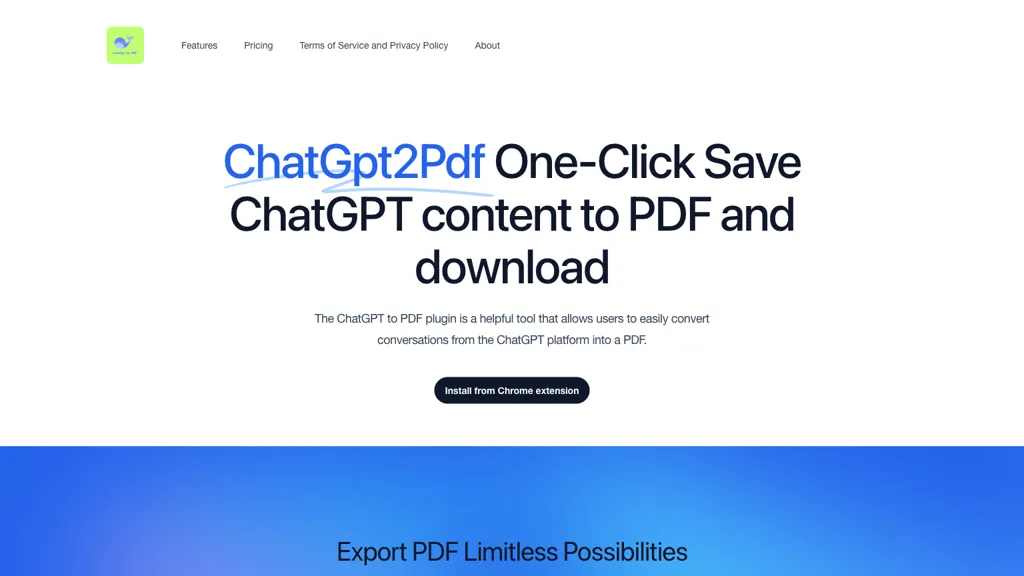
29 chatGpt2pdf Alternatives & Competitors
Tool
Pricing
Rating
Popularity
Compare

#1
ChatPdf.so
Extracts information from PDF documents efficiently
Free trial
100%
4 reviews
44 popularity

#2
Chatgot
AI chatbot for drafting, coding, summarization, image generation, PDF analysis
Freemium
from $9.9/mo
50%
2 reviews
53 popularity
▲ +9.6% MoM

AI summarizes YouTube videos into concise text.
Free
No reviews yet
47 popularity
▲ +0.1% MoM

AI-powered PDF conversation with source citations
Free
from $5
50%
2 reviews
61 popularity
▼ -29.7% MoM

AI-driven instant content creation, editing, and assistance in browser.
Subscription
No reviews yet
27 popularity
▼ -60.9% MoM

#6
ChatGPT
AI assistant chatbot that delivers accurate answers, generates high-quality content, and automates various tasks
Freemium
from $20/mo
85.7%
35 reviews
100 popularity
▲ +1.3% MoM
App

#7
Chatpdf.ae
AI-powered PDF summarization, instant Q&A, bilingual support
Freemium
50%
1 review
28 popularity
▼ -55.5% MoM

Compare AI model answers alongside search results and process files
Free
No reviews yet
50 popularity
▲ +14.0% MoM


Format AI-generated text with line breaks, headings, and bullets
Free
No reviews yet
37 popularity
▼ -3.9% MoM

#11
ChatGPT Notepad
Write, edit, manage notes with AI-assisted cleanup
Free
100%
1 review
36 popularity
▼ -26.9% MoM

#12
ChatGPT Images
Creative image generation and editing within ChatGPT interface.
Freemium
72.7%
22 reviews
72 popularity

#13
AI Toolbox
Organize, search, and manage AI conversations, prompts, and media
Freemium
from $15/mo
100%
3 reviews
53 popularity
▲ +22.6% MoM

Generate effective prompts for ChatGPT
Free
100%
4 reviews
52 popularity

Enable efficient audio content creation and transcription through AI-powered browser tools.
Freemium
No reviews yet
46 popularity

Use AI to summarize, edit, and prioritize emails in Outlook
Paid
No reviews yet
36 popularity
▲ +25.4% MoM

#17
ChatGPT Organize
AI-powered extension that organizes ChatGPT conversations into color-coded folders.
Free
No reviews yet
34 popularity
▼ -6.8% MoM

#18
Notegpt
AI-powered transcription, summarization, translation, and content creation
Free trial
from $9/mo
83.3%
12 reviews
70 popularity
▼ -13.8% MoM


#20
SlidesGPT
AI transforms text into professional slide decks instantly
Freemium
73.7%
19 reviews
53 popularity
▼ -12.0% MoM

#21
BotGPT
AI-powered chatbot answers queries, boosts conversions on websites
Freemium
from $2.99/mo
No reviews yet
▼ -100.0% MoM

#22
Chatbit
Deploy AI chatbot customized without coding
Freemium
No reviews yet
29 popularity
▼ -77.7% MoM

#23
GPTGO
Integrate Google search with AI summarization across 100+ languages
Free
66.7%
15 reviews
51 popularity
▼ -3.1% MoM

#24
GPTChat
AI-powered Slack assistant drafting emails, generating code.
Freemium
No reviews yet
35 popularity
▼ -28.7% MoM

#25
PowerBrain
Provides fast answers and automates tasks.
Freemium
62.5%
8 reviews
35 popularity
App

Create AI chatbot using your data and embed on website.
Free trial
50%
4 reviews
30 popularity
▼ -9.6% MoM

#27
MobileGPT
Provides document services via WhatsApp with AI
Free trial
No reviews yet
33 popularity
▲ +384.7% MoM


Chat GPT-3.5 in French, voice-to-text, instant responses
Freemium
No reviews yet
27 popularity
▼ -50.9% MoM
Also listed in:
Document assistant
Writing assistant
Summarizer
Chat
Leading AI Assistants
Text-to-video
Frequently Asked Questions
Based on user reviews, the highest-rated chatGpt2pdf alternatives are
ChatGPT (85.7%),
Notegpt (83.3%),
SlidesGPT (73.7%),
ChatGPT Images (72.7%),
GPTGO (66.7%).
Yes, 26 of the 29 alternatives listed here offer a free plan, including ChatPdf.so, Chatgot, ChatGPT for YouTube.
MobileGPT is the fastest-growing chatGpt2pdf alternative here, with traffic up 385% month over month.