
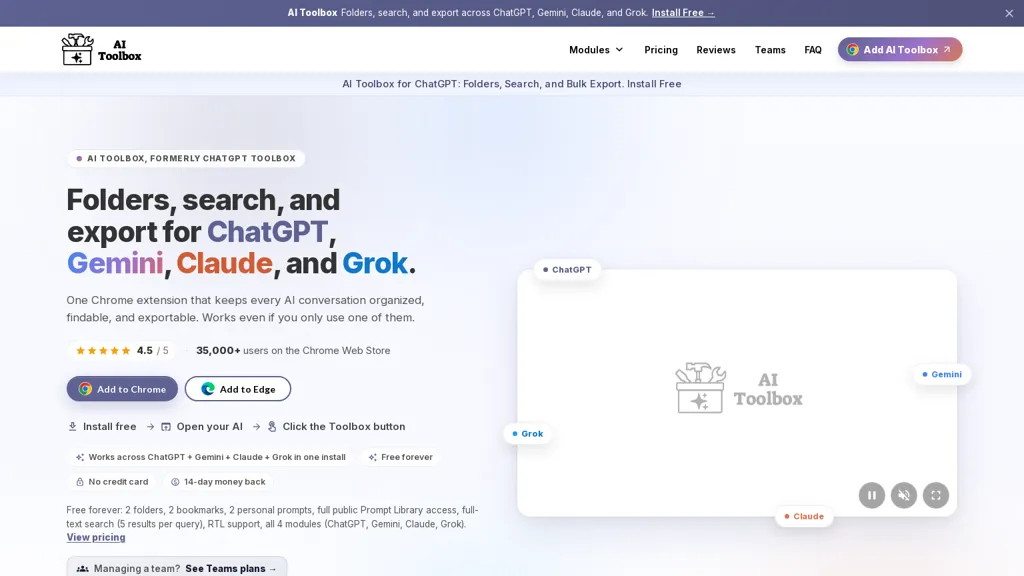
What is AI Toolbox?
If you use more than one AI platform, your work is scattered across four separate histories with no way to search them together. AI Toolbox fixes that.
It adds a full organization layer directly inside ChatGPT, Claude, Gemini, and Grok: nested folders for your conversations, a searchable prompt library with reusable variables, automatic topic tagging, message bookmarks, and one-click export to TXT, Markdown, JSON, or PDF, individually or in bulk as a ZIP.
The part nothing else does is unification.One search box returns results from every platform at once, deep-linked back to the original chat.Your folders, prompts, and tags are shared across all four, so a rule you create on Claude is live on ChatGPT instantly.
A browser-level shortcut opens that search from any tab, even with no AI site open.You can even carry a conversation's context into a fresh chat on a different platform.Everything is stored locally in your browser.
Nothing is uploaded, and cross-platform features are off until you turn them on.
AI Toolbox details
- Company
- Infi Developments
- Jurisdiction
- State of Israel
- Built for
- Businesses and teams
- Stated compliance
- GDPR
Compliance as stated in AI Toolbox's own published documentation.
AI Toolbox tech specs
- Works with
- OpenAI / GPT Anthropic / Claude Google / Gemini DeepSeek xAI / Grok Perplexity
AI Toolbox pricing
Freemium- Refund window
- 14 days
- Auto-renewal
- Yes
Verify on the official pricing page.
View plansAI Toolbox's key features
-
Cross-platform conversation management (ChatGPT, Gemini, Claude, Grok)
-
Folders, nested subfolders, bookmarks, smart tags and automatic tagging
-
Full-text, cross-platform search with role, date and exact-match filters
-
Bulk actions for exporting, archiving and deleting, with one-click export to TXT, Markdown, JSON, PDF and ZIP
-
Prompt management with saved prompts, public prompt library, prompt chaining and inline insertion shortcuts
AI Toolbox use cases
-
Organize and streamline cross‑model research for product teams by collecting outputs from ChatGPT, Gemini, Claude and Grok into folders and nested subfolders, using automatic tagging and prompt‑chaining workflows to make insights reproducible, performing full‑text cross‑platform searches, and exporting research bundles as MD/ZIP for stakeholder sharing
-
Create, iterate and repurpose content with a multi‑model drafting workspace by bookmarking and versioning conversations, managing reusable prompts, handling images and audio inline, linking to specific chats with deep links, and bulk‑exporting finalized drafts as Markdown or PDF for publishing
-
Manage customer support and compliance logs across models by grouping client threads into labeled folders, applying automatic tags and bookmarks, using the conversation analytics dashboard to compare model performance, and bulk‑exporting transcripts (TXT/JSON/PDF) for audits or legal review
AI Toolbox user reviews
Based on 4 reviews, 100% of users recommend AI Toolbox, rated highly for quality results.
Liked for
Would you recommend AI Toolbox?
Who is AI Toolbox for?
-
Prompt engineers
-
Content creators
-
Product managers
-
Researchers
-
Customer support teams
AI Toolbox FAQ
Is AI Toolbox free?
Partly. AI Toolbox has a free plan with usage limits, and paid plans unlock the full feature set. Plans include Teams annual at $12 per seat/mo (annual billing), Teams monthly at $15 per seat/mo, Premium annual chatgpt at $59/year and Premium annual gemini at $59/year.
Is AI Toolbox safe to use?
AI Toolbox states GDPR compliance in its own published documentation. AI Toolbox is operated by Infi Developments, registered in State of Israel. AI Toolbox carries the TopAI.tools verified mark, which we award after a manual review of pricing transparency, published terms, public following and working functionality.
What are the best alternatives to AI Toolbox?
The closest alternatives to AI Toolbox are Claude AI, Google Gemini, Grok AI, Easy Folders and Qwen Chat. You can compare them side by side in the alternatives section further down this page.
What does AI Toolbox do with my data?
AI Toolbox states that customer content is not used to train its models. Its privacy policy states that personal data is not sold or shared for marketing purposes. Data may be shared with third-party service providers that help run the product.
Does AI Toolbox auto-renew or offer refunds?
AI Toolbox subscriptions renew automatically until you cancel. It states a 14-day refund window.
Does AI Toolbox have an API?
Yes. AI Toolbox offers an API, so you can call it from your own applications instead of using the interface directly.
Who made AI Toolbox?
AI Toolbox is built and operated by Infi Developments, a company registered in State of Israel.
Which AI models does AI Toolbox use?
AI Toolbox is built on OpenAI / GPT, Anthropic / Claude, Google / Gemini, DeepSeek, xAI / Grok and Perplexity. Which models you can reach may depend on your plan.
Compliance, privacy and billing terms are as stated in each product's own published documentation and have not been independently verified by TopAI.tools.


Do you auto select rhe model based on the prompt or am I going to get a different reply on every query from each model ? Or do I select the model manualy for each query ?
Neither, and I think the confusion is worth clearing up because it changes what you'd expect from the extension. AI Toolbox doesn't pick models and doesn't send your prompts anywhere. It isn't a router or an aggregator sitting between you and the AI. You keep working exactly as you do now, on ChatGPT, Claude, Gemini or Grok. You pick your model there, with that platform's own model picker, and the reply comes from that model. Nothing about that changes. What we add is a layer on top: folders and subfolders, search across your whole history, saved prompts you can drop in with , bulk export, automatic tagging. So there's no "different reply from each model" happening, because we never send a query to more than one place. One chat, one model, the one you selected. The only place a model name comes up on our side is the context meter, which reads which model you're currently on so it can estimate how full that conversation's context window is. That's read-only, and you can override the plan yourself if the detection guesses wrong. The one thing that does span platforms is your organization. Your folders, prompts and tags can follow you across all four, so a prompt you save on Claude is there when you're on ChatGPT. But the conversation itself always stays on whichever platform you're using.