
Top 29 BeautyPlus Image Enhancer Alternatives in 2026
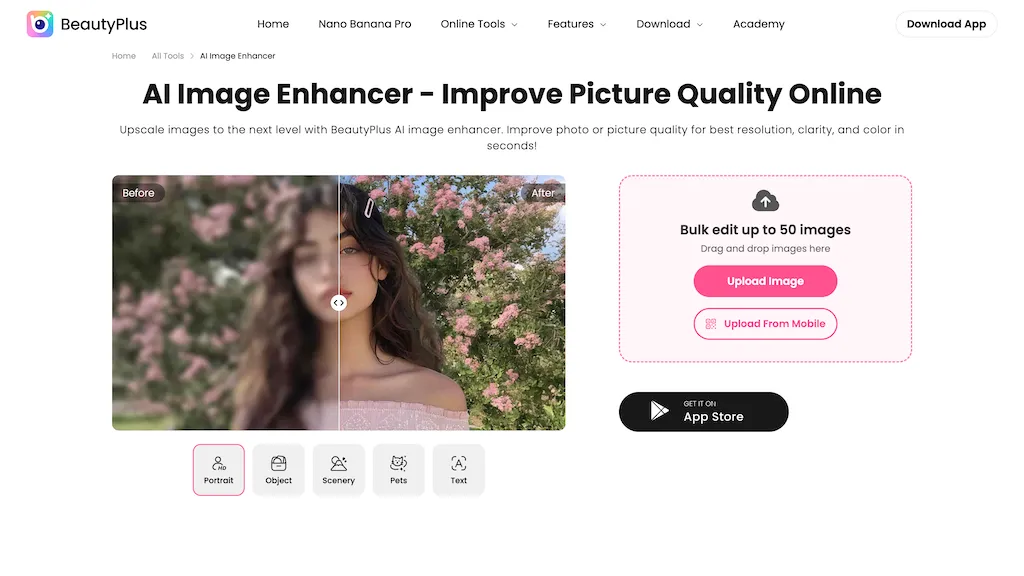
50% positive · 4 user reviews Free trialBeautyPlus AI Image Enhancer automates photo and video improvement with AI-driven noise reduction, deblurring, color/contrast correction, 4K upscaling, bulk editing (up to 50), background/object/watermark removal, face tools, and restoration/colorization for print, e-commerce, and social use.
We've ranked 29 BeautyPlus Image Enhancer alternatives, including 20 with a free plan. Rankings are based on feature coverage and user feedbacks.
Top-rated alternatives include BeautyPlus, Imgupscaler AI, and EnhancePhoto AI.
29 BeautyPlus Image Enhancer Alternatives & Competitors, Ranked by User Reviews
Click Compare on any tool to compare it side-by-side with BeautyPlus Image Enhancer.
 #1
BeautyPlus
#1
BeautyPlus
BeautyPlus - Versatile AI tool for effortless photo & video editing; offers face reshaping, filter & sticker additions; perfect for enhancing selfies & videos.
 #2
Imgupscaler AI
#2
Imgupscaler AI
Imgupscaler is an AI tool for enhancing image quality by upscaling images to 4K resolution. It supports multiple formats and restores details while reducing noise, making it suitable for e-commerce, social media, and graphic design.
 #3
EnhancePhoto AI
#3
EnhancePhoto AI
Enhancephoto.ai is a web-based AI tool that improves low-resolution images to high-quality versions up to 16k. It restores missing details without blurring and enables users to enhance three images simultaneously without registration.
 #4
HitPaw Photo Enhancer
#4
HitPaw Photo Enhancer
HitPaw FotorPea automatically enhances photos by applying AI models for sharpening, denoising, face and color correction. It unblurs images, upsizes to 4K/8K, restores old photos, removes backgrounds, and generates images from text prompts.
 #5
anvsoft.com
#5
anvsoft.com
AVCLabs Video Enhancer AI uses deep learning to upscale, denoise, sharpen, colorize, and interpolate frames, automatically detecting and refining faces. It supports batch conversion, preview comparison, multiple formats, preserves frame rates, and leaves originals unaltered.
 #6
Smart Upscaler
#6
Smart Upscaler
AI-driven image upscaler that enlarges photos to 7680 × 7680 px, supporting JPEG, PNG, WebP and up to 500 images per batch. It offers an API for sharpening, noise reduction, and a Mac app with background removal, photographers, designers, marketers, and social media managers.
- Catch deals before they expire
- Unlock tools matched to you
- Show off your AI stacks
Already a member? Sign in
 #7
Let’s Enhance
#7
Let’s Enhance
LetsEnhance is an AI image editor that upscales up to 512 MP, sharpens, restores, and removes compression artifacts from JPG, PNG, or WebP files. It supports batch processing, high‑resolution outputs for prints and AI art, preserving natural texture without watermarks.
 #8
AI Image Enhancer
#8
AI Image Enhancer
AI‑powered Image Enhancer Online upsizes and restores photos and videos to 4K/8K, applies style filters, face/background edits, and batch drag‑and‑drop processing. It serves hobbyists, photographers, designers, and marketers seeking quick, high‑quality image improvements.
 #9
AVCLabs Photo Enhancer AI Online
#9
AVCLabs Photo Enhancer AI Online
The AI tool is an online image enhancement platform that automatically improves the quality of images using deep learning algorithms, allowing users to upscale, denoise, restore, and refine faces in photos.
 #10
Upscale.media
#10
Upscale.media
Upscale.media is a browser-based AI upscaler that increases image and short-video resolution up to 2×/4×/8×, reconstructs detail, reduces noise/artifacts, and offers deblur, sharpen, colorisation, face restoration, batch processing and API access.
 #11
Vmake Video Enhancer
#11
Vmake Video Enhancer
Vmake AI Video Enhancer upsamples MP4, MOV, AVI, etc. to 2K/4K/AI 4K+, removes artifacts, improves low‑light, reduces noise, and offers watermark/text removal, background elimination, and subtitle generation, giving creators, e‑commerce, and gamers sharper, cleaner videos.

Imglarger is an image enhancer that upsamples photos up to 8×, supports batch processing, and offers background, object, and face retouch tools. It converts WebP, JPEG, PNG, SVG, JFIF formats and lets users adjust brightness, contrast, and saturation via web or mobile.
 #13
HitPaw Photo AI
#13
HitPaw Photo AI
AI image enhancer that upscales up to 4×, removes noise, sharpens blur, and can enhance faces or colorize. Handles .png/.jpg/.webp/.tif/.bmp/.raw and outputs the same formats. Windows, macOS and Photoshop plugin supported.
 #14
PhotoEnhanceAI
#14
PhotoEnhanceAI
PhotoEnhance AI: Innovative tool with advanced image upscaling, face restoration, background removal, night enhancement, scratch & object removal for seamless photo transformation via AI-enhanced detailing.
 #15
Unblurimage AI
#15
Unblurimage AI
Unblur Image is an AI-powered tool that enhances blurry photos by removing motion blur, poor focus, and noise. It supports various formats, batch processing, and upscaling to 4K resolution for improved image quality and clarity.
 #16
AI Photo Enhancer
#16
AI Photo Enhancer
AI Photo Enhancer.pro is a free AI tool that automatically enhances image quality. It upscales images to 4K, sharpens details, reduces noise, and corrects colors with a simple drag-and-drop interface.
 #17
Face26.com
#17
Face26.com
Face26 is an AI photo enhancer that improves image quality with denoising, color correction, upscaling, recoloring, and background removal. It supports photo‑realistic art, animated versions, and headshot creation, available on web and mobile.
 #18
PicWish
#18
PicWish
PicWish AI Photo Editor automates image enhancement, background removal, and watermark deletion. It processes batches of up to 30 files, offering resizing, lighting, upscaling, AI Designer prompts, Face Cutout, and single‑click unblur/sharpen. Available on Windows, macOS, iOS, Android, and browser.
 #19
AIUpscaler.ai
#19
AIUpscaler.ai
AIUpscaler.ai is a browser-based AI tool that instantly enhances photos and videos to HD or 4K resolution with one click. It upscales, sharpens, and restores detail directly in your browser while preserving colors and ensuring privacy.
 #20
Artedge AI
#20
Artedge AI
ArtEdge AI upscales and enhances photos to 4K, reducing blur and noise while restoring faces, logos and old or raw images. Server-side processing handles JPG, PNG and WebP up to 50 MB with fast drag-and-drop uploads.
 #21
HitPaw Online Video Enhancer
#21
HitPaw Online Video Enhancer
Upload video files (MP4, MOV, MKV, M4V, AVI) and apply AI models—Face, Animation, Denoise, Low‑Light, Colorize—to improve clarity, reduce noise, brighten dark scenes, or add color. Preview changes, upscale to 4K, then download without watermarks.
 #22
HitPaw Online Photo Enhancer
#22
HitPaw Online Photo Enhancer
HitPaw AI Photo Enhancer upsamples images up to 8×, removes blur and noise, sharpens detail, and restores color for JPG, PNG, and WebP files. Works on web, desktop, and mobile with batch processing, aiding photographers, designers, and archivists.
 #23
ImgUpscaler online
#23
ImgUpscaler online
ImgUpscaler.online is an AI-powered tool that instantly upscales low-resolution images to HD, 4K, or Ultra quality, reducing blur while preserving detail. It offers batch processing and is designed for photographers, e-commerce, and real estate to enhance web and print visuals.
 #24
PhotoEditor.ai
#24
PhotoEditor.ai
PhotoEditor.ai edits JPG, PNG, HEIC, and WEBP images up to 15 MB in a browser or mobile app. It offers portrait transformation, background removal, detail enhancement, and 4K upscaling, delivering instant downloads for photographers, marketers, and designers.
 #25
Image Upscaler AI
#25
Image Upscaler AI
Image Upscaler AI enlarges photos, cartoons, and images up to 400 % using AI while preserving aspect ratio. Users upload via drag‑and‑drop, receive high‑resolution downloads within seconds, with files kept temporarily for privacy.
 #26
Img Upscaler
#26
Img Upscaler
ImgUpscaler enlarges JPG, PNG, WebP images up to 400 % using super‑resolution, producing 16k × 16k outputs with minimal detail loss. Batch up to 5 images, offers basic editing, deletes uploads after 24 h, free commercial use.
 #27
AnyEnhancer
#27
AnyEnhancer
AnyEnhancer AI video enhancer upsamples footage to 4K/2K, improves color fidelity, restores facial details, denoises, and interpolates frames. It runs on Windows and macOS, supports batch processing, real‑time preview, and direct export.
 #28
Remaker AI
#28
Remaker AI
remaker ai offers web and mobile AI image and video editing for creators and teams, including upscaling, background removal, object erasing, face swap, text-to-image, lip-sync, batch processing and templates for short-form social content.
 #29
VanceAI
#29
VanceAI
VanceAI offers AI‑driven image enhancement tools—upscaling, sharpening, denoising, background removal, restoration, and cartoonization. Supports batch processing and a Windows desktop app, enabling quick, detail‑preserving edits for photographers, designers, and e‑commerce sellers.