
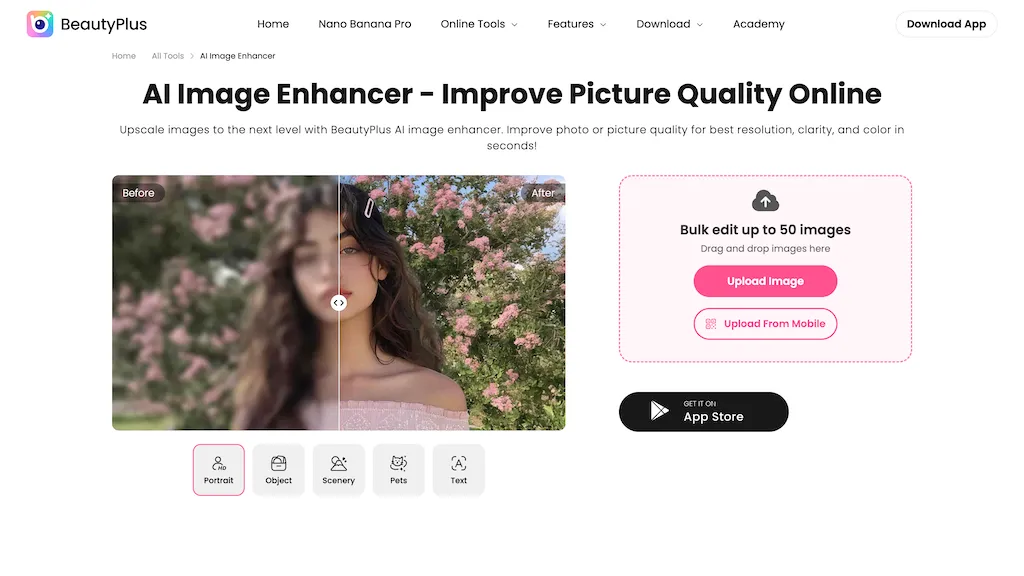
What is BeautyPlus Image Enhancer?
BeautyPlus AI Image Enhancer automates photo improvement with AI-driven tools for noise reduction, deblurring, color correction, contrast adjustment, and skin retouching. The image upscaler restores and increases pixel count for higher-resolution output, supporting upscaling to 4K for print, product photos, and marketing assets. Bulk edit workflows handle batches (up to 50 images) and accept drag-and-drop uploads from web or mobile to speed processing for photographers, e-commerce teams, and social media creators. Additional editing modules include background remover, object remover, watermark remover, face swap, face-shape analysis, and AI photo restoration and colorization for archival photos. The tool also offers video enhancement features to unblur and upscale footage and exports optimized files for sharing, printing, or web use.
BeautyPlus Image Enhancer details
- Company
- Pixocial Technology (Singapore) Pte. Ltd.
- Jurisdiction
- Singapore
- Built for
- Individuals
- Stated compliance
- GDPR, CCPA
Compliance as stated in BeautyPlus Image Enhancer's own published documentation.
BeautyPlus Image Enhancer pricing
Free trialBeautyPlus Image Enhancer offers a free trial before requiring payment.
- Auto-renewal
- Yes
Verify on the official pricing page.
Start free trialBeautyPlus Image Enhancer's key features
-
AI-driven image enhancement (noise reduction, deblurring, color correction, contrast adjustment, skin retouching)
-
Image upscaler that restores and increases pixel count, supporting upscaling to 4K
-
Bulk edit workflow with drag-and-drop uploads and batch processing (up to 50 images)
-
Editing modules: background remover, object remover, watermark remover, face swap, face-shape analysis, photo restoration and colorization
-
Video enhancement and upscaling with export of optimized files for printing, web, or sharing
BeautyPlus Image Enhancer use cases
-
Prepare consistent, high-converting e-commerce product images by using BeautyPlus AI Image Enhancer to bulk edit up to 50 photos at once—apply noise reduction, color/contrast correction, 4K upscaling, background removal and watermark cleanup to achieve clean, print-ready listings that boost sales
-
Restore and digitize family archives or historical photos for print and framing with BeautyPlus AI Image Enhancer’s photo restoration and colorization tools—remove scratches and noise, deblur faces, enhance details, and upscale to 4K for museum-quality reproductions
-
Produce polished social and video content for creators and marketers by enhancing clips and thumbnails with BeautyPlus AI Image Enhancer—improve video quality, denoise and deblur footage, apply facial touch-ups, remove unwanted objects or backgrounds, and batch-process assets for consistent branding across platforms
BeautyPlus Image Enhancer user reviews
Based on 4 reviews, 50% of users recommend BeautyPlus Image Enhancer, rated highly for value for money.
Liked for
Disliked for
Would you recommend BeautyPlus Image Enhancer?
Who is BeautyPlus Image Enhancer for?
-
Photo editors
-
Content creators
-
E-commerce sellers
-
Marketing teams
-
Product designers
BeautyPlus Image Enhancer FAQ
Is BeautyPlus Image Enhancer free?
Not permanently. BeautyPlus Image Enhancer gives you a free trial, after which a paid plan is required.
Is BeautyPlus Image Enhancer safe to use?
BeautyPlus Image Enhancer states GDPR and CCPA compliance in its own published documentation. BeautyPlus Image Enhancer is operated by Pixocial Technology (Singapore) Pte. Ltd., registered in Singapore.
What are the best alternatives to BeautyPlus Image Enhancer?
The closest alternatives to BeautyPlus Image Enhancer are Smart Upscaler, Imgupscaler AI, AI Photo Enhancer, Unblurimage AI and AI Image Enhancer. You can compare them side by side in the alternatives section further down this page.
What does BeautyPlus Image Enhancer do with my data?
BeautyPlus Image Enhancer states that customer content may be used to train its models. Its privacy policy states that personal data is sold or shared for marketing purposes. Data may be shared with third-party service providers that help run the product.
Does BeautyPlus Image Enhancer auto-renew or offer refunds?
BeautyPlus Image Enhancer subscriptions renew automatically until you cancel.
Is there a mobile app for BeautyPlus Image Enhancer?
Yes. BeautyPlus Image Enhancer has a mobile app alongside its web version.
Who made BeautyPlus Image Enhancer?
BeautyPlus Image Enhancer is built and operated by Pixocial Technology (Singapore) Pte. Ltd., a company registered in Singapore.
Compliance, privacy and billing terms are as stated in each product's own published documentation and have not been independently verified by TopAI.tools.


