
Top 29 Alloy.app Alternatives in 2026
80% positive · 5 user reviews FreemiumAlloy.app is an AI prototyping tool that enables product teams to create on-brand, production-like prototypes. It captures web components via a browser extension and integrates with design tools like Figma for rapid, seamless workflow.
We've ranked 29 Alloy.app alternatives, including 22 with a free plan. Rankings are based on feature coverage and user feedbacks.
Top-rated alternatives include Bolt AI Dev, Flowstep.ai, and UX Magic.
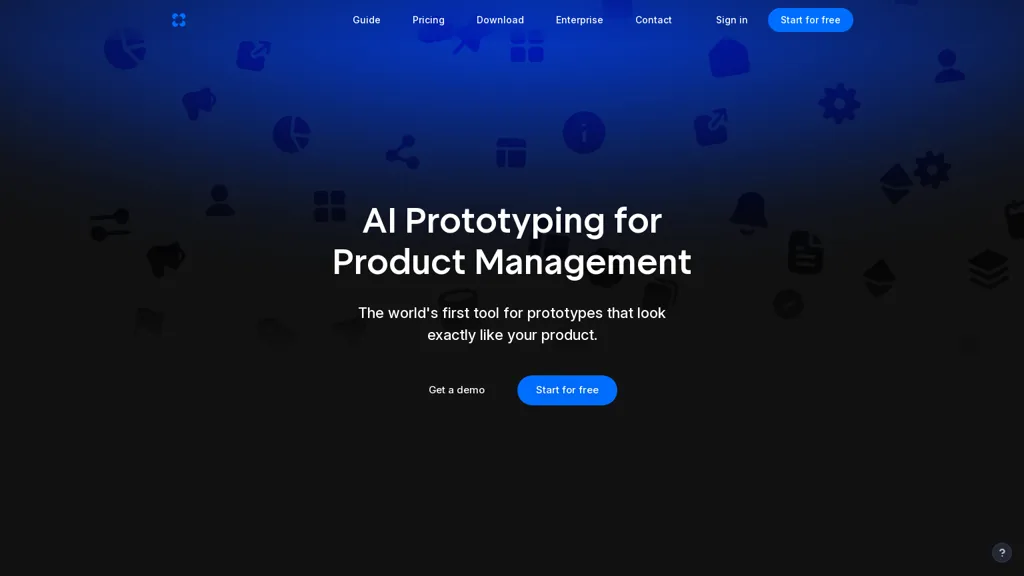
29 Alloy.app Alternatives & Competitors, Ranked by User Reviews
Click Compare on any tool to compare it side-by-side with Alloy.app.
 #1
Bolt AI Dev
#1
Bolt AI Dev
BoltAI.dev is a no-code platform for web UI development, offering a drag-and-drop interface and AI-driven tools for prototyping. It enables rapid iteration, testing, and provides customizable frameworks with built-in data privacy controls.
 #2
Flowstep.ai
#2
Flowstep.ai
Flowstep is an AI design assistant for UI/UX teams that accelerates prototyping and layout generation, manages design systems and component libraries, supports collaborative editing, version control, role-based access, responsive templates, and developer-ready exports.
 #3
UX Magic
#3
UX Magic
UX Magic.ai is an AI-powered design platform that generates high-fidelity wireframes, UI components, and production-ready code from prompts, sketches, or URLs. It enables collaborative workflows with intelligent editing and exports directly to tools like Figma, React, and Webflow.
 #4
Baked Design Studio
#4
Baked Design Studio
An AI‑first design studio partners with founder‑led startups, turning Figma prototypes into MVPs in minutes and boosting developer productivity up to 70%. It delivers web, mobile, and marketing sprints, UI standardization, design system implementation, and Slack updates.
 #5
Visily AI
#5
Visily AI
Visily is an AI‑powered UI design tool that lets users create wireframes, mockups, and prototypes via drag‑and‑drop, generate designs from text, convert screenshots, auto‑apply UI patterns, and support real‑time collaboration and Figma integration.
 #6
Magic Patterns
#6
Magic Patterns
Magic Patterns is an AI design tool that generates UI and high-fidelity prototypes from ideas, screenshots, or imported design systems, matching existing styles and tokens, enabling rapid prototyping, real-time collaboration, exportable user-testing screens, and enterprise controls.
- Catch deals before they expire
- Unlock tools matched to you
- Show off your AI stacks
Already a member? Sign in
 #7
Sketchflow AI
#7
Sketchflow AI
Generates AI-driven UI designs, editable interface pages and interactive prototypes from text or images, producing responsive web and native iOS/Android layouts plus one-click front-end code (React, Android Java, iOS Swift) for rapid prototyping and handoff.
 #8
AIUI.me
#8
AIUI.me
AIUI.me transforms UI screenshots into clean React.js components styled with TailwindCSS. Upload a design, get ready‑to‑use code that developers can copy or download, and designers can adjust colors, sizes, and layouts for rapid prototyping.
 #9
gptengineer.app
#9
gptengineer.app
AI App Builder turns plain‑language app ideas into functional web prototypes. Drop screenshots, iterate design and code in real time, then deploy instantly. Built‑in templates cover portfolios, e‑commerce, and events, with export, hosting, and version‑control integration.
 #10
App Alchemy
#10
App Alchemy
App Alchemy is an AI tool that quickly generates app mockups from user descriptions, enabling rapid design iteration and seamless export, making it ideal for entrepreneurs and developers seeking efficiency in app design without extensive resources.
 #11
Uizard
#11
Uizard
Uizard converts text or screenshots into editable wireframes, mockups, and prototypes using AI. It offers screenshot and wireframe scanners, theme generation, ready‑made templates, a shared component library, real‑time collaboration, version control, and export to Figma and other tools.
 #12
ProtoBoost.ai
#12
ProtoBoost.ai
Protoboost.ai accelerates prototyping by turning ideas into high-fidelity prototypes and actionable business plans quickly. It offers customizable features for collaboration, market research, and user validation, streamlining the development process while ensuring data security.
 #13
Supernova.io
#13
Supernova.io
Supernova.io is an AI collaborative workspace enabling product teams to prototype, manage design systems, sync tokens, convert Figma prototypes into production-ready components and code, and maintain searchable documentation, governance, and integrations for cross-team alignment.
 #14
AI Canvas
#14
AI Canvas
Kive automatically creates on‑brand product images from a URL or upload, applying preset styles like studio clean or editorial. It integrates product data, preserves lighting and color consistency, and lets teams edit and manage assets in a single workflow.
 #15
UI Faces with AI
#15
UI Faces with AI
UI Faces offers a free library of high‑quality AI avatars—Human, Alien, Cartoon, and Abstract—plus 100 detailed personas. Designers can browse, download, or insert them via Figma or Adobe Express plugins, speeding prototype development and maintaining visual consistency.
 #16
Polymet
#16
Polymet
Polymet is an AI-driven design tool for quick idea prototyping and product design. It integrates with Figma, supports various frameworks, and facilitates collaboration, allowing users to upload, edit, and preview designs efficiently.
 #17
STUDIO
#17
STUDIO
Web Design Using AI generates website designs with artificial intelligence.
 #18
Template.net
#18
Template.net
Template.net's AI Production Engine is a content creation platform that instantly generates structured, layered outputs with full customization, leveraging AI agents for various industries.
 #19
Kiro AI
#19
Kiro AI
Kiro AI is an AI-powered IDE that transforms user prompts into specifications and structured tasks to accelerate prototype development and collaboration. It automates repetitive coding tasks with AI agents, supports multimodal input, and integrates with VS Code while ensuring security and privacy.
 #20
TopView.ai
#20
TopView.ai
AI Video Agent converts text, product images or URLs, and reference clips into full‑scripted, brand‑aligned videos, automatically planning scenes, adding visual effects, and allowing prompt‑based refinement for fast marketing and social content creation.
 #21
Banani
#21
Banani
Banani is an AI tool that converts text descriptions into interactive UI prototypes, enabling quick wireframe creation for various platforms. It simplifies design processes, allowing customization, real-time collaboration, and easy sharing without requiring advanced skills.
 #22
Codia ai
#22
Codia ai
Codia AI transforms visual assets—Figma, PDF, Photoshop, Canva, Web, Office—into editable formats or code. It detects UI patterns, outputs JSON, SVG, or Figma layers, and generates responsive code, streamlining design‑to‑code workflows for teams.
 #23
AI-Flow
#23
AI-Flow
AI-Flow is a no‑code platform enabling creators to build and run AI workflows via drag‑and‑drop, integrating models from OpenAI, StabilityAI, Anthropic, and Replicate for batch image, video, and content summarization.
 #24
Figr Co-pilot
#24
Figr Co-pilot
Figr AI is an AI‑driven design platform that generates high‑fidelity mobile and web screens, landing pages, and prototypes in one environment. It uses a memory engine for product intelligence, supports PRD drafting, benchmark research, and design system token management.
 #25
components.ai
#25
components.ai
Components AI is an open‑source, no‑code platform that lets designers build responsive components and sites with visual generative modules. It provides theme‑based design tokens, 1000+ fonts, variable‑font control, export to React, SVG, CSS, and one‑click publishing with built‑in accessibility checks.
 #26
sampleapp.ai
#26
sampleapp.ai
SampleApp.ai enables rapid application prototyping and API integration within 60 seconds. It uses AI to generate customized sample applications, offers OAuth security, versioning, analytics, and forking capabilities, streamlining developer onboarding and enhancing engagement.
 #27
Piktochart
#27
Piktochart
Piktochart is an AI‑powered visual creation platform that turns text into infographics, charts, and videos within seconds. It offers templates, a brand kit, collaborative editing, interactive graphics, and export options for print and digital use.
 #28
Ideator AI
#28
Ideator AI
Ideator AI is an innovative tool for designers and innovators, featuring iterative functionality to generate interactive variations while preserving the primary purpose. It facilitates user flows, scenario constraints, and UX principles, fostering enhanced creativity in design exploration.
 #29
Locofy.ai
#29
Locofy.ai
Locofy.ai is an AI-driven tool that expedites design-to-code workflows using intelligent models. It provides a low-code interface, integrates with design tools, and offers one-click code export. Enhanced by features like instant previews, code syncing, and GitHub integration, Locofy streamlines frontend development and collaboration.
Frequently Asked Questions
Why look for Alloy.app alternatives?
Common reasons users switch from Alloy.app:
- Feature gaps: teams needing specific capabilities like Create prototypes may find a more focused alternative better suited to their workflow.
- Flexibility: exploring alternatives helps find tools that better match your team size, integrations, and budget.
What is the best alternative to Alloy.app?
Based on 5 user reviews, Bolt AI Dev (60% positive) ranks as the top Alloy.app alternative. BoltAI.dev is a no-code platform for web UI development, offering a drag-and-drop interface and AI-driven tools for prototyping. It enables rapid iter It is available on a Free plan.
How do the top Alloy.app alternatives compare?
| Tool | Pricing | Starting Price | User Rating |
|---|---|---|---|
| Alloy.app this tool | Freemium | — | 80% (5) |
| Bolt AI Dev | Free | — | 60% (5) |
| Flowstep.ai | Subscription | — | 50% (4) |
| UX Magic | Free trial | — | 57.1% (7) |
| Baked Design Studio | Subscription | $5417/mo | — |
| Visily AI | Freemium | — | 61.9% (21) |
Are there free Alloy.app alternatives?
Yes, 22 free alternatives found in our list: Bolt AI Dev, UX Magic, Visily AI. and 19 more — use the pricing filter above to see them all.
What should I look for in a Alloy.app alternative?
- Core capabilities: confirm the tool supports Create prototypes, Build flows, Edit layouts.
- Pricing transparency: look for clear free plan, trial period, or tiered pricing — avoid tools that hide costs.
- User reviews: check both the satisfaction percentage and the number of reviews; a high score from few users is less reliable.
- Integrations: verify it connects with your existing stack before committing.
- Support and updates: active development and responsive support are strong signals of a maintained product.
Which Alloy.app alternative has the highest user rating?
Magic Patterns has the highest satisfaction score among Alloy.app alternatives, with 100% positive from 1 user review. It is available on a Freemium plan.
What are Alloy.app alternatives used for?
- Create prototypes
- Build flows
- Edit layouts
- Generate designs
- Automate testing