
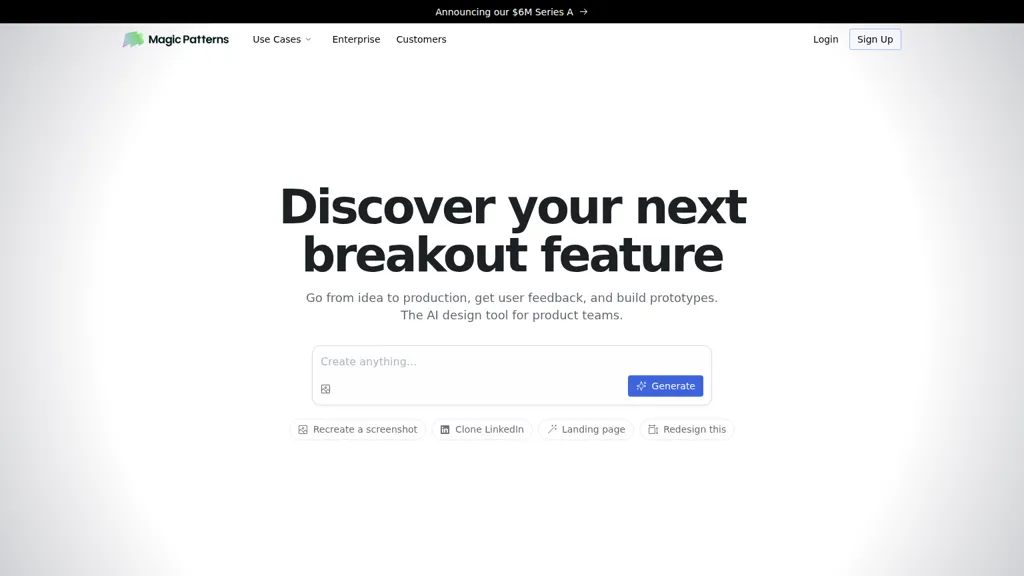
What is Magic Patterns?
Magic Patterns is an AI design tool for product teams that generates UI and high-fidelity prototypes from ideas, screenshots, or imported design systems.
Generate UI that matches your product’s existing styles, copy design system tokens, and reproduce exact styling across screens.
Rapid prototyping features let designers and product managers iterate on new features, build experiments, and move designs toward production.
Real-time multiplayer collaboration enables designers and engineers to edit, share, and iterate live on designs.
Exportable prototypes and user-testing-ready screens support customer feedback loops and validation.
Enterprise controls provide security and compliance options for corporate design workflows and protected prototypes.
Common use cases include landing page cloning, screenshot recreation, UI component assembly, and multi-page app prototyping for founders, product teams, and frontend engineers.
Magic Patterns details
- Company
- North Park Labs, Inc.
- Jurisdiction
- Delaware, USA
- Built for
- Businesses and teams
- Stated compliance
- SOC 2, GDPR, ISO 27001, CCPA
Compliance as stated in Magic Patterns's own published documentation.
Magic Patterns tech specs
- Integrations
- GitHub
Magic Patterns pricing
FreemiumMagic Patterns offers a free plan with paid upgrades available.
Verify on the official pricing page.
View plansMagic Patterns's key features
-
AI-generated UI that matches your product's existing styling
-
Recreate UI from screenshots and clone existing pages
-
Import design systems to replicate exact styles and components
-
Real-time multiplayer collaboration for editing and sharing designs
-
Enterprise-grade security and compliance for prototypes
Magic Patterns use cases
-
Convert rough ideas, sketches, or screenshots into high-fidelity, clickable prototypes with Magic Patterns, automatically matching your design system’s styles and tokens so you can run user tests and iterate without coding
-
Import existing design systems or clone landing pages to generate production-ready UI components and consistent layouts, accelerating handoff to developers while preserving tokens, accessibility, and enterprise controls
-
Work with teammates in real time to prototype, refine, and export shareable user-testing screens from live designs or uploaded screenshots, enabling fast validation, versioning, and secure collaboration across product teams
Magic Patterns user reviews
Based on 1 review, 100% of users recommend Magic Patterns, rated highly for quality results.
Liked for
Would you recommend Magic Patterns?
Who is Magic Patterns for?
-
Designers
-
Product managers
-
Developers
-
Design systems
-
Prototypers
Magic Patterns FAQ
Is Magic Patterns free?
Partly. Magic Patterns has a free plan with usage limits, and paid plans unlock the full feature set.
Is Magic Patterns safe to use?
Magic Patterns states SOC 2, GDPR, ISO 27001 and CCPA compliance in its own published documentation. Magic Patterns is operated by North Park Labs, Inc., registered in Delaware, USA. It has a substantial audience that is independently measured month to month.
What are the best alternatives to Magic Patterns?
The closest alternatives to Magic Patterns are Sketchflow AI, Banani, UX Magic, Stitch - Google and App Alchemy. You can compare them side by side in the alternatives section further down this page.
What does Magic Patterns do with my data?
Magic Patterns states that customer content may be used to train its models. Its privacy policy states that personal data is not sold or shared for marketing purposes. Data may be shared with third-party service providers that help run the product.
Does Magic Patterns have an API?
Yes. Magic Patterns offers an API, so you can call it from your own applications instead of using the interface directly.
Who made Magic Patterns?
Magic Patterns is built and operated by North Park Labs, Inc., a company registered in Delaware, USA.
What does Magic Patterns integrate with?
Magic Patterns connects with GitHub.
Compliance, privacy and billing terms are as stated in each product's own published documentation and have not been independently verified by TopAI.tools.


