
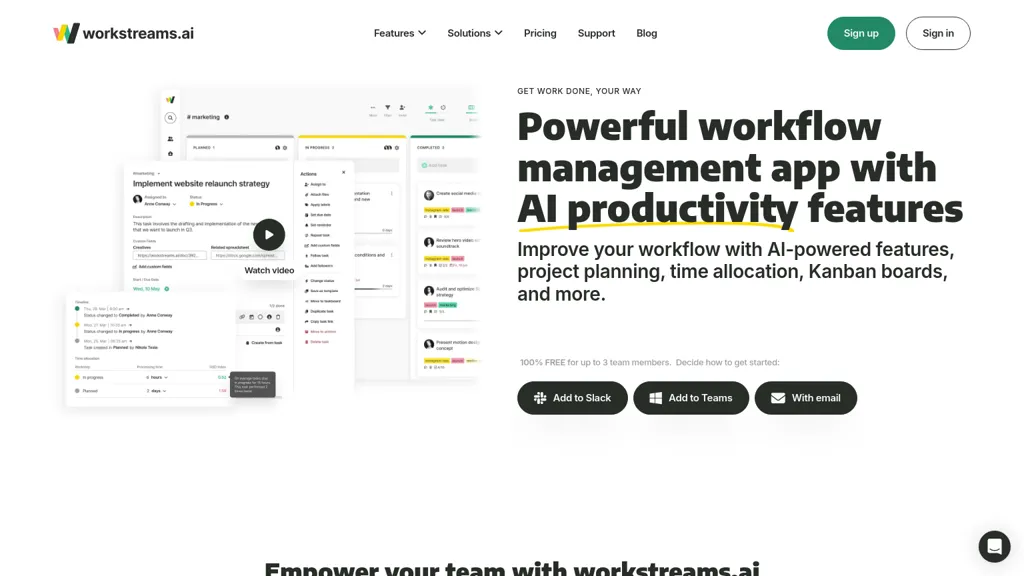
What is workstreams.ai?
workstreams.ai is an AI‑driven task and workflow management platform that lets teams create, track, and complete projects within a single interface.
Its AI Task Description Generator turns prompts into detailed tasks, while the Action Item feature converts these descriptions into checkable subtasks that can be assigned to team members.
Time Allocation tracks effort spent on each task, giving insight into productivity and helping teams identify bottlenecks.
Frozen Tasks marks work that has stalled, providing a visual cue to re‑engage stalled work items.
A built‑in In‑App Calendar offers monthly, weekly, and daily views and marks completed or overdue tasks automatically.
Kanban boards underpin all workflows, supporting flexible, collaborative planning and real‑time status updates.
Workstreams.ai integrates natively with Slack and Microsoft Teams, allowing users to create tasks directly in chat, set auto‑forwarding rules, and automate handover, review, and feedback loops for marketing, HR, customer support, IT development, and sales teams.
workstreams.ai details
- Company
- Bioworx.net LTD
- Jurisdiction
- England and Wales
- Built for
- Businesses and teams
workstreams.ai tech specs
- Integrations
- Slack Microsoft Teams
workstreams.ai pricing
Free- Free trial
- 14 days
Verify on the official pricing page.
Get started freeworkstreams.ai's key features
-
AI Subtask Generator
-
AI Task Description
-
AI Prompt Collaboration
-
Customizable Workflow Settings
-
Global Search Function
-
Calendar Integration Feature
-
Dark Mode Support
workstreams.ai use cases
-
Generate detailed tasks and subtasks from a project brief, automatically allocate time and assign to team members while monitoring progress on a Kanban board
-
Create tasks directly from Slack or Teams messages and receive real‑time status updates in the same chat, flagging stalled work automatically
-
Schedule sprints and deadlines in the in‑app calendar, visualizing task loads and ensuring no conflicts across the team’s calendar
workstreams.ai user reviews
Would you recommend workstreams.ai?
Who is workstreams.ai for?
-
Project managers
-
Workflow analysts
-
Collaboration managers
-
Kanban enthusiasts
-
Task creators
workstreams.ai FAQ
Is workstreams.ai free?
Yes. workstreams.ai is free to use and does not require a credit card.
Is workstreams.ai safe to use?
workstreams.ai is operated by Bioworx.net LTD, registered in England and Wales.
What are the best alternatives to workstreams.ai?
The closest alternatives to workstreams.ai are Motion AI, Taskaid AI, Taskade, Saga AI and dypt. You can compare them side by side in the alternatives section further down this page.
What does workstreams.ai do with my data?
Its privacy policy states that personal data is not sold or shared for marketing purposes.
Who made workstreams.ai?
workstreams.ai is built and operated by Bioworx.net LTD, a company registered in England and Wales.
What does workstreams.ai integrate with?
workstreams.ai connects with Slack and Microsoft Teams.
Compliance, privacy and billing terms are as stated in each product's own published documentation and have not been independently verified by TopAI.tools.


