
What is Peony?
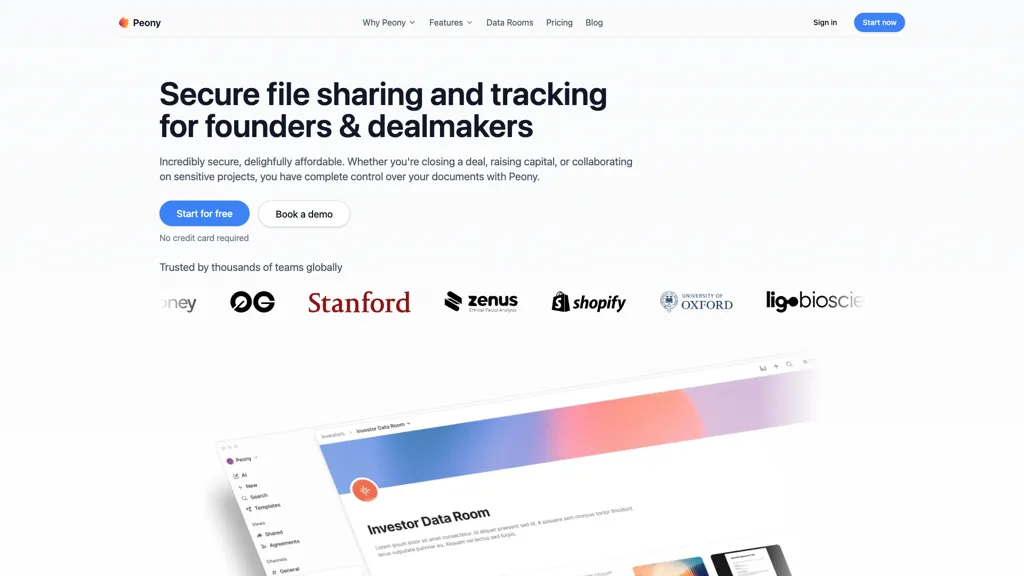
Peony is an AI-native data room designed for secure document sharing and analytics, catering primarily to founders and dealmakers. It offers a comprehensive suite of features that includes advanced document security measures such as password protection, watermarking, and two-factor authentication to safeguard sensitive information.
Users can benefit from real-time tracking analytics to monitor document engagement, including which files are accessed and how long recipients spend on each page. Additionally, Peony facilitates seamless e-signature processes with legally binding compliance, ensuring efficient contract management.
The tool enhances team collaboration with public and private channels, allowing file sharing and communication without switching applications. Customizable branded sharing options ensure that all shared materials maintain a professional appearance, supporting effective client and partner interactions.
Peony details
- Company
- Peony (US) Inc.
- Jurisdiction
- United States
- Built for
- Individuals
- Data residency
- United States
- Stated compliance
- SOC 2, GDPR, HIPAA, CCPA
Compliance as stated in Peony's own published documentation.
Peony tech specs
- Works with
- Anthropic / Claude
- Integrations
- Google Workspace
Peony pricing
Free trialVerify on the official pricing page.
Start free trialPeony's key features
-
Advanced document security measures
-
Real-time tracking analytics
-
E-signature processes with legally binding compliance
-
Team collaboration with public and private channels
-
AI functionalities for document organization and retrieval
Peony use cases
-
Securely share sensitive investment proposals with potential investors using Peony's advanced document security features, ensuring that only authorized individuals have access to critical information
-
Utilize Peony's real-time tracking analytics to measure engagement on shared contracts, allowing founders to identify interested parties based on document interaction time and enhance follow-up strategies
-
Streamline collaboration with team members and clients by using Peony's seamless e-signature process for contracts, making it easy to manage agreements while maintaining compliance and professionalism in document presentation
Peony user reviews
Based on 1 review, 0% of users recommend Peony.
Disliked for
Would you recommend Peony?
Who is Peony for?
-
Data analysts
-
Business executives
-
Project managers
-
Legal teams
-
It administrators
Peony FAQ
Is Peony free?
Not permanently. Peony gives you a free trial, after which a paid plan is required. Plans include Pro at $20/mo and Business at $40/mo.
Is Peony safe to use?
Peony states SOC 2, GDPR, HIPAA and CCPA compliance in its own published documentation. Peony is operated by Peony (US) Inc., registered in United States. It has a substantial audience that is independently measured month to month.
What are the best alternatives to Peony?
The closest alternatives to Peony are TheDrive AI, Docaroo.ai, Box AI, iManage AI and My Own Document Vault. You can compare them side by side in the alternatives section further down this page.
What does Peony do with my data?
Peony states that customer content is not used to train its models. Its privacy policy states that personal data is not sold or shared for marketing purposes. Data may be shared with third-party service providers that help run the product. Customer data is held in United States.
Who made Peony?
Peony is built and operated by Peony (US) Inc., a company registered in United States.
Which AI models does Peony use?
Peony is built on Anthropic / Claude. Which models you can reach may depend on your plan.
What does Peony integrate with?
Peony connects with Google Workspace.
Compliance, privacy and billing terms are as stated in each product's own published documentation and have not been independently verified by TopAI.tools.


