
What is MagicRemover?
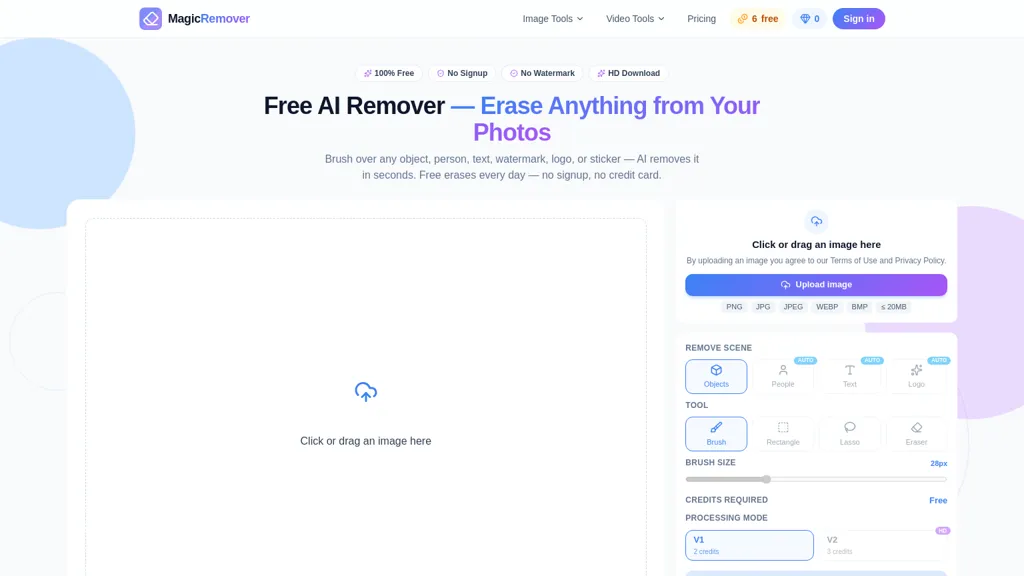
MagicRemover is an AI-driven object remover for photos that erases people, objects, text, logos, watermarks, and stickers. It applies an inpainting model to analyze surrounding pixels and synthesize matching background content to fill removed areas.
Editing controls include brush, lasso, rectangle, and automatic modes for precise selections. The tool runs in the browser and processes images in the cloud, enabling edits on desktop and mobile without local installation.
Outputs preserve surrounding texture, lighting, and perspective to maintain visual continuity after removal. Dedicated modes for people, logos, watermarks, and text streamline common workflows and simplify tasks like removing photobombers, clutter, timestamps, or brand marks.
MagicRemover details
- Built for
- Individuals
MagicRemover tech specs
- Payment Processors
- Stripe
MagicRemover pricing
Freemium- Auto-renewal
- Yes
Verify on the official pricing page.
View plansMagicRemover's key features
-
Removes people, objects, text, logos, watermarks, and stickers
-
Uses an inpainting model to analyze surrounding pixels and synthesize matching background content
-
Selection tools: brush, lasso, rectangle, and automatic modes
-
Runs in-browser with cloud-based image processing for desktop and mobile (no local installation)
-
Dedicated modes for people, logos, watermarks, and text
MagicRemover use cases
-
Clean up photos for personal or professional use by removing photobombers, stray people, or distracting objects with Magic Remover’s inpainting and precise selection tools directly in your browser on desktop or mobile, producing seamless backgrounds without manual editing
-
Prepare marketing and social media visuals by erasing logos, watermarks, text, or stickers from stock images using Magic Remover’s dedicated modes, enabling quick adaptation of assets for ads, presentations, or banners without additional software
-
Retouch product and real-estate photos to remove props, power lines, or unwanted signage with Magic Remover’s browser-based AI object remover to create clean, professional listings and speed up post-production
MagicRemover user reviews
Would you recommend MagicRemover?
Who is MagicRemover for?
-
Amateur photographers
-
Professional photographers
-
Social media influencers and content creators
-
Graphic designers
-
Marketing and advertising teams
-
E-commerce sellers and product photographers
-
Real estate agents and property photographers
-
Photo editors and retouchers
-
Small business owners creating visuals
-
Travel bloggers and mobile users
-
Journalists and pr professionals
-
Students and hobbyists
MagicRemover FAQ
Is MagicRemover free?
Partly. MagicRemover has a free plan with usage limits, and paid plans unlock the full feature set. Plans include Subscription plan - 500 credits (per credit price) at $0.026/credit, One-time pack - 500 credits (per credit price) at $0.060/credit, Subscription plan - 50 credits at $3.90/mo and One-time pack - 50 credits at $4.99.
What are the best alternatives to MagicRemover?
The closest alternatives to MagicRemover are Magic Eraser, jpgRM, Watermark Remover, Background Remover and Remove.bg. You can compare them side by side in the alternatives section further down this page.
What does MagicRemover do with my data?
MagicRemover states that customer content is not used to train its models. Its privacy policy states that personal data is not sold or shared for marketing purposes. Data may be shared with third-party service providers that help run the product.
Does MagicRemover auto-renew or offer refunds?
MagicRemover subscriptions renew automatically until you cancel.
Compliance, privacy and billing terms are as stated in each product's own published documentation and have not been independently verified by TopAI.tools.


