
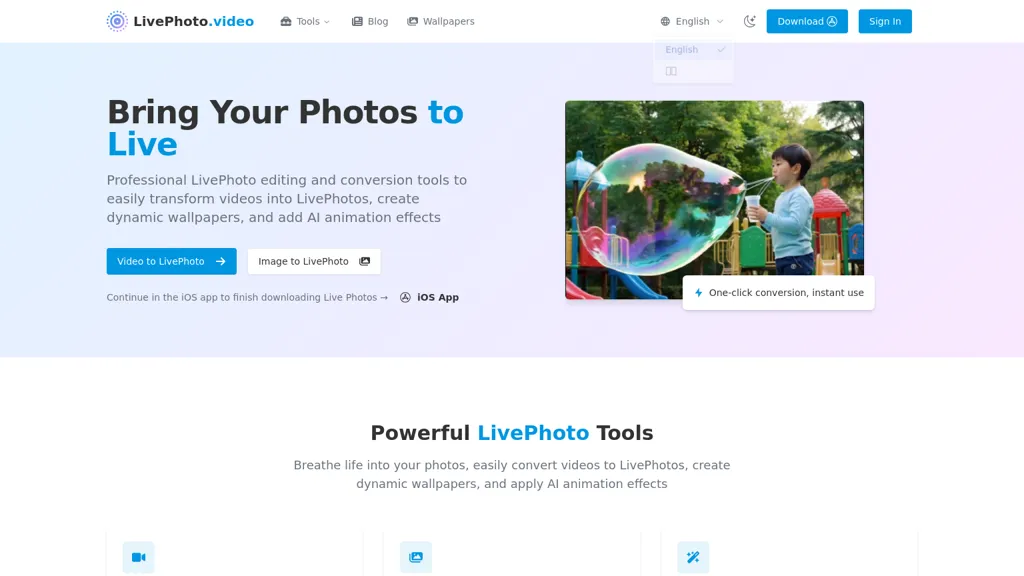
What is LivePhoto.video?
Livephoto.video converts videos and GIFs into Live Photos and dynamic wallpapers for iPhone.The tool provides AI animation effects and subject-aware motion to animate static photos and create natural-looking Live Photo sequences.
It supports multiple video formats, custom cropping and size adjustments, automatic display optimization, and multiple output formats for social sharing.One-click conversion saves results to the iPhone Camera Roll and enables setting Live Photos as lock screen wallpapers.
Users can convert Live Photos to GIFs (and vice versa), choose quality and platform-optimized sizes, and share directly to social platforms.The service targets photographers, digital artists, social media managers, and iPhone users seeking animated wallpapers and motion-ready images, and includes tutorials and an FAQ on Live Photo format and iOS usage.
LivePhoto.video pricing
FreemiumLivePhoto.video offers a free plan with paid upgrades available.
- Auto-renewal
- Yes
Verify on the official pricing page.
View plansLivePhoto.video's key features
-
Convert videos and GIFs into Live Photos and dynamic iPhone wallpapers
-
AI animation effects with subject-aware motion to animate static photos into Live Photo sequences
-
Support for multiple video formats and bidirectional conversion between Live Photos and GIFs
-
Custom cropping, size and quality adjustments with platform-optimized output sizes
-
One-click conversion with automatic display optimization, save to iPhone Camera Roll, set as lock screen wallpaper, and direct sharing to social platforms
LivePhoto.video use cases
-
Turn your favorite videos and GIFs into iPhone Live Photos and dynamic wallpapers with AI-driven subject-aware motion, using built-in cropping, quality and size options and one-click Camera Roll export for instant lock-screen personalization
-
Convert product photos or short demo clips into motion-ready images and animated wallpapers for ecommerce listings and portfolios to create attention-grabbing previews, optimize quality and size, and leverage Live Photo↔GIF conversion for multiple platforms
-
Create social-ready animated posts from GIFs or video clips by automatically resizing for Instagram, TikTok and Stories, applying subject-aware animation for more engaging content, and exporting optimized Live Photos or GIFs for easy sharing
LivePhoto.video user reviews
Based on 4 reviews, 25% of users recommend LivePhoto.video, rated highly for quality results.
Liked for
Disliked for
Would you recommend LivePhoto.video?
Who is LivePhoto.video for?
-
Creative designers
-
Motion graphics artists
-
Social media creators
-
Mobile app developers
-
Digital content producers
LivePhoto.video FAQ
Is LivePhoto.video free?
Partly. LivePhoto.video has a free plan with usage limits, and paid plans unlock the full feature set.
What are the best alternatives to LivePhoto.video?
The closest alternatives to LivePhoto.video are Animate Image AI, AIImagetoVideo.video, Image to Video AI, AIImageToVideo Pro and ImageToVideos.ai. You can compare them side by side in the alternatives section further down this page.
What does LivePhoto.video do with my data?
LivePhoto.video states that customer content is not used to train its models. Its privacy policy states that personal data is not sold or shared for marketing purposes. Data may be shared with third-party service providers that help run the product.
Does LivePhoto.video auto-renew or offer refunds?
LivePhoto.video subscriptions renew automatically until you cancel.
Is there a mobile app for LivePhoto.video?
Yes. LivePhoto.video has a mobile app alongside its web version.
Compliance, privacy and billing terms are as stated in each product's own published documentation and have not been independently verified by TopAI.tools.


