
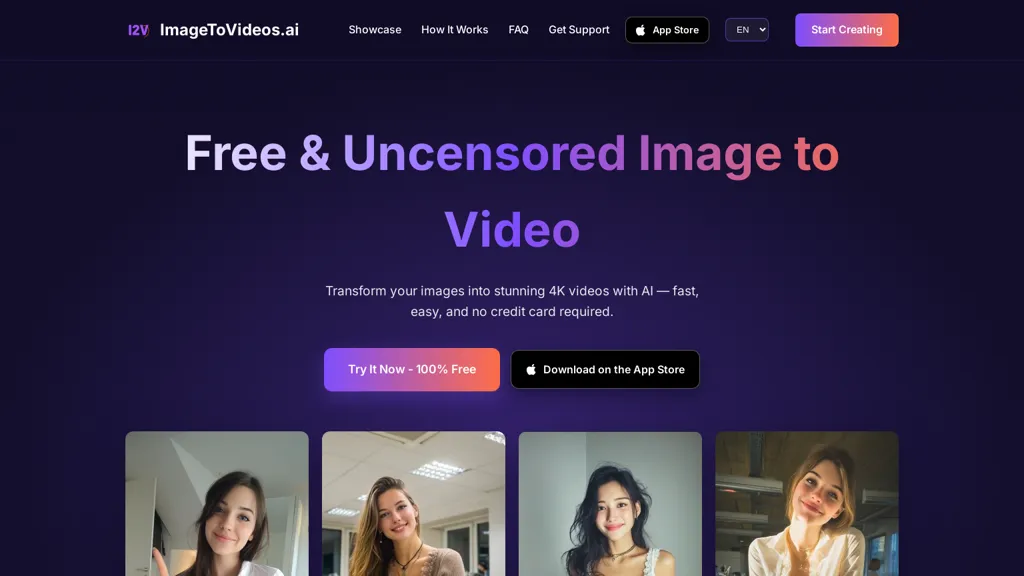
What is ImageToVideos.ai?
ImageToVideos.ai is an AI image-to-video generator that converts still images into prompt-driven animated videos.It accepts common image formats (JPG, PNG, WebP, GIF) and uses a drag-and-drop web workflow with natural-language prompts to specify motion.
The service produces high-resolution output up to 4K and typically generates videos within 30–60 seconds depending on image complexity and server load.The AI synthesizes fluid motion for elements such as hair, clothing, and facial expressions to produce realistic animation from static images.
The browser-based tool requires no software installation and offers optional project saving with an account.The platform does not impose platform-level content restrictions and allows commercial use of generated videos.
imagetovideos.ai is suited for content creators, social media managers, marketers, and filmmakers who need animated visuals from static imagery.
ImageToVideos.ai details
- Built for
- Individuals
- Data residency
- United States and/or European Union
- Stated compliance
- GDPR, CCPA
Compliance as stated in ImageToVideos.ai's own published documentation.
ImageToVideos.ai pricing
FreeThis tool is free to use, with no credit card required.
Verify on the official pricing page.
Get started freeImageToVideos.ai's key features
-
AI image-to-video generator converting still images into prompt-driven animated videos
-
Accepts JPG, PNG, WebP, and GIF input formats
-
Browser-based drag-and-drop workflow using natural-language prompts to specify motion (no software installation)
-
Produces high-resolution video output up to 4K
-
Synthesizes fluid motion for hair, clothing, and facial expressions to animate static images
ImageToVideos.ai use cases
-
Bring product photos to life for e-commerce and ads by animating models’ hair, clothing, and expressions with prompt-driven motion to create 4K short videos from a browser workflow that are licensed for commercial use
-
Convert historical family portraits and event photos into emotionally engaging animated clips for memorials, slideshows, or social sharing by adding subtle facial expressions and natural movement, saving projects for later tweaks
-
Produce eye-catching social media promos and short brand videos from still images using drag-and-drop prompts to generate realistic motion, export in 4K, and use commercially without additional software
ImageToVideos.ai user reviews
Based on 2 reviews, 100% of users recommend ImageToVideos.ai, rated highly for quality results.
Liked for
Would you recommend ImageToVideos.ai?
Who is ImageToVideos.ai for?
-
Video filmmakers
-
Content creators
-
Social media managers
-
Marketing strategists
-
Marketing analysts
ImageToVideos.ai FAQ
Is ImageToVideos.ai free?
Yes. ImageToVideos.ai is free to use and does not require a credit card.
Is ImageToVideos.ai safe to use?
ImageToVideos.ai states GDPR and CCPA compliance in its own published documentation.
What are the best alternatives to ImageToVideos.ai?
The closest alternatives to ImageToVideos.ai are Joyfun AI, VideoAI, Clipfly AI Video Generator, AIImagetoVideo.video and Video Generator - A2E.ai . You can compare them side by side in the alternatives section further down this page.
What does ImageToVideos.ai do with my data?
ImageToVideos.ai states that customer content may be used to train its models. Its privacy policy states that personal data is not sold or shared for marketing purposes. Data may be shared with third-party service providers that help run the product. Customer data is held in United States and/or European Union.
Is there a mobile app for ImageToVideos.ai?
Yes. ImageToVideos.ai has a mobile app alongside its web version.
Compliance, privacy and billing terms are as stated in each product's own published documentation and have not been independently verified by TopAI.tools.


