
What is FlowSavvy?
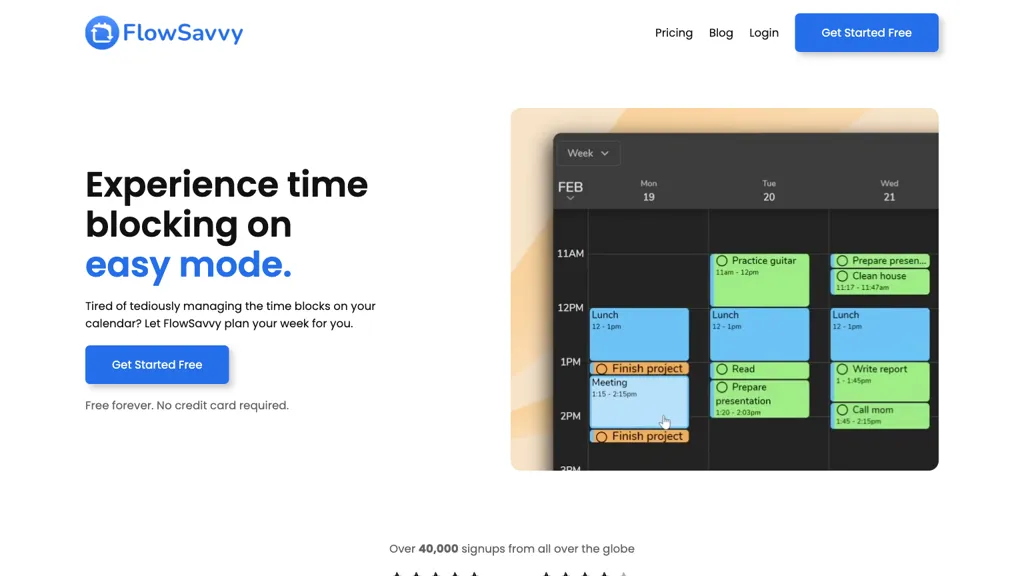
FlowSavvy auto‑schedules tasks and reschedules them automatically when plans change, ensuring all deadlines are met. Users set custom scheduling windows for work, personal, mornings, evenings, and assign priorities, due dates, and dependencies to each task.
Auto‑scheduled tasks are placed into the calendar while existing events from Google, iCloud, or Outlook are left untouched. The interface supports drag‑and‑drop adjustments so users keep control of their schedule. Recurring tasks and habits are timed automatically each day or week.
FlowSavvy details
- Jurisdiction
- Utah, USA
- Built for
- Individuals
FlowSavvy pricing
Subscription- Auto-renewal
- Yes
Verify on the official pricing page.
View plansFlowSavvy's key features
-
Auto-schedules tasks to calendar
-
Reschedules on plan changes automatically
-
Drag-and-drop to lock tasks
-
Recurring and habit scheduling
-
Custom scheduling hours for work/personal
-
Sync with Google, Outlook, iCloud
-
Fully-featured web, iOS, Android apps
FlowSavvy use cases
-
Automatically schedule and reschedule your professional project tasks around existing meetings, ensuring every deadline is met even when unexpected events arise
-
Maintain a consistent daily habit routine with a recurring timer that adapts to your calendar, letting you build healthy habits without manual tracking
-
Plan and coordinate multi‑team project milestones using priority‑based scheduling, instantly re‑arranging tasks when dependencies shift, all while keeping data encrypted and private
FlowSavvy user reviews
Would you recommend FlowSavvy?
Who is FlowSavvy for?
-
Time management enthusiasts
-
Productivity planners
-
Workflow organizers
-
Schedule designers
-
Task executors
FlowSavvy FAQ
How much does FlowSavvy cost?
FlowSavvy is a paid product with no free plan. Plans include Flowsavvy pro at $10/mobilled yearly and Flowsavvy pro at $14/mobilled mo.
What are the best alternatives to FlowSavvy?
The closest alternatives to FlowSavvy are SkedPal, Clockwise, Trevorai.com, Motion AI and Mayday. You can compare them side by side in the alternatives section further down this page.
What does FlowSavvy do with my data?
Its privacy policy states that personal data is not sold or shared for marketing purposes. Data may be shared with third-party service providers that help run the product.
Does FlowSavvy auto-renew or offer refunds?
FlowSavvy subscriptions renew automatically until you cancel.
Is there a mobile app for FlowSavvy?
Yes. FlowSavvy has a mobile app alongside its web version.
Compliance, privacy and billing terms are as stated in each product's own published documentation and have not been independently verified by TopAI.tools.


