
What is FloatBoat AI?
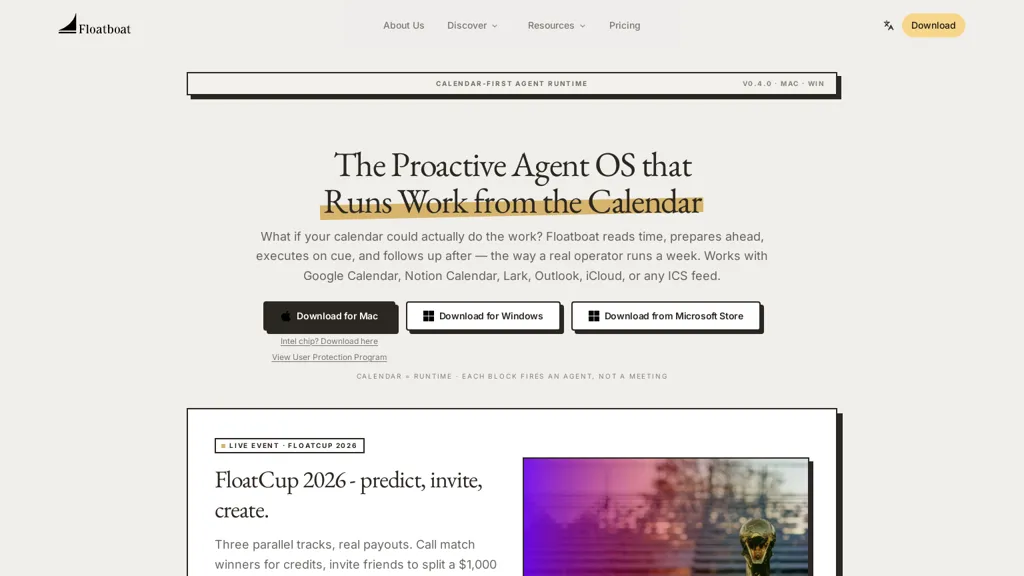
Floatboat is a calendar-driven AI desktop workspace for mac and Windows that runs proactive agents to prepare, execute, and follow up on meetings and deadlines.It connects with Google Calendar, Outlook, iCloud, Notion, Lark, and ICS feeds to convert events into persistent agent workspaces with run history, files, model choice, and recorded decisions.
Agents read event context, draft briefs, generate follow-up emails, prepare meeting materials, and create deliverables across tools via 3,500+ integrations including Slack, Gmail, Google Drive, Figma, GitHub, Linear, and local Word/PDF/PPT files.
Permission scopes are configurable per event and per account; agents call real APIs and access local files without re-uploading, with local-first options for on-device processing.Auto mode routes steps across multiple model providers for parsing and reasoning and falls back to alternate providers to prevent mid-run interruptions; users can also select models or supply API keys.
The combo store provides editable, pre-built agent recipes for common workflows—meeting prep, sales follow-ups, PR drafts, ticket drafting—deployable in minutes.Floatim enables group chat channels where local agent instances self-organize roles and exchange artifacts for team collaboration, making the platform suitable for solopreneurs, creators, and small teams seeking calendar automation and workflow orchestration.
FloatBoat AI details
- Company
- AOE Tech Labs Limited
- Jurisdiction
- Hong Kong Special Administrative Region
- Built for
- Individuals
FloatBoat AI tech specs
- Works with
- OpenAI / GPT Anthropic / Claude Google / Gemini Google / Nano Banana DeepSeek ByteDance / Seedance Z.ai Kimi MiniMax
- Integrations
- Slack Google Workspace Figma GitHub
FloatBoat AI pricing
Freemium- Auto-renewal
- Yes
Verify on the official pricing page.
View plansFloatBoat AI's key features
-
Calendar-driven desktop workspace that converts events into persistent agent workspaces with run history, files, model choice, and recorded decisions
-
Proactive agents that read event context and autonomously draft briefs, generate follow-up emails, prepare meeting materials, and create deliverables across tools
-
Extensive integrations with calendars, apps, and local files (Google Calendar, Outlook, iCloud, Notion, Slack, Gmail, Google Drive, Figma, GitHub, Linear, local Word/PDF/PPT) enabling cross-tool actions without re-uploading
-
Configurable permission scopes per event and per account; agents call real APIs and access local files with local-first on-device processing options
-
Multi-model orchestration (Auto mode) that routes steps across multiple model providers with fallback to alternate providers; supports user model selection and API key supply
FloatBoat AI use cases
-
Automatically generate concise, research-backed meeting briefs, slide decks and talking points for every calendar event using Floatboat's calendar-driven AI agents, pulling context from connected apps and syncing deliverables into a persistent workspace so you arrive prepared without extra manual work
-
Automate meeting execution and follow-ups with on-device agents that publish pre-meeting agendas, capture notes, draft and send follow-up emails, create tasks and update project tools, converting each event into a persistent workspace that tracks accountability
-
Coordinate team deadlines and recurring workflows by turning calendar events into shared, orchestrated agent workspaces that assign tasks, surface dependencies across connected apps, auto-update stakeholders with status summaries and deliverables, and reduce coordination overhead
FloatBoat AI user reviews
Would you recommend FloatBoat AI?
Who is FloatBoat AI for?
-
Designers
-
Product managers
-
Project managers
-
Executives
-
Sales representatives
FloatBoat AI FAQ
Is FloatBoat AI free?
Partly. FloatBoat AI has a free plan with usage limits, and paid plans unlock the full feature set. Plans include Booster pack at $12.99, Pro at $39.98/mo or $33.98/mo (billed annually) and Max at $199.98/mo or $166.98/mo (billed annually).
Is FloatBoat AI safe to use?
FloatBoat AI is operated by AOE Tech Labs Limited, registered in Hong Kong Special Administrative Region. It has a substantial audience that is independently measured month to month.
What are the best alternatives to FloatBoat AI?
The closest alternatives to FloatBoat AI are Read AI, tl;dv, Carly AI, Google Workspace and Clockwise. You can compare them side by side in the alternatives section further down this page.
What does FloatBoat AI do with my data?
Its privacy policy states that personal data is not sold or shared for marketing purposes. Data may be shared with third-party service providers that help run the product.
Does FloatBoat AI auto-renew or offer refunds?
FloatBoat AI subscriptions renew automatically until you cancel.
Does FloatBoat AI have an API?
Yes. FloatBoat AI offers an API, so you can call it from your own applications instead of using the interface directly.
Who made FloatBoat AI?
FloatBoat AI is built and operated by AOE Tech Labs Limited, a company registered in Hong Kong Special Administrative Region.
Which AI models does FloatBoat AI use?
FloatBoat AI is built on OpenAI / GPT, Anthropic / Claude, Google / Gemini, Google / Nano Banana, DeepSeek, ByteDance / Seedance, Z.ai, Kimi and MiniMax. Which models you can reach may depend on your plan.
What does FloatBoat AI integrate with?
FloatBoat AI connects with Slack, Google Workspace, Figma and GitHub.
Compliance, privacy and billing terms are as stated in each product's own published documentation and have not been independently verified by TopAI.tools.


