
What is AI Diagram Maker?
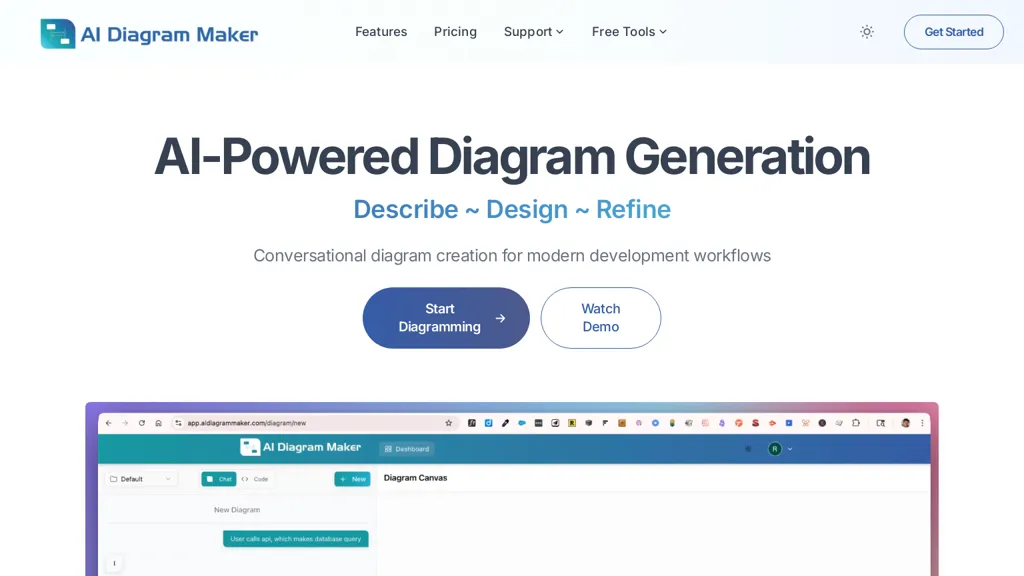
AI Diagram Maker generates software architecture diagrams, flowcharts, sequence diagrams, ERDs, UML, and cloud architecture visuals from plain-text descriptions, uploaded documents, or code.It converts natural language and GitHub repositories into D2 diagram-as-code, enabling code-to-diagram workflows and editable diagram code.
Automatic layout and styling manage positioning, alignment, and theming to produce consistent visuals for documentation and presentations.Diagrams can be refined via conversational prompts or by switching to code view for direct D2 edits; revision history and restore support iterative work.
Export options include PNG, SVG, and diagram code, and attachments accept images, notes, and code snippets.Git-native versioning, integrations with Confluence and Obsidian, and collaboration features provide diffs, reviews, and team workflows for developers and architects.
Common use cases include microservices architecture, database schema (proper cardinality), AWS data pipelines, system architecture mapping, and onboarding or process flow visualization.
AI Diagram Maker details
- Jurisdiction
- United States
- Built for
- Individuals
- Data residency
- outside your jurisdiction
AI Diagram Maker tech specs
- Works with
- Anthropic / Claude
- Integrations
- GitHub
AI Diagram Maker pricing
FreemiumVerify on the official pricing page.
View plansAI Diagram Maker's key features
-
Generate software architecture diagrams, flowcharts, sequence diagrams, ERDs, UML, and cloud diagrams from plain-text descriptions, uploaded documents, or code
-
Convert natural language and GitHub repositories into editable D2 diagram-as-code enabling code-to-diagram workflows
-
Automatic layout and styling managing positioning, alignment, and theming
-
Refine diagrams via conversational prompts or direct D2 code edits with revision history and restore
-
Export PNG, SVG, and diagram code; attach images, notes, and code snippets; git-native versioning and integrations (Confluence, Obsidian) with diffs and reviews for collaboration
AI Diagram Maker use cases
-
Turn plain text, specs, or meeting notes into editable, production-ready D2 diagrams (architecture diagrams, flowcharts, UML) using AI Diagram Maker's text-to-diagram generator — auto-layout, styling, and PNG/SVG export make it easy to embed visuals in product docs and stakeholder presentations
-
Convert codebases or GitHub repos into interactive diagram-as-code visualizations to map microservices, dependencies, and database schemas automatically — the code-to-diagram converter and automated ERD generator keep architecture diagrams in sync with source for onboarding and incident response
-
Collaboratively design and iterate system architecture using conversational edits and versioned collaboration on D2 diagram-as-code — teams can apply natural-language changes, track history, and export finalized diagrams for README files, design reviews, or CI/CD documentation pipelines
AI Diagram Maker user reviews
Based on 17 reviews, 71% of users recommend AI Diagram Maker, rated highly for quality results.
Liked for
Disliked for
Would you recommend AI Diagram Maker?
Who is AI Diagram Maker for?
-
Full‑stack developers
-
Documentation writers
-
Devops engineers
-
Engineering managers
-
Product managers
AI Diagram Maker FAQ
Is AI Diagram Maker free?
Partly. AI Diagram Maker has a free plan with usage limits, and paid plans unlock the full feature set. Plans include Basic at $0/mo$0/year, Plus at $10/mo$96/year and Max at $20/mo$192/year.
Is AI Diagram Maker good?
AI Diagram Maker has a 71% recommendation rate from 17 reviewers on TopAI.tools. Reviewers rate it highest on quality of results and ease of use.
What are the best alternatives to AI Diagram Maker?
The closest alternatives to AI Diagram Maker are Napkin.ai, AI Diagram Generator, VDraw AI, Docugram and Infograph.app. You can compare them side by side in the alternatives section further down this page.
What does AI Diagram Maker do with my data?
AI Diagram Maker states that customer content may be used to train its models. Its privacy policy states that personal data is not sold or shared for marketing purposes. Data may be shared with third-party service providers that help run the product. Customer data is held in outside your jurisdiction.
Which AI models does AI Diagram Maker use?
AI Diagram Maker is built on Anthropic / Claude. Which models you can reach may depend on your plan.
What does AI Diagram Maker integrate with?
AI Diagram Maker connects with GitHub.
Compliance, privacy and billing terms are as stated in each product's own published documentation and have not been independently verified by TopAI.tools.


