
What is ArchDiagramAI?
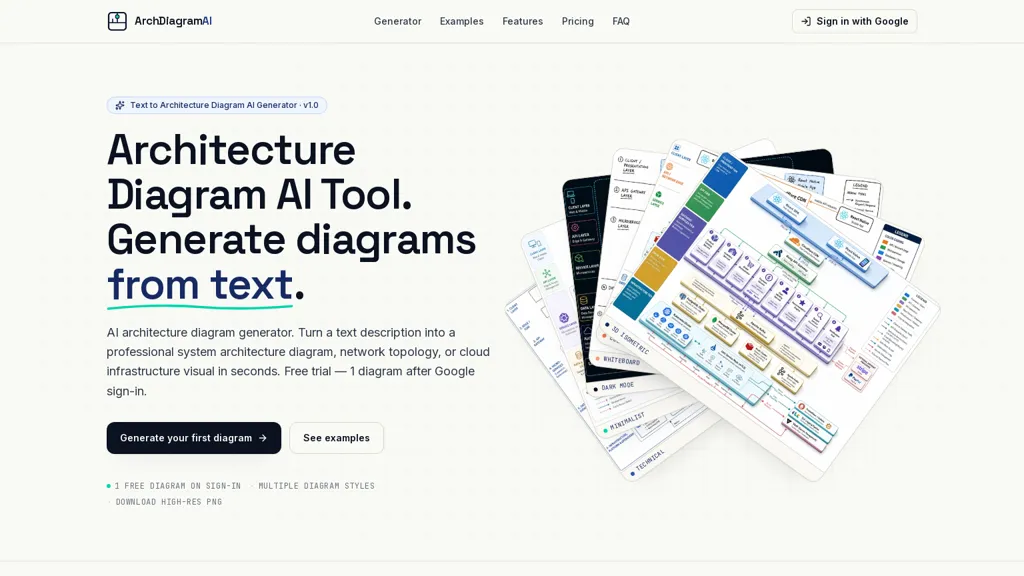
ArchDiagramAI generates system architecture diagrams from plain-English prompts and exports high-resolution PNGs for documentation and presentations.It supports text-to-diagram and image-to-image workflows, allowing upload of reference images to preserve or restyle existing diagrams.
Multiple visual styles—technical, minimalist, dark, whiteboard, colorful and 3D isometric—cover different audiences and presentation needs.Common outputs include microservices maps, cloud infrastructure diagrams (AWS, Azure, GCP), network topologies, data pipelines, CI/CD flows and ML pipelines.
Output options include selectable aspect ratios and resolutions up to 4K.The generator arranges components, connections and data flows automatically and typically returns results in 20–60 seconds.
Intended users include developers, architects, tech leads and technical writers who need diagrams for design reviews, RFCs, documentation and blog posts.
ArchDiagramAI details
- Jurisdiction
- State of Delaware, USA
- Built for
- Individuals
- Stated compliance
- GDPR, CCPA
Compliance as stated in ArchDiagramAI's own published documentation.
ArchDiagramAI tech specs
- Cloud
- AWS Google Cloud Azure
- Payment Processors
- Stripe
ArchDiagramAI pricing
Free trial- Auto-renewal
- Yes
Verify on the official pricing page.
Start free trialArchDiagramAI's key features
-
Generates system architecture diagrams from plain-English prompts
-
Supports text-to-diagram and image-to-image workflows with reference image upload to preserve or restyle diagrams
-
Multiple visual styles (technical, minimalist, dark, whiteboard, colorful, 3D isometric)
-
Automatic layout of components, connections and data flows
-
Exports high-resolution PNGs with selectable aspect ratios (4:3, 16:9, 1:1, portrait) and resolutions up to 4K
ArchDiagramAI use cases
-
Create polished microservices architecture diagrams from plain-English prompts or reference images without drawing skills, auto-arranging services, dependencies and data flows, then export high-resolution PNGs in multiple styles and aspect ratios for technical docs, architecture reviews and investor presentations
-
Turn whiteboard sketches or screenshots into standardized cloud infrastructure diagrams (AWS/Azure/GCP) that map components to provider icons and automatically organize connections and subnets, producing printable, high-resolution PNGs for runbooks, change proposals and compliance audits
-
Generate clear CI/CD and pipeline visuals from text descriptions, showing stages, triggers, artifacts and rollback paths with auto-layout and annotated connections, export multiple aspect-ratio, high-res PNGs suitable for onboarding guides, postmortem reports and stakeholder slide decks
ArchDiagramAI user reviews
Would you recommend ArchDiagramAI?
Who is ArchDiagramAI for?
-
System architects
-
Software developers
-
Technical writers
-
Product managers
-
Computer science students
ArchDiagramAI FAQ
Is ArchDiagramAI free?
Not permanently. ArchDiagramAI gives you a free trial, after which a paid plan is required. Plans include Pro at $19/mo, One-time at $19 and Team at $59/mo.
Is ArchDiagramAI safe to use?
ArchDiagramAI states GDPR and CCPA compliance in its own published documentation.
What are the best alternatives to ArchDiagramAI?
The closest alternatives to ArchDiagramAI are AI Diagram Generator, AI Diagram Maker, Diagramming, VDraw AI and RapidChart.ai. You can compare them side by side in the alternatives section further down this page.
What does ArchDiagramAI do with my data?
ArchDiagramAI states that customer content is not used to train its models. Its privacy policy states that personal data is not sold or shared for marketing purposes. Data may be shared with third-party service providers that help run the product.
Does ArchDiagramAI auto-renew or offer refunds?
ArchDiagramAI subscriptions renew automatically until you cancel.
Does ArchDiagramAI have an API?
Yes. ArchDiagramAI offers an API, so you can call it from your own applications instead of using the interface directly.
Compliance, privacy and billing terms are as stated in each product's own published documentation and have not been independently verified by TopAI.tools.


