Best Torq AI Alternatives in 2026
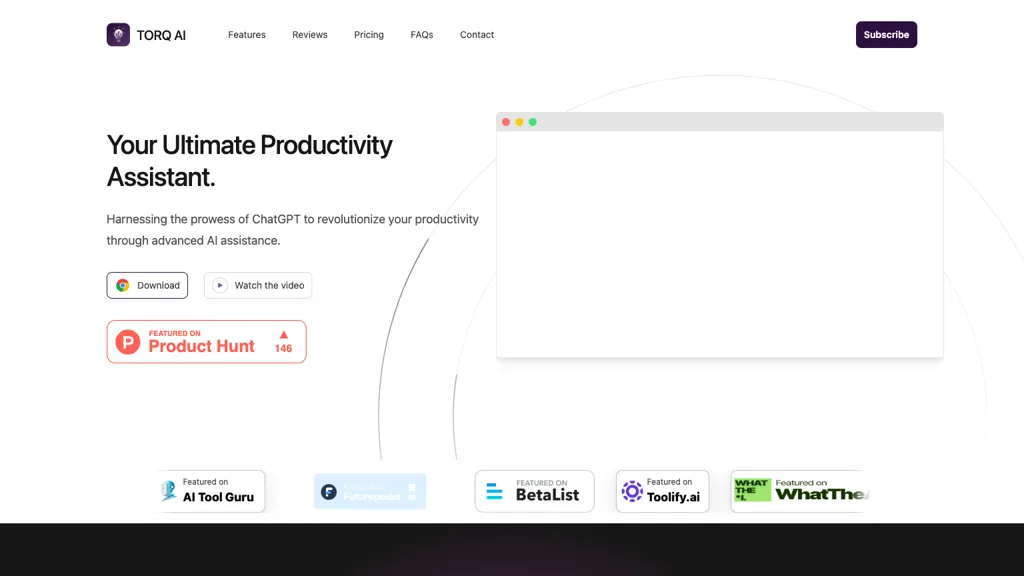
No user reviews yet FreeTorq AI is a Chrome extension that lets users draft and reply to emails with one click, analyze selected text, translate it, access ChatGPT and Google search, and extract data insights—all from a lightweight toolbar for individuals and teams.
We've ranked 29 Torq AI alternatives, including 23 with a free plan. Rankings are based on feature coverage and user feedbacks.
Top-rated alternatives include AI Toolbar, Klart AI, and Voilà.
29 Torq AI Alternatives & Competitors, Ranked by User Reviews
Click Compare on any tool to compare it side-by-side with Torq AI.
#1
AI Toolbar
AI Toolbar is a Chrome extension that adds an AI assistant to every webpage. It generates text, summarizes, translates, and paraphrases content, supports voice commands, offers a chatbot, exports replies to Word/PDF, integrates with ChatGPT, and allows custom prompts.
#2
Klart AI
AI Mail Assistant is a Gmail add‑on that uses GPT‑4o to automate email tasks: it generates concise replies, summarizes long messages, translates 13 languages, provides grammar checks, auto‑labels and archives emails, and flags tone issues.
#3
Voilà
Voilà AI Assistant is a cross‑platform browser extension, desktop, and mobile app that uses GPT‑5 to summarize, rewrite, translate, and auto‑reply to emails, chats, PDFs, spreadsheets, and YouTube transcripts, while correcting spelling, grammar, tone and generating images from text.
#4
ChippyAI
Chippy is a Chrome extension that embeds ChatGPT directly into the browser, letting users ask questions, summarize pages, research topics, translate text, and draft emails instantly while staying on the current tab.
#5
ChatGPT2Help Chrome Extension
ChatGPT2Help is a Chrome extension embedding ChatGPT for instant AI assistance: rapid content drafting, copy editing, multi‑language translation, page summarization, and specialized tasks like real‑estate listings, legal risk flagging, customer‑service FAQ responses, personalized education plans, and preliminary medical suggestions.
#6
AI Mail Assistant
AI Mail Assistant integrates with Gmail to auto‑generate replies, summarize threads, correct grammar and tone, translate into 13 languages, and flag ethical concerns—all without an OpenAI account—saving professionals time and improving email clarity.
- Personalized recommendations
- Custom collections
- Save favorites
Already a member? Sign in
#7
Remail
Remail is a Chrome extension that powers AI‑assisted email drafting, web‑page summarization, and translation. It supports multiple LLMs with side‑by‑side comparison, and offers PDF/YouTube summaries, image generation, carousel and LinkedIn post tools for professionals.
#8
AImReply
AImReply auto‑generates email drafts and replies in up to 17 languages, offering 12 tones and three length options. It delivers real‑time edits and AI suggestions, streamlining composition for professionals, support agents, academics, and entrepreneurs—no login needed.
#9
EmoGPT
Emogpt is a free Google Chrome extension designed to generate high-quality emails with ease and efficiency using OpenAI's chatGPT. The tool provides a secure and user-friendly interface, reducing the time users spend writing emails by up to 85%.
#10
GPTPLUS
GPTPlus is a browser extension featuring GPT-4 and GPT-3.5 technologies. It provides an integrated ChatGPT assistant within a sidebar for writing, translation, code analysis, prompts, templates, and custom queries, boosting productivity in content generation and SEO optimization tasks.
#11
GmailGPT
GPT Gmail™ is an AI assistant that streamlines email communication by providing rephrasing emails, generating one-click reply emails, and templates. It supports over 40 languages and can improve email text quality.
#12
ghostwrite.rip
GhostWrite generates draft emails from concise prompts, offering subject‑line suggestions and template recognition. Users preview, edit, and approve drafts, while the system learns from edits to improve future suggestions. No auto‑sending; secure, lightweight web interface.
#13
InboxGPT
InboxGPT syncs Gmail into a unified inbox for teams, offering AI‑generated draft replies that adapt to your site’s tone. Customizable, multi‑language, and learns from every email, streamlining support and reducing response time.
#14
EmailComposer
EmailComposer.ai uses GPT‑3 to generate email marketing copy from a brief 35‑150 word input. It applies proven frameworks like PAS or AIDA, drafts sales letters, lead emails, announcements, and integrates with Outlook, Google Workspace, and CRMs.
#15
Tweet Assist App
Tweet Assist is a Chrome extension that generates tweet ideas and draft replies with OpenAI’s GPT. It lets users choose or create tones, quickly compose content within Twitter, and maintain a consistent voice.
#16
ChatGPT Mail Responder
AI Mail Assist - ChatGPT is an all-in-one tool for Gmail that uses advanced AI technology to help manage emails. It includes features such as auto-respond, email summarization, email translation in 13 languages, and an 'improve draft' feature.
#17
MailBuddy
Mailbuddy is a GPT-3.5-powered AI email assistant that generates customized responses in 5 seconds, streamlining email communication. Seamlessly integrated with Gmail as a free Chrome extension, it efficiently handles routine email writing tasks.
#18
Compose
Compose AI is a Chrome extension that auto‑completes text in any web editor, learning the user’s style to suggest personalized phrases. It runs locally, preserves privacy, and cuts typing time for professionals, students, and creators.
#19
ChatGPT Everywhere
The ChatGPT Everywhere Chrome Extension integrates ChatGPT's language model into browsing, offering instant answers and knowledge without leaving the current webpage. Enhance productivity, save time, and access comprehensive information seamlessly.
#20
Mailbutler
AI assistant for Apple Mail, Gmail, and Outlook that drafts, replies, summarizes, and corrects emails with GPT‑4o, extracts tasks for Mailbutler’s list, lets you fine‑tune tone and length, and stores data on EU servers for GDPR compliance.
#21
AI Email Writer
The AI Email Writer tool uses GPT-3 technology to simplify email communication and provides chatbot-powered templates for specific purposes.
#22
ParagraphAI
ParagraphAI offers real‑time grammar correction, one‑tap email drafting, and instant summarization of web pages and PDFs. It provides multilingual translation, customizable tone filters, a template library, and an instruction engine for repetitive tasks across mobile, desktop, and Chrome.
#23
Magical AI
Magic AI is a free AI tool that assists with writing tasks using text expansion, autofill, and data extraction features.
#24
AI Perfect Assistant
AI Perfect Assistant adds ChatGPT, Gemini, Claude, and 60+ LLMs to Office 365 apps, delivering real‑time grammar, style checks, drafting, summarization, translation, and formula generation to streamline writing, analysis, and teamwork across Word, Excel, PowerPoint, Outlook, Teams, and OneNote.
#25
Scribbly.ai
Scribbly is a Chrome extension that adds AI‑powered drafting and reply suggestions to Gmail and Outlook, automatically matching tone and simplifying communication for sales, support, HR, and project managers, cutting drafting time.
#26
ChatGPT Add-in for Outlook
ChatGPT for Outlook embeds OpenAI’s ChatGPT into Microsoft Outlook, enabling custom prompts on emails to generate summaries, highlights or revisions, and allowing users to replace content or flag messages. Administrators can deploy it across Office 365 with tailored prompts for teams.
#27
HyperWrite
Hyperwrite is an AI-powered writing tool available as a free Chrome extension that generates original paragraphs and helps overcome writer's block, increasing productivity for professionals, students, and creators worldwide.
#28
Content Assistant
Content Assistant is a browser extension that extracts page context to power AI‑driven content creation. It enables iterative conversations, custom prompts, tone or length adjustments, email drafting, summarization, and speech‑to‑text input for writers, editors, marketers, and support agents.
#29
editGPT
editGPT is a Chrome extension that turns ChatGPT into a writing assistant. It provides real‑time grammar, style, and rewriting support in 80+ languages, preserves formatting, tracks changes, and manages revisions.
Frequently Asked Questions
Why look for Torq AI alternatives?
Common reasons users switch from Torq AI:
- Feature gaps: teams needing specific capabilities like Generate Emails may find a more focused alternative better suited to their workflow.
- Flexibility: exploring alternatives helps find tools that better match your team size, integrations, and budget.
What is the best alternative to Torq AI?
AI Toolbar ranks as the top Torq AI alternative. AI Toolbar is a Chrome extension that adds an AI assistant to every webpage. It generates text, summarizes, translates, and paraphrases content, suppo It is available on a Freemium plan.
How do the top Torq AI alternatives compare?
| Tool | Pricing | Starting Price | User Rating |
|---|---|---|---|
| Torq AI this tool | Free | — | — |
| AI Toolbar | Freemium | — | — |
| Klart AI | Free trial | — | 100% (1) |
| Voilà | Freemium | $10/mo | 67.7% (31) |
| ChippyAI | Free | — | 100% (1) |
| ChatGPT2Help Chrome Extension | Subscription | — | — |
Are there free Torq AI alternatives?
Yes, 23 free alternatives found in our list: AI Toolbar, Klart AI, Voilà. and 20 more — use the pricing filter above to see them all.
What should I look for in a Torq AI alternative?
- Core capabilities: confirm the tool supports Generate Emails, Automate Replies, analyze text.
- Pricing transparency: look for clear free plan, trial period, or tiered pricing — avoid tools that hide costs.
- User reviews: check both the satisfaction percentage and the number of reviews; a high score from few users is less reliable.
- Integrations: verify it connects with your existing stack before committing.
- Support and updates: active development and responsive support are strong signals of a maintained product.
Which Torq AI alternative has the highest user rating?
Klart AI has the highest satisfaction score among Torq AI alternatives, with 100% positive from 1 user review. It is available on a Free trial plan.
What are Torq AI alternatives used for?
- Generate Emails
- Automate Replies
- analyze text
- translate texts
- Extract Data