
Top 19 Smart Paste Alternatives in 2026
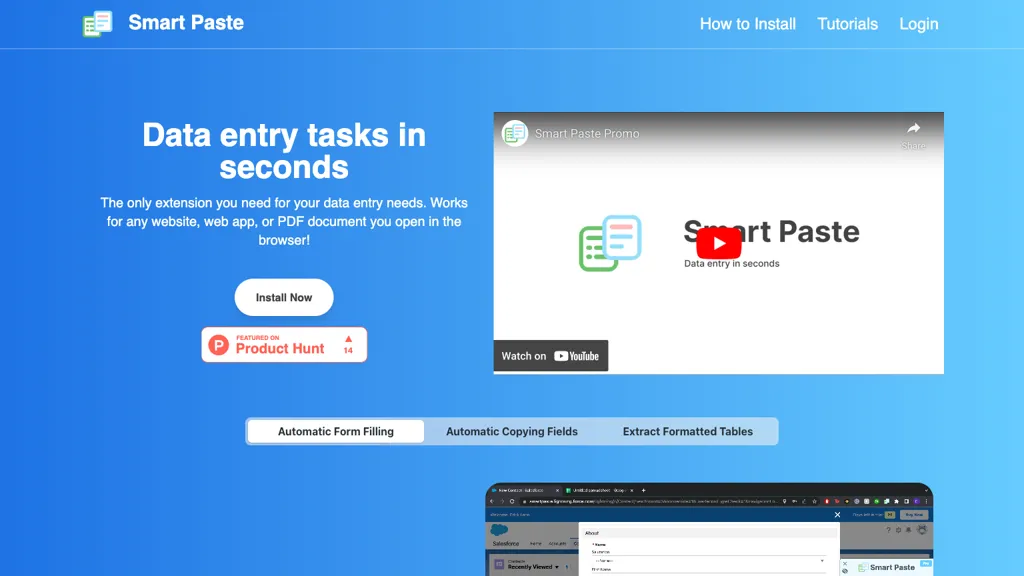
No user reviews yet FreemiumSmart Paste is a browser extension that extracts form fields and tables from websites, PDFs, and apps. It copies data to the clipboard, pastes into Excel or Google Sheets, maps columns to inputs, and uses hotkey shortcuts—all processed locally.
We've ranked 19 Smart Paste alternatives, including 17 with a free plan. Rankings are based on feature coverage and user feedbacks.
Top-rated alternatives include Fill A Form AI, Instafill, and Thunderbit.
19 Smart Paste Alternatives & Competitors, Ranked by User Reviews
Click Compare on any tool to compare it side-by-side with Smart Paste.
 #1
Fill A Form AI
#1
Fill A Form AI
Fill A Form AI is a Chrome extension that auto‑detects form fields and populates them from a user’s stored submissions, learning from past entries. It supports multiple templates, team sharing, real‑time collaboration, and Google Sheets integration for streamlined data entry.
 #2
Instafill
#2
Instafill
Instafill.ai PDF and Word form completion, extracting fields and mapping semantically to fill up to 100 pages in 25–60 seconds. It supports batch CSV uploads, converts scanned images, offers workspaces with AES encryption and 2‑FA, and integrates via API/webhooks.
 #3
Thunderbit
#3
Thunderbit
Thunderbit AI Web Scraper is a Chrome extension that extracts structured data from web pages, PDFs, images, and documents using natural‑language prompts, auto‑crawls sub‑pages, offers real‑time enrichment, and exports to Google Sheets, Airtable, Notion, or copy‑paste.
 #4
Goless extension automation
#4
Goless extension automation
GoLess is a Chrome extension that automates web tasks without code, extracting pages into JSON, CSV, or Google Sheets, auto‑filling forms, solving CAPTCHAs, and running ChatGPT actions, enabling drag‑and‑drop workflows for data entry, testing, and social media.
 #5
MapsScraperAI
#5
MapsScraperAI
Google Maps Extractor collects business data from Google Maps, including names, contact details, and reviews. It offers batch searching and exports data in CSV/XLS formats, aiding local lead generation and market research without coding skills.
 #6
extracto.bot
#6
extracto.bot
Extracto.bot is a Chrome extension that pulls web data into Google Sheets. Users set sheet columns, visit a site, and trigger extraction to fill rows with contact, product, or property details, streamlining data collection for teams.
- Catch deals before they expire
- Unlock tools matched to you
- Show off your AI stacks
Already a member? Sign in
 #7
My Email Extractor
#7
My Email Extractor
MyEmailExtractor is a Chrome/Edge extension that collects emails, social media URLs, and domain data from any web page with a single click. Export results to CSV for CRM integration, supporting sales, marketing, and data‑analysis workflows.
 #8
TabTabTab
#8
TabTabTab
TabTabTab is a Chrome extension AI agent for Google Sheets that automates web data extraction and cleaning. It performs lead enrichment, company lookups, and uses natural language commands to structure data for financial modeling and analysis.
 #9
Fill Genius
#9
Fill Genius
Fill Genius is an AI-powered auto form filler that streamlines data entry by automatically populating multiple forms, reducing administrative tasks, minimizing errors, and boosting submission quality across various platforms, while prioritizing user data security.
 #10
WebFill
#10
WebFill
Webfill automates form filling, email generation, and data entry tasks using advanced AI, enhancing efficiency for students and professionals. It features a chatbot for instant support and smart task automation for processing PDF and text files.
 #11
Tablextract
#11
Tablextract
Tablextract converts tables from PDFs, images and scans into Excel, CSV or JSON using automatic OCR and table recognition that preserves rows, merged cells and nested layouts. Selective page extraction and format-preserving exports simplify downstream processing.
 #12
Ai Form Filler
#12
Ai Form Filler
Ai Form Filler is a Chrome extension that auto‑populates web forms with realistic data. It detects fields such as names, addresses, and payment details, enabling quick registration, checkout, and survey completion across e‑commerce, banking, and registration sites.
 #13
Autofillr
#13
Autofillr
Autofillr is an AI-powered Chrome extension that simplifies and secures online form filling. It learns form structures, manages diverse input fields, and prioritizes user privacy by storing information locally, making it ideal for various online submissions.
 #14
Tabchat AI
#14
Tabchat AI
Tabchat AI is a Chrome extension that transforms webpages into intelligent workspaces, allowing users to extract and analyze data quickly. It automates data conversion to formats like CSV and JSON, enhancing research efficiency and productivity.
 #15
Chrome Sidekick
#15
Chrome Sidekick
Chrome Sidekick is an AI-powered Chrome extension that explains web pages and automates repetitive tasks like form filling. It uses memory to recall your workflows and integrates with other apps for collaboration.
 #16
Simplescraper
#16
Simplescraper
Simplescraper is a Chrome extension that captures website data and exposes it as API endpoints, offering pre‑built recipes for sites like YouTube and NYTimes, AI summarization, entity extraction, and automatic delivery to Google Sheets, Airtable, Zapier, and webhooks.
 #17
AI Extract by Thunderbit
#17
AI Extract by Thunderbit
Thunderbit AI Web Scraper extracts structured tables from websites, PDFs, images, and documents in two clicks, using AI to auto‑detect columns and data types. It supports subpage traversal, pre‑built e‑commerce templates, and exports directly to Google Sheets, Airtable, or Notion.
 #18
easyfill.ai
#18
easyfill.ai
EasyFill.ai instantly converts paper, PDF, and image forms into responsive digital templates, auto‑mapping fields to cut manual setup. It supports payments, QR sharing, smart routing, automated follow‑ups, cloud backups, and rapid form creation from natural language.
 #19
AI Web Clipper
#19
AI Web Clipper
Thunderbit AI Web Scraper extracts structured data from websites, PDFs, images, or documents with a two‑click natural‑language interface. It auto‑detects fields, traverses linked pages, supports templates for Amazon, eBay, Zillow, Twitter, and exports to Google Sheets, Airtable, or Notion.
Frequently Asked Questions
Why look for Smart Paste alternatives?
Common reasons users switch from Smart Paste:
- Feature gaps: teams needing specific capabilities like Extract Tables may find a more focused alternative better suited to their workflow.
- Flexibility: exploring alternatives helps find tools that better match your team size, integrations, and budget.
What is the best alternative to Smart Paste?
Based on 1 user review, Fill A Form AI (100% positive) ranks as the top Smart Paste alternative. Fill A Form AI is a Chrome extension that auto‑detects form fields and populates them from a user’s stored submissions, learning from past entries. It It is available on a Freemium plan.
How do the top Smart Paste alternatives compare?
| Tool | Pricing | Starting Price | User Rating |
|---|---|---|---|
| Smart Paste this tool | Freemium | — | — |
| Fill A Form AI | Freemium | — | 100% (1) |
| Instafill | Free | — | — |
| Thunderbit | Freemium | — | 66.7% (3) |
| Goless extension automation | Freemium | — | 50% (1) |
| MapsScraperAI | Free trial | — | — |
Are there free Smart Paste alternatives?
Yes, 17 free alternatives found in our list: Fill A Form AI, Instafill, Thunderbit. and 14 more — use the pricing filter above to see them all.
What should I look for in a Smart Paste alternative?
- Core capabilities: confirm the tool supports Extract Tables, Extract Forms, Automate Data Entrys.
- Pricing transparency: look for clear free plan, trial period, or tiered pricing — avoid tools that hide costs.
- User reviews: check both the satisfaction percentage and the number of reviews; a high score from few users is less reliable.
- Integrations: verify it connects with your existing stack before committing.
- Support and updates: active development and responsive support are strong signals of a maintained product.
Which Smart Paste alternative has the highest user rating?
Fill A Form AI has the highest satisfaction score among Smart Paste alternatives, with 100% positive from 1 user review. It is available on a Freemium plan.
What are Smart Paste alternatives used for?
- Extract Tables
- Extract Forms
- Automate Data Entrys
- Copy Data
- Paste Data