
Top 29 OppenheimerGPT Alternatives in 2026
No user reviews yet FreeOppenheimerGPT is a macOS menubar app offering an immersive experience amidst the AI Coldwar. It enables swift access to information through the Bard ChatGPT model directly from your menu bar.
We've ranked 29 OppenheimerGPT alternatives, including 23 with a free plan. Rankings are based on feature coverage and user feedbacks.
Top-rated alternatives include IntelliBar, Google Gemini, and Claude AI.
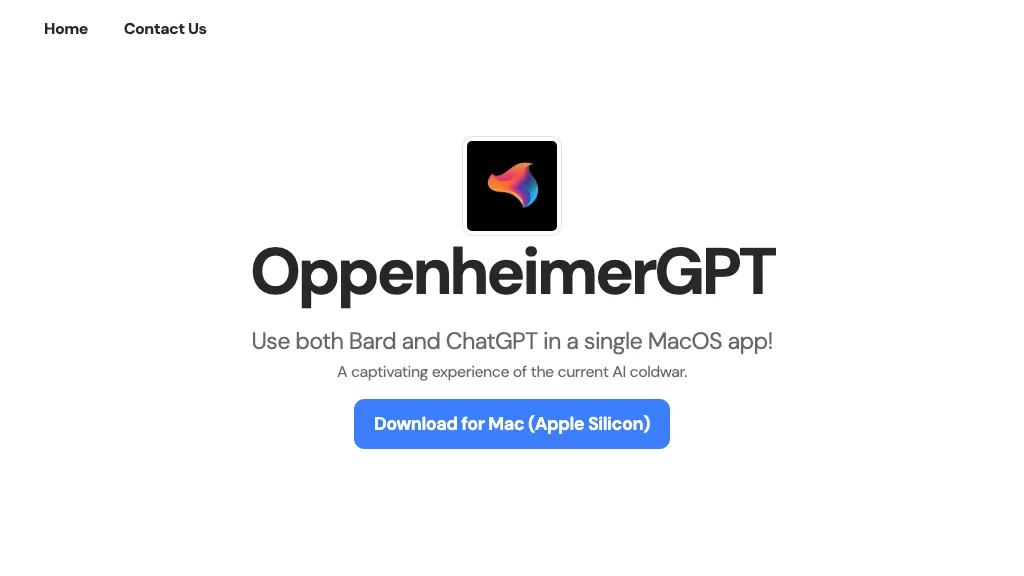
29 OppenheimerGPT Alternatives & Competitors, Ranked by User Reviews
Click Compare on any tool to compare it side-by-side with OppenheimerGPT.
 #1
IntelliBar
#1
IntelliBar
IntelliBar is a macOS‑native AI assistant that consolidates GPT‑4o, Claude 3.5, Gemini, and local models into a single interface. It lets you run identical prompts across multiple models simultaneously and compare results side‑by‑side, while keeping conversations local and private.

Gemini is an AI assistant and chatbot provided by google based on Gemini LLM family. It provides access to Google's advanced AI systems with many features and integrations to help you with daily workflows and tasks."

Claude is an advanced AI assistant designed for a variety of tasks, including code generation, writing, productivity enhancement, and business automation. It is highly adaptable, intelligent, and customizable to meet diverse user needs.
 #4
MindMac
#4
MindMac
MindMac is a native macOS client that integrates ChatGPT, Azure OpenAI, Gemini, and Claude on the desktop. It offers inline prompts, a 150‑template library, customizable context modes, shortcuts, keychain storage, and 15 UI languages for developers, researchers, and teams.
 #5
Sidekiiick
#5
Sidekiiick
Sidekick AI tool is a conversational AI tool that provides easy access to ChatGPT on macOS.
 #6
AI Actions
#6
AI Actions
AI Actions is a powerful tool that provides additional AI-related actions and shortcuts on macOS, including the ability to interact with the ChatGPT API. It requires macOS 13 or higher and is not available in China.
- Catch deals before they expire
- Unlock tools matched to you
- Show off your AI stacks
Already a member? Sign in
 #7
Peek AI
#7
Peek AI
Peek is a macOS menu‑bar app that lets you access multiple AI chatbots—ChatGPT, Gemini, Claude, etc.—without API keys. It displays each platform in a webview, keeps data private, and allows quick switching, screenshotting, and chat history sync.
 #8
boltai.com
#8
boltai.com
BoltAI is a native macOS app that lets users switch between 300+ AI models, including OpenAI, Anthropic, Google Gemini, and local Ollama. It supports multimodal analysis, fine‑grained controls, project management, local storage, and secure cloud sync.
 #9
Meta AI
#9
Meta AI
Meta AI is a conversationalist AI chatbot assistant with humor and sass, offering chat, listening, and assistance in various tones and for daily tasks
 #10
ChatKit
#10
ChatKit
ChatKit is a cross‑platform AI chat app for macOS, Windows, and Linux that connects to OpenAI, Gemini, Azure, and custom models via API keys. It offers prompt templates, chat bookmarks, voice input, text‑to‑speech, file drop, web search, and URL fetching.

Overchat is a versatile AI app that integrates multiple AI models like ChatGPT, Claude, and Gemini for dynamic text generation, summarization, coding assistance, and image creation. It supports multilingual translation, homework help, and ensures secure, encrypted interactions across all features.
 #12
DapperGPT
#12
DapperGPT
DapperGPT consolidates multiple AI models—OpenAI, Anthropic, Gemini, Mistral, Grok, and Llama—into one chat interface that supports images, documents, and code uploads. It offers built‑in agents, custom toolchains, Spotlight search, folder organization, pinning, and browser‑extension integration, keeping data locally.
 #13
ChatAIr
#13
ChatAIr
ChatAIr is a macOS client that connects to the OpenAI API, managing prompts and allowing multiple prompts in one dialogue box. Users can set model, temperature, and track conversation history turn by turn.
 #14
MacCopilot
#14
MacCopilot
MacCopilot lets macOS users select any screen area, capture screenshots, and chat with AI models—GPT‑4o, Claude, Gemini, or local Ollama—to receive instant visual analysis, code reviews, design feedback, and contextual insights directly on‑screen. Hotkeys and history improve workflow.
 #15
Chat100.ai
#15
Chat100.ai
Chat100.ai offers a single web interface that integrates GPT‑5.2, GPT‑5.1, GPT‑4o, Grok‑4.1, Grok‑4, Grok‑3, Gemini 3 Pro, and Gemini 3 Flash, enabling instant model switching, side‑by‑side comparison, and streamlined workflows for writing, coding, design, and research.
 #16
MacGPT
#16
MacGPT
MacGPT is a native macOS app that provides quick access to a chatbot powered by a language model and offers several utilities.
 #17
PowerBrain
#17
PowerBrain
ChatGPT is an AI-powered chat app that uses advanced NLP technology to provide fast answers and automate tasks.
 #18
ChatGPT APP
#18
ChatGPT APP
The official ChatGPT app for iOS provides instant answers, tailored advice, and creative ideas using OpenAI's latest advancements.
 #19
WriteMage
#19
WriteMage
WriteMage overlays ChatGPT across macOS/iOS apps, preserving session memory and local labeled chat history. Users can edit or create prompts, supply custom OpenAI keys to lift word limits, and enjoy seamless multi‑device use on Intel/Apple Silicon.
 #20
Chatbot AI
#20
Chatbot AI
Chatbot AI provides access to various AI models for text conversations and image generation. It features an advanced search function, supports idea brainstorming, and allows for both casual and in-depth discussions with fast response times and chat history.
 #21
Beam
#21
Beam
Beam is a lightweight native macOS app that offers a sandboxed ChatGPT interface via a single hotkey. It lets users select screen areas or PDFs for summaries, translations, or explanations, while keeping all data local.
 #22
Open GPT
#22
Open GPT
OpenGPT lets users build ChatGPT‑based applications instantly using a library of ready‑made AI tools for productivity, copywriting, coding, entertainment, and education. The platform offers prompt‑to‑code conversion, regex creation, and tools that refine prompts and transform requests into actionable outputs.
 #23
AI Chat for Search
#23
AI Chat for Search
Browser extension that displays conversational AI answers and multi-model comparisons alongside search results, integrates with GPT-4/Claude and major search engines, and adds YouTube summaries, PDF/image/OCR processing and content-generation tools for research and creation.
 #24
Enconvo
#24
Enconvo
EnConvo turns macOS apps into AI agents via SmartBar, PopBar, and Companion Orb, offering voice input, live screen and camera sharing, multi‑provider web search, image generation, custom workflows, document chat, offline LLMs, open‑source plugins, and real‑time captions.
 #25
Blue
#25
Blue
Blue is a macOS app that integrates ChatGPT capabilities for tasks like summarizing and translating, enhancing productivity. It features on-device processing, data privacy, and context-aware assistance through screen analysis, ensuring a seamless workflow for professionals.
 #26
AIChatOne
#26
AIChatOne
AIChatOne is a browser extension and web app that lets users chat with 30+ AI models (GPT‑5, Claude, Gemini, etc.), with real‑time browsing, document upload, voice interaction, encrypted local keys, and searchable chat history.
 #27
iChatWithGPT
#27
iChatWithGPT
iChatWithGPT is an AI assistant integrated into iMessage that uses GPT‑5.2, Claude 4.5, and Google Search for real‑time web research, news, weather, and game results. It offers text reminders, AI‑generated images, voice‑activated messaging across iPhone, Apple Watch, MacBook, and CarPlay.
 #28
PaletteBrain
#28
PaletteBrain
Palettebrain is an AI tool that unlocks the power of ChatGPT across various Mac applications, allowing users to work smarter and streamline their workflows to boost productivity.
 #29
AIChat.fm
#29
AIChat.fm
Multimodal AI workspace integrating ChatGPT, Claude, Gemini, Grok and Husky to create and edit text, images, audio, and video, compare multiple models, build custom agents with memory, index web/Telegram for enhanced search, and support team workflows.
Frequently Asked Questions
Why look for OppenheimerGPT alternatives?
Common reasons users switch from OppenheimerGPT:
- Feature gaps: teams needing specific capabilities like Generate answers may find a more focused alternative better suited to their workflow.
- Flexibility: exploring alternatives helps find tools that better match your team size, integrations, and budget.
What is the best alternative to OppenheimerGPT?
IntelliBar ranks as the top OppenheimerGPT alternative. IntelliBar is a macOS‑native AI assistant that consolidates GPT‑4o, Claude 3.5, Gemini, and local models into a single interface. It lets you run iden It is available on a Freemium plan.
How do the top OppenheimerGPT alternatives compare?
| Tool | Pricing | Starting Price | User Rating |
|---|---|---|---|
| OppenheimerGPT this tool | Free | — | — |
| IntelliBar | Freemium | — | — |
| Google Gemini | Freemium | $20 | 88.2% (34) |
| Claude AI | Freemium | $18/mo | 76.2% (42) |
| MindMac | Paid | $29 | — |
| Sidekiiick | Free | — | — |
Are there free OppenheimerGPT alternatives?
Yes, 23 free alternatives found in our list: IntelliBar, Google Gemini, Claude AI. and 20 more — use the pricing filter above to see them all.
What should I look for in a OppenheimerGPT alternative?
- Core capabilities: confirm the tool supports Generate answers, Launch tabs, Access bots.
- Pricing transparency: look for clear free plan, trial period, or tiered pricing — avoid tools that hide costs.
- User reviews: check both the satisfaction percentage and the number of reviews; a high score from few users is less reliable.
- Integrations: verify it connects with your existing stack before committing.
- Support and updates: active development and responsive support are strong signals of a maintained product.
Which OppenheimerGPT alternative has the highest user rating?
ChatKit has the highest satisfaction score among OppenheimerGPT alternatives, with 100% positive from 1 user review. It is available on a Freemium plan.
What are OppenheimerGPT alternatives used for?
- Generate answers
- Launch tabs
- Access bots
- Provide shortcuts
- Mirror prompts