Best Beam Alternatives in 2026
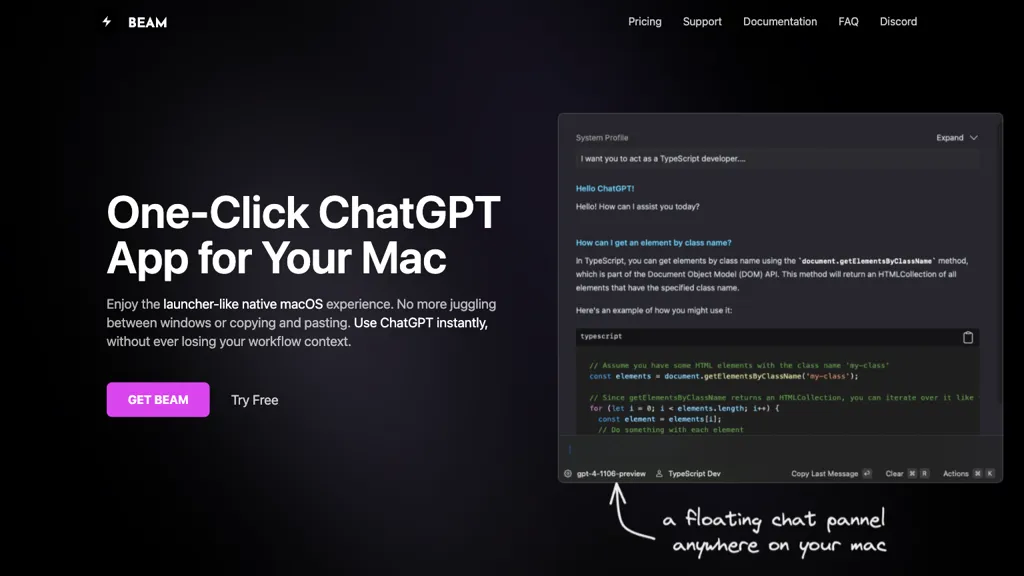
No user reviews yet Free trialBeam is a lightweight native macOS app that offers a sandboxed ChatGPT interface via a single hotkey. It lets users select screen areas or PDFs for summaries, translations, or explanations, while keeping all data local.
We've ranked 29 Beam alternatives, including 19 with a free plan. Rankings are based on feature coverage and user feedbacks.
Top-rated alternatives include ChatTab, MindMac, and LightPDF.
29 Beam Alternatives & Competitors, Ranked by User Reviews
Click Compare on any tool to compare it side-by-side with Beam.
#1
ChatTab
ChatTab is a native macOS client for GPT‑3.5, GPT‑4, GPT‑4‑Vision, GPT‑4‑32k and Claude‑2 that stores the API key in Apple keychain. It supports multiple tabs, Markdown, iCloud prompts, file ingestion, and image queries, keeping data local for privacy.
#2
MindMac
MindMac is a native macOS client that integrates ChatGPT, Azure OpenAI, Gemini, and Claude on the desktop. It offers inline prompts, a 150‑template library, customizable context modes, shortcuts, keychain storage, and 15 UI languages for developers, researchers, and teams.
#3
LightPDF
LightPDF lets users chat with PDFs, Word, Excel, PowerPoint, EPUB, performing OCR on scanned documents and handling multiple files per session. It returns plain text, lists, tables or markdown with citations, supporting over 100 languages in a cross‑platform interface.
#4
Chatgot
ChatGOT offers real‑time chat, drafting, coding, summarization, PDF analysis, and text‑to‑image generation using models like GPT‑4o mini. It handles essays, emails, debugging, translations, and lets users create custom assistant roles—all web‑based without sign‑up.
#5
Heynds
ChatGPT Mac is a macOS-native AI writing assistant that enhances productivity with voice-to-text capabilities, quick text editing, support for over 100 languages, and customizable commands, all while ensuring user privacy and easy accessibility through keyboard shortcuts.
#6
MacCopilot
MacCopilot lets macOS users select any screen area, capture screenshots, and chat with AI models—GPT‑4o, Claude, Gemini, or local Ollama—to receive instant visual analysis, code reviews, design feedback, and contextual insights directly on‑screen. Hotkeys and history improve workflow.
- Personalized recommendations
- Custom collections
- Save favorites
Already a member? Sign in
#7
PowerBrain
ChatGPT is an AI-powered chat app that uses advanced NLP technology to provide fast answers and automate tasks.
#8
ChatPDF
ChatPDF lets users upload PDFs for conversational queries, mapping content and providing cited answers. It supports folders for combined documents, side‑by‑side chat and source viewing, and offers multilingual input and output.
#9
MacGPT
MacGPT is a native macOS app that provides quick access to a chatbot powered by a language model and offers several utilities.
#10
GPTGO
GPTGO blends Google search with ChatGPT, presenting results and AI‑generated summaries in 100+ languages. Users get concise answers beside each result, can copy or download, and access the tool on desktop, mobile, or tablet without registering.
#11
ChatGPT for YouTube
ChatGPT for YouTube is a Chrome extension that produces concise text summaries of YouTube videos, enabling quick understanding of key points. It operates without requiring a ChatGPT or OpenAI account and integrates directly into the YouTube interface.
#12
Notegpt
NoteGPT transcribes and summarizes lectures, meetings, and recordings in any language, offering PDF/PPT/book/video overviews, translation, and AI drafting tools. It also supports text‑to‑speech, voice cloning, infographics, slide generation, and multi‑model chat assistance.
#13
QuickyAI
Quicky AI is a browser extension that embeds ChatGPT (GPT‑4o and models) into any webpage. It lets users ask contextual questions, summarize content, capture screenshots, and use preset prompts for tasks like marketing, coding, or data analysis. Credentials remain local.
#14
PaletteBrain
Palettebrain is an AI tool that unlocks the power of ChatGPT across various Mac applications, allowing users to work smarter and streamline their workflows to boost productivity.
#15
ChatKit
ChatKit is a cross‑platform AI chat app for macOS, Windows, and Linux that connects to OpenAI, Gemini, Azure, and custom models via API keys. It offers prompt templates, chat bookmarks, voice input, text‑to‑speech, file drop, web search, and URL fetching.
#16
ChatPDFGPT
ChatPDFGPT is an AI tool that enables natural language interaction with PDF documents, allowing users to extract insights, summarize content, and navigate easily. It supports multiple languages and facilitates collaboration, making it useful for students and professionals.
#17
PDFGPT
PdfGPT summarizes PDFs and folders, structures and links documents, supports conversational search for questions, comparisons, clause spotting. Built‑in agents perform compliance, risk, fact‑checking, and export results as notes, citations, or redlined docs.
#18
Ask AI
Chat & Ask AI combines web search, image generation, link analysis, document chat, and YouTube summarization in one interface. It offers up‑to‑date answers, multilingual support, file uploads, and a prompt library, powered by GPT‑5.2, Gemini, Claude, and Stable Diffusion XL.
#19
Sidekiiick
Sidekick AI tool is a conversational AI tool that provides easy access to ChatGPT on macOS.
#20
UniJump
UniJump is a browser extension that injects ChatGPT into any page, letting users ask questions and generate text via ⌘ + J or a widget. It requires only an OpenAI account and keeps data local.
#21
PDF Pals
PDF Pals is a macOS-native app that lets users chat with PDFs locally, using built‑in OCR and a local SQLite index. It supports multiple AI providers, keeps data offline, and offers fast, privacy‑focused queries.
#22
YouTube Summary with ChatGPT
YouTube sumamry chrome extension is a YouTube video summary tool developed by Glasp Inc., currently in beta testing and requires installation on Chrome or Safari browsers along with sign-up.
#23
Chatpdf.ae
ChatPDF lets users upload PDFs and chat with their content in any language. It extracts key information, provides summaries, answers queries with source citations, and supports bilingual interaction, all while keeping documents secure.
#24
ChippyAI
Chippy is a Chrome extension that embeds ChatGPT directly into the browser, letting users ask questions, summarize pages, research topics, translate text, and draft emails instantly while staying on the current tab.
Overchat is a versatile AI app that integrates multiple AI models like ChatGPT, Claude, and Gemini for dynamic text generation, summarization, coding assistance, and image creation. It supports multilingual translation, homework help, and ensures secure, encrypted interactions across all features.
#26
Open GPT
OpenGPT lets users build ChatGPT‑based applications instantly using a library of ready‑made AI tools for productivity, copywriting, coding, entertainment, and education. The platform offers prompt‑to‑code conversion, regex creation, and tools that refine prompts and transform requests into actionable outputs.
#27
ChatGPT Notepad
ChatGPT Notepad is a browser‑based plain‑text editor that lets users create, edit, and manage multiple notes without registration. It offers undo, redo, cut/copy/paste, find‑replace, spell check, real‑time word count, AI‑content cleanup, and .txt export, compatible with major browsers.
#28
ChatAIr
ChatAIr is a macOS client that connects to the OpenAI API, managing prompts and allowing multiple prompts in one dialogue box. Users can set model, temperature, and track conversation history turn by turn.
#29
Yack
Yack is an AI tool designed for Apple Silicon models from 2020 onwards with markdown support, multiple themes, keyboard-first design, and upcoming features such as cross-app integration, prompt completion, and search functionality.
Frequently Asked Questions
Why look for Beam alternatives?
Common reasons users switch from Beam:
- Cost: Beam is a Free trial tool starting from $6 — users often look for more affordable or free options.
- Feature gaps: teams needing specific capabilities like Analyze Screens may find a more focused alternative better suited to their workflow.
- Flexibility: exploring alternatives helps find tools that better match your team size, integrations, and budget.
What is the best alternative to Beam?
ChatTab ranks as the top Beam alternative. ChatTab is a native macOS client for GPT‑3.5, GPT‑4, GPT‑4‑Vision, GPT‑4‑32k and Claude‑2 that stores the API key in Apple keychain. It supports multi It is available on a Paid plan starting from $3.99.
How do the top Beam alternatives compare?
Are there free Beam alternatives?
Yes, 19 free alternatives found in our list: Chatgot, Heynds, MacCopilot. and 16 more — use the pricing filter above to see them all.
What should I look for in a Beam alternative?
- Core capabilities: confirm the tool supports Analyze Screens, translate texts, Summarize Documents.
- Pricing transparency: look for clear free plan, trial period, or tiered pricing — avoid tools that hide costs.
- User reviews: check both the satisfaction percentage and the number of reviews; a high score from few users is less reliable.
- Integrations: verify it connects with your existing stack before committing.
- Support and updates: active development and responsive support are strong signals of a maintained product.
Which Beam alternative has the highest user rating?
MacCopilot has the highest satisfaction score among Beam alternatives, with 100% positive from 1 user review. It is available on a Free plan.
What are Beam alternatives used for?
- Analyze Screens
- translate texts
- Summarize Documents
- Generate Templates
- Organize Prompts