
What is HandOCR?
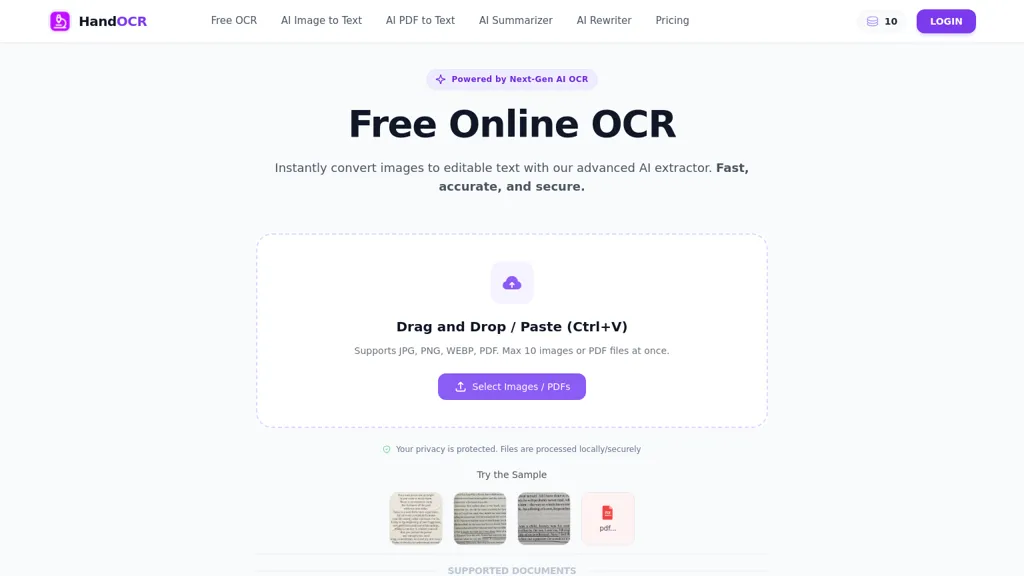
HandOCR converts images and scanned PDFs to editable text using OCR, supporting JPG, PNG, WEBP and PDF inputs.The browser-based service processes files locally and delivers editable, copyable text and downloadable outputs without installing software.
Automatic language detection and handwriting recognition extract text from multilingual documents, screenshots, notes, receipts, and business cards.Batch processing of multiple images and PDFs streamlines workflows for students, researchers, and professionals who digitize notes, journals, invoices, and contracts.
Export options include copy-to-clipboard and downloadable text files for integration with document editors, CRMs, and accounting systems.Typical use cases include creating searchable PDFs, automating invoice and receipt data entry, digitizing handwritten or printed sources, and extracting contact or ID details for onboarding.
HandOCR details
- Jurisdiction
- England and Wales
- Built for
- Individuals
- Data residency
- United States or other territories
HandOCR tech specs
- Payment Processors
- Stripe
HandOCR pricing
Freemium- Refund window
- 1 days
- Auto-renewal
- Yes
Verify on the official pricing page.
View plansHandOCR's key features
-
OCR conversion of images and scanned PDFs (supports JPG, PNG, WEBP, PDF)
-
Browser-based client-side processing — runs locally in the browser with no installation
-
Automatic language detection for multilingual text extraction
-
Handwriting recognition for extracting handwritten notes, receipts, and business cards
-
Batch processing of multiple images/PDFs with export options (copy-to-clipboard, downloadable text files, searchable PDFs)
HandOCR use cases
-
Digitize handwritten meeting notes, lecture notebooks, or research annotations with HandOCR in your browser—convert handwriting to editable, searchable text locally and copy or export results without uploading sensitive data
-
Process batches of scanned receipts, invoices, and expense forms using HandOCR's batch image OCR and multilingual recognition to extract text, generate searchable PDFs, and export plain text for accounting or expense software
-
Create clean, searchable archives from mixed-format documents (JPG, PNG, WEBP, PDF) by using HandOCR's handwriting and multilingual detection to convert scanned documents into editable text files or clipboard-ready content for translation, indexing, or data analysis
HandOCR user reviews
Would you recommend HandOCR?
Who is HandOCR for?
-
Corporate managers
-
Small business owners
-
Accountants
-
Administrative staff
-
Hr teams
HandOCR FAQ
Is HandOCR free?
Partly. HandOCR has a free plan with usage limits, and paid plans unlock the full feature set. Plans include 600 credits at $9.99, 1400 credits at $19.99, 4000 credits at $49.99 and 8500 credits at $99.99.
What are the best alternatives to HandOCR?
The closest alternatives to HandOCR are AIImagetoText, ScantextAI, imgtotext.ai, imagetotext.me and OLOCR. You can compare them side by side in the alternatives section further down this page.
What does HandOCR do with my data?
Its privacy policy states that personal data is sold or shared for marketing purposes. Data may be shared with third-party service providers that help run the product. Customer data is held in United States or other territories.
Does HandOCR auto-renew or offer refunds?
HandOCR subscriptions renew automatically until you cancel. It states a 1-day refund window.
Compliance, privacy and billing terms are as stated in each product's own published documentation and have not been independently verified by TopAI.tools.


